
Free + Pro Most settings are in the free version; settings marked Pro need Chat Help Pro.
This overview shows what Chat Help does and where to start.
Overview of the plugin #
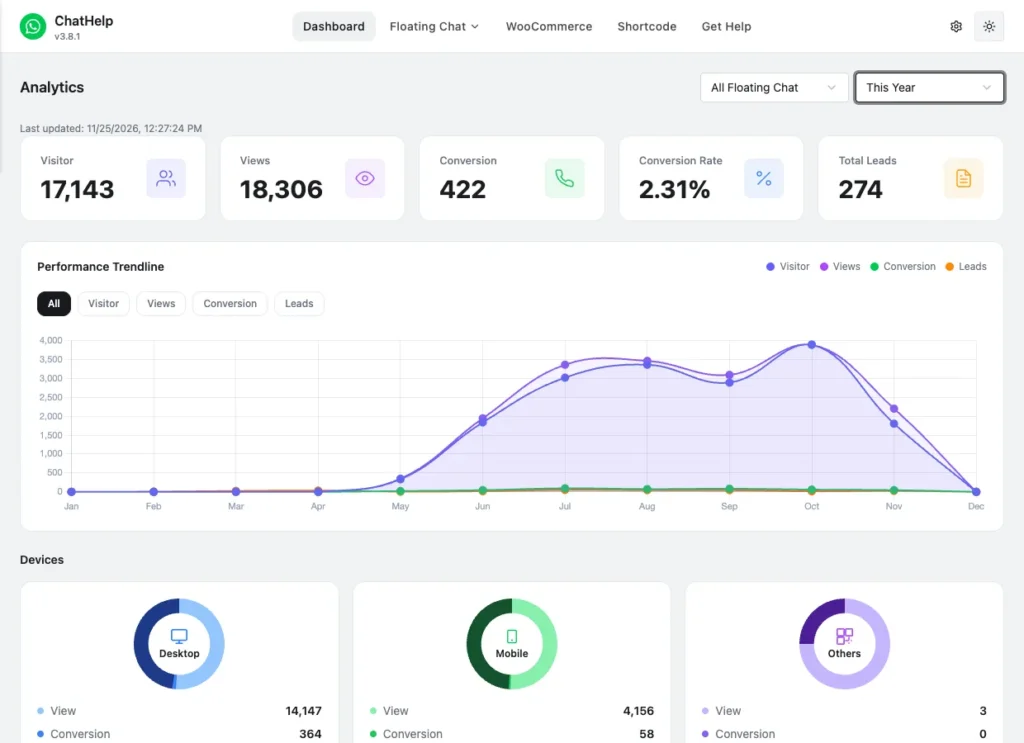
Chat Help adds WhatsApp chat to a WordPress site. Visitors start a conversation in the app they already use, and you see every lead and click in WordPress.
What it adds #
- A floating chat in the corner of every page: Form Chat, Single Agent, Pre-Chat Message, Chat Button, and in Pro Multi-Agent List and Grid and Multi-Agent Form.
- Several chats: make Custom Chats and assign each one to its pages.
- WooCommerce buttons on the product, shop, cart, checkout and thank-you pages.
- Buttons in content: a shortcode, a block and an Elementor widget.
- Leads and analytics: saved form submissions and a dashboard of views and clicks.
Free and Pro #
The free plugin on WordPress.org (opens in a new tab) includes four chat layouts, the WooCommerce buttons, the shortcode, block and Elementor widget, leads, analytics and the desktop QR code. Pro adds the multi-agent layouts, the Advance button style, dark and night mode, unlimited form fields, more visibility rules, webhooks and the traffic breakdown. See Free vs Pro.
Ready? Follow the quick start guide.
Overview: still have a question? Ask in the Chat Help forum on WordPress.org (opens in a new tab), or open a support ticket with Pro.
