
Pro Chat Help Pro feature.
Upgrading to Pro keeps your chats and settings: Chat Help Pro uses the same data.
Before upgrading to Pro #
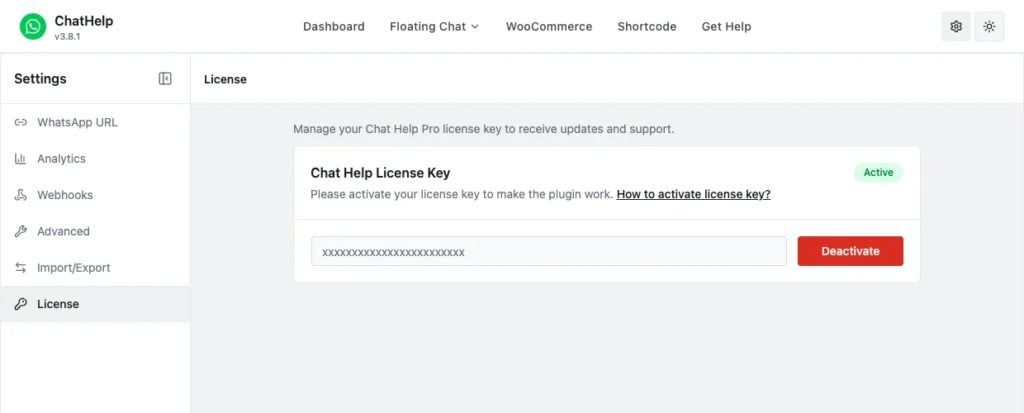
Choose a plan on the pricing page, then install Chat Help Pro and activate the license. Your chats and settings from the free plugin are kept.
Step by step #
- Pick a plan on the pricing page; every plan has every Pro feature.
- Download Chat Help Pro from your ThemeAtelier account (how).
- Upload and activate it under Plugins → Add New → Upload Plugin.
- Enter the license key under WhatsApp Chat → Settings → License to get updates.
Note
Before you delete the free plugin, check that Clean-up Data on Deletion (Settings → Advanced) is off, so your chats and leads stay.
Upgrading to Pro: still have a question? Ask in the Chat Help forum on WordPress.org (opens in a new tab), or open a support ticket with Pro.
