
Free Works in Chat Help Free and Pro.
The Chat Help admin panel menu is in the WordPress dashboard, under WhatsApp Chat.
What is in the admin panel menu #
Chat Help adds a WhatsApp Chat menu to the WordPress dashboard. The same sections are in the bar at the top of every Chat Help screen.
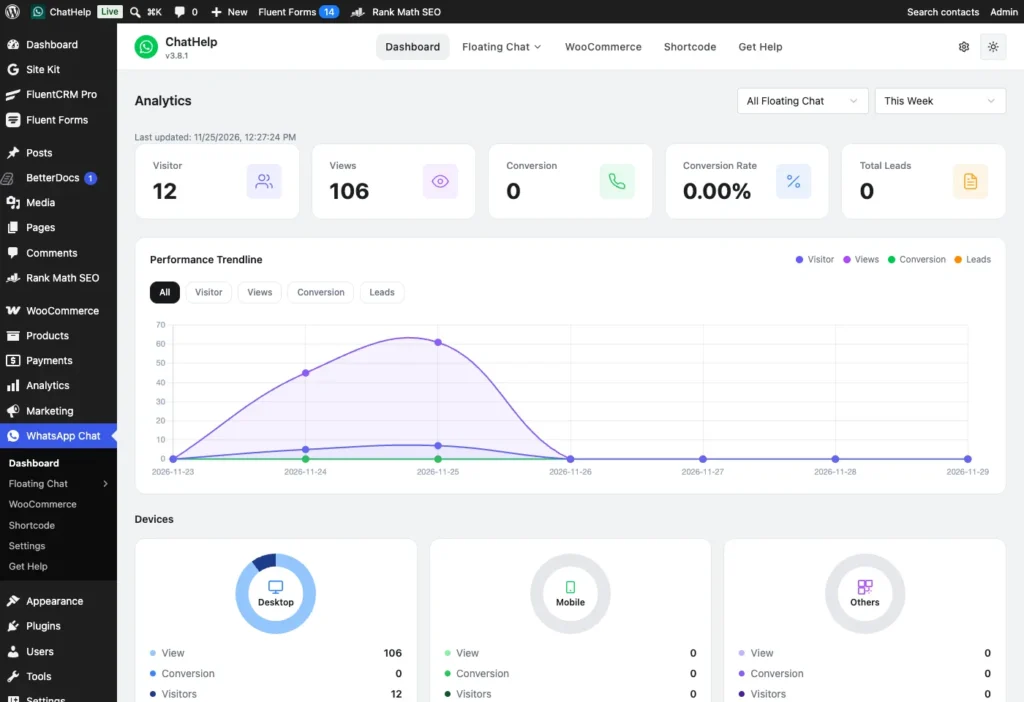
- Dashboard: analytics of views, clicks and leads.
- Floating Chat → Global Chat: the chat shown on every page that has no Custom Chat.
- Floating Chat → Custom Chats: more chats, and the Assign Chats tab.
- Floating Chat → Leads: form submissions.
- WooCommerce: the WooCommerce buttons.
- Shortcode: ready-made button shortcodes.
- Settings (also the gear icon): WhatsApp URL, Analytics, Webhooks, Advanced, Import/Export and License.
- Get Help: documentation, support and Free vs Pro.
Admin panel menu: still have a question? Ask in the Chat Help forum on WordPress.org (opens in a new tab), or open a support ticket with Pro.
