WhatsApp Multi-Agent Grid for WordPress
The same team chat as cards in a grid: photo, name and role side by side, with a search field. Good for teams with several departments. Pro.
The chat in the bottom corner of this page is the real Chat Help plugin with the Multi-Agent Grid layout.
How it works
What visitors see
Cards for each agent
Photo, name and role in a grid, so more people fit in the window.
Search
A search field to find an agent by name.
Live status
Online or offline per agent, from their own hours.
What you can change in the WhatsApp multi-agent grid
- Unlimited agents
- Grid or List view
- Search field
- Number or group, message and hours per agent
Use cases
Who it is for
Larger teams
Cards fit more people in the chat window than a list.
Find the right person
A search field filters the agents by name.
Faces first
For teams that want a personal look.
Compare
Which layout fits?
All layouts at a glance. Switch a chat to another layout at any time.
| Form Chat | Single Agent | Pre-Chat Message | Chat Button | Multi-Agent List / GridThis page | Multi-Agent Form | |
|---|---|---|---|---|---|---|
| Opens a chat window first | Included | Included | Included | Not included | Included | Included |
| Several people, each with their own number | Not included | Not included | Not included | Not included | Included | Included |
| A form before the chat | Included | Not included | Not included | Not included | Not included | Included |
| Visitor types the question in the window | Not included | Not included | Included | Not included | Not included | Not included |
| Saves leads in WordPress | Included | Not included | Included | Not included | Not included | Included |
| In the free version | Included | Included | Included | Included | Not included | Not included |
Set up
Set up the WhatsApp multi-agent grid in three steps
Add a chat
Go to Chat Help → Add Chat and choose Multi-Agent.
Add agents
Add each agent, then choose the Grid view.
Choose where it shows
Publish it and assign it to pages, posts or products, or set it up as the Global Chat for the whole site.
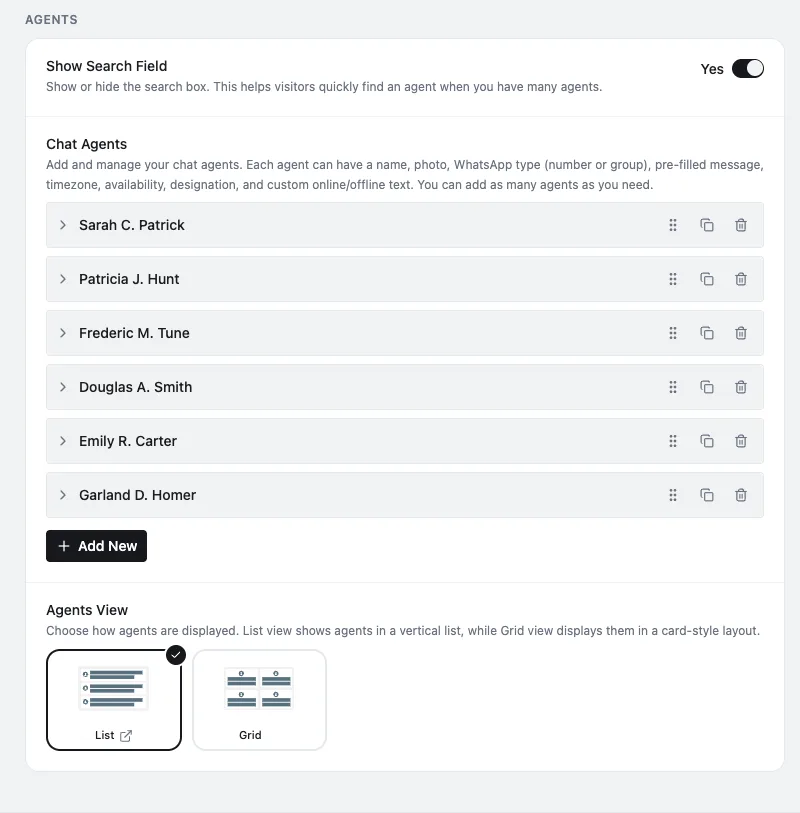
Step-by-step: Multi-agent grid
Video
Watch how it works
Chat Help Pro: WhatsApp chat support for WordPress · Watch on YouTube (opens in a new tab)
From the blog
Related guides
 How to Set Up Multiple WhatsApp Agents on One WordPress SiteOne WhatsApp number. Every question. The sales rep answers refund requests she can’t process, technical questions sit unread…Read the guide
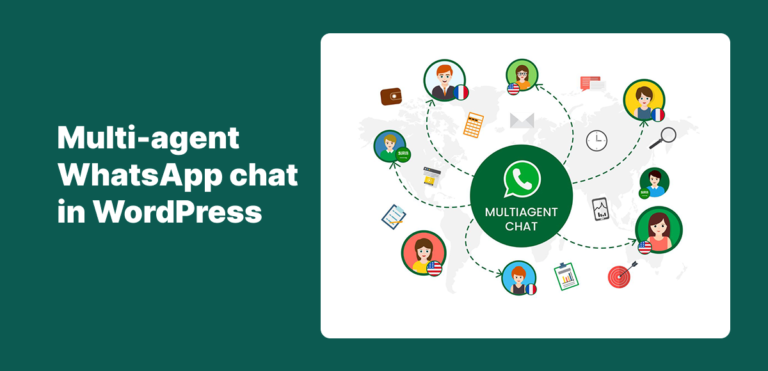 How to Add Multi-Agent WhatsApp Chat Support in WordPressManaging customer communication gets harder as your business grows. A single WhatsApp contact number may work for freelancers…Read the guide
 How Real Estate Agents Can Use WhatsApp Chat to Capture More LeadsProperty leads go cold in minutes, and contact forms lose buyers who just have a quick question. Here…Read the guide
More demos
Other chat layouts
- Form Chat FreeAsk for a name, email or anything else before the chat. Answers fill the WhatsApp message and are saved as leads.Open the live demo
- Single Agent FreeOne person’s photo, name and greeting, and a button that opens WhatsApp.Open the live demo
- Pre-Chat Message FreeVisitors type their question in the bubble; it arrives in WhatsApp ready to send.Open the live demo
- Chat Button FreeA floating button that opens WhatsApp straight away. Icon, Simple or Advance style.Open the live demo
- Multi-Agent List ProYour team in a list, each with a photo, role, hours and their own number.Open the live demo
- Multi-Agent Form ProVisitors pick an agent, then fill in a short form before the chat.Open the live demo
- Dark and Night Mode ProAny layout in a dark or night colour mode.Open the live demo
- All features Every Chat Help feature on one page.See every feature
From WordPress.org
What users say
The plugin works perfectly and the team is very professional. I purchased the Pro version and the experience has been excellent. The plugin works perfectly and the team is very professional. I requested a couple of new features and they developed them without any issues and in a short time.
uomiguel (opens in a new tab) on WordPress.org Awesome Plugin for WhatsApp Floating Chat & WooCommerce Order. This plugin worked great for my website, Order Via WhatsApp. It also provides a floating chat icon, which is helpful as well.
mohsinworld (opens in a new tab) on WordPress.org Effective for WhatsApp Chat Support! I am using this plugin to provide support to my customers through WhatsApp. It’s really effective and they can connect with me very easily using their WhatsApp. They don’t need to save our number manually.
firststepstogether (opens in a new tab) on WordPress.org
Questions about the WhatsApp multi-agent grid
Only the view: the agents and their settings are the same. Switch between them at any time.
No. Like the list and the form layouts, it is Pro.
Yes. Each agent has their own timezone and hours, and shows as online or offline on their own.