
Free Works in Chat Help Free and Pro.
Who should use Chat Help? Any site whose visitors would rather send a message than fill in a contact form.
Who should use it #
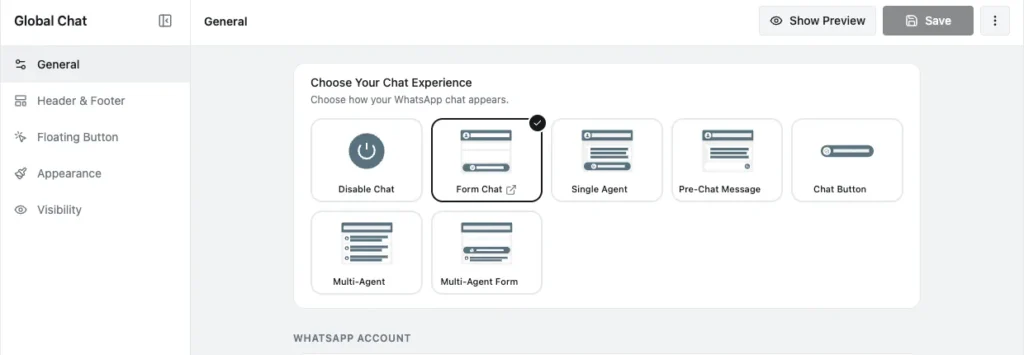
Anyone whose visitors would rather send a message than fill in a contact form: online shops (WooCommerce buttons with product details), service businesses and freelancers (Single Agent, Form Chat), and teams with several departments (Multi-Agent layouts in Pro).
- Online shops: a product page button sends the product name, price and the options the shopper picked.
- Freelancers and consultants: the Single Agent layout shows your photo and opening hours.
- Service businesses: the Form Chat asks for a name or the service first and saves each request as a lead.
- Teams with departments: Multi-Agent layouts (Pro) let visitors pick sales, support or billing.
- Communities: point the chat at a WhatsApp group invite link so visitors can join.
If your visitors would rather send a message than fill in a contact form, Chat Help fits.
Who should use: still have a question? Ask in the Chat Help forum on WordPress.org (opens in a new tab), or open a support ticket with Pro.
