
Free Works in Chat Help Free and Pro.
The Analytics settings choose what Chat Help tracks and what it sends to Google Analytics.
Analytics settings, one by one #
Open WhatsApp Chat → Settings → Analytics. The reports themselves are on the dashboard.
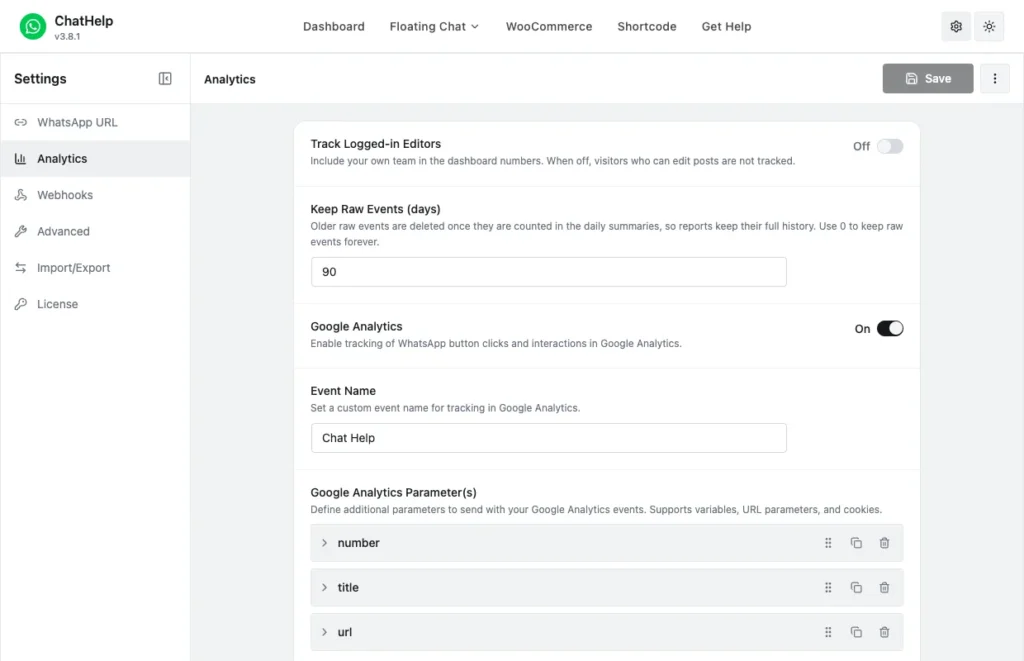
| Setting | What it does | Edition |
|---|---|---|
| Track Logged-in Editors | Include your own team in the dashboard numbers. When off, visitors who can edit posts are not tracked. | Free |
| Keep Raw Events (days) | Older raw events are deleted once they are counted in the daily summaries, so reports keep their full history. Use 0 to keep raw events forever. | Free |
| Google Analytics | Enable tracking of WhatsApp button clicks and interactions in Google Analytics. | Free |
| Event Name | Set a custom event name for tracking in Google Analytics. | Free |
| Google Analytics Parameter(s) | Define additional parameters to send with your Google Analytics events. Supports variables, URL parameters, and cookies. | Free |
Google Analytics Parameter(s) #
| Setting | What it does | Edition |
|---|---|---|
| Event Parameter | Free | |
| Value | Free |
Still have a question? Ask in the Chat Help forum on WordPress.org (opens in a new tab), or open a support ticket with Pro.
