
Every Chat Help feature
All features of the Chat Help WhatsApp chat plugin, from the chat bubble to WooCommerce buttons and leads. Each feature links to a live demo or its documentation.
Chat layouts
Pick how visitors start a conversation: a person, a form, a question or a team.
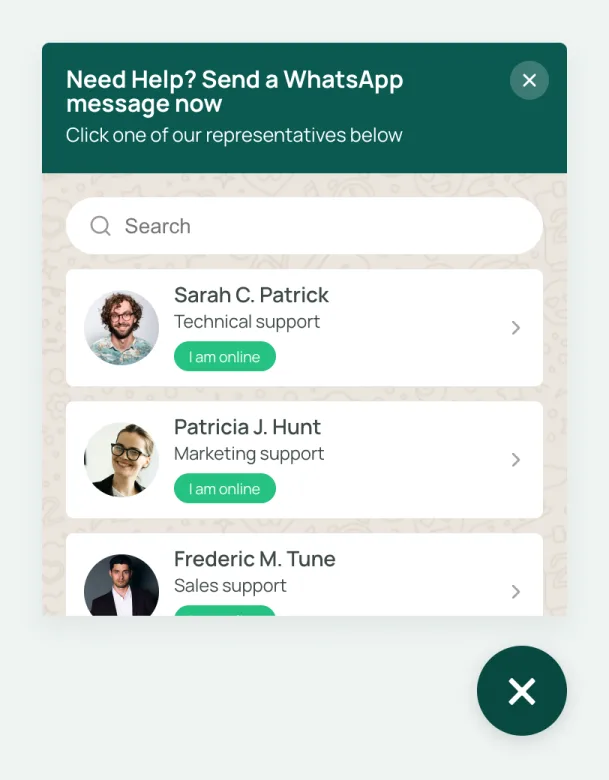
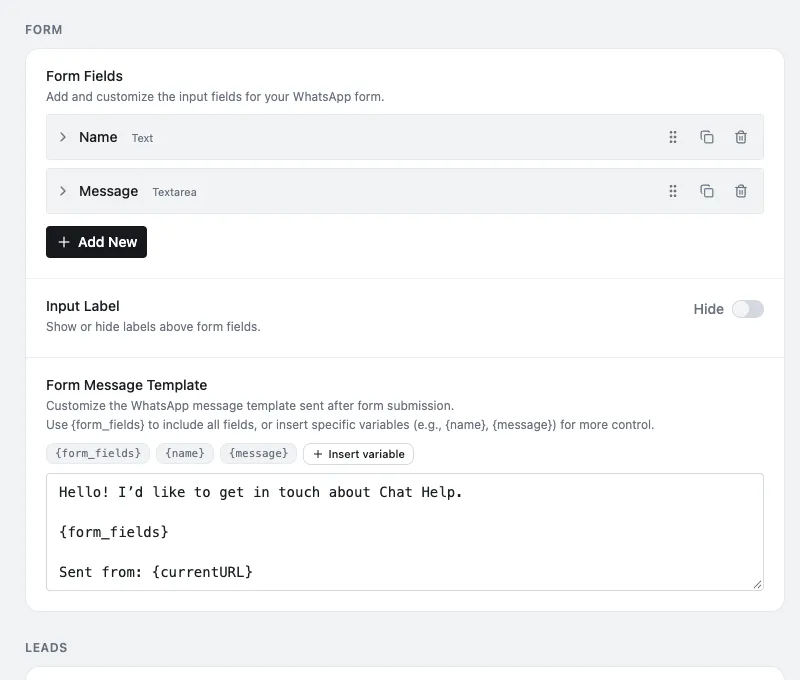
- Form Chat FreeAsk a few questions first. The answers fill the WhatsApp message and are saved as leads.Live demo
- Single Agent FreeOne person’s photo, name and greeting, with opening hours.Live demo
- Pre-Chat Message FreeVisitors type their question in the chat window; it arrives in WhatsApp ready to send.Live demo
- Chat Button: Icon, Simple and Advance FreeA floating button that opens WhatsApp straight away. The Advance style is Pro.Live demo
- Multi-Agent List and Grid ProYour team in one window, each with their own number, photo and hours.Live demo
- Multi-Agent Form ProVisitors pick an agent, fill in a short form, then chat.Live demo
- Dark and Night mode ProThe chat window in a dark or night colour mode.Live demo
WooCommerce
A WhatsApp button at every step of the shop, with the product, cart or order in the message.
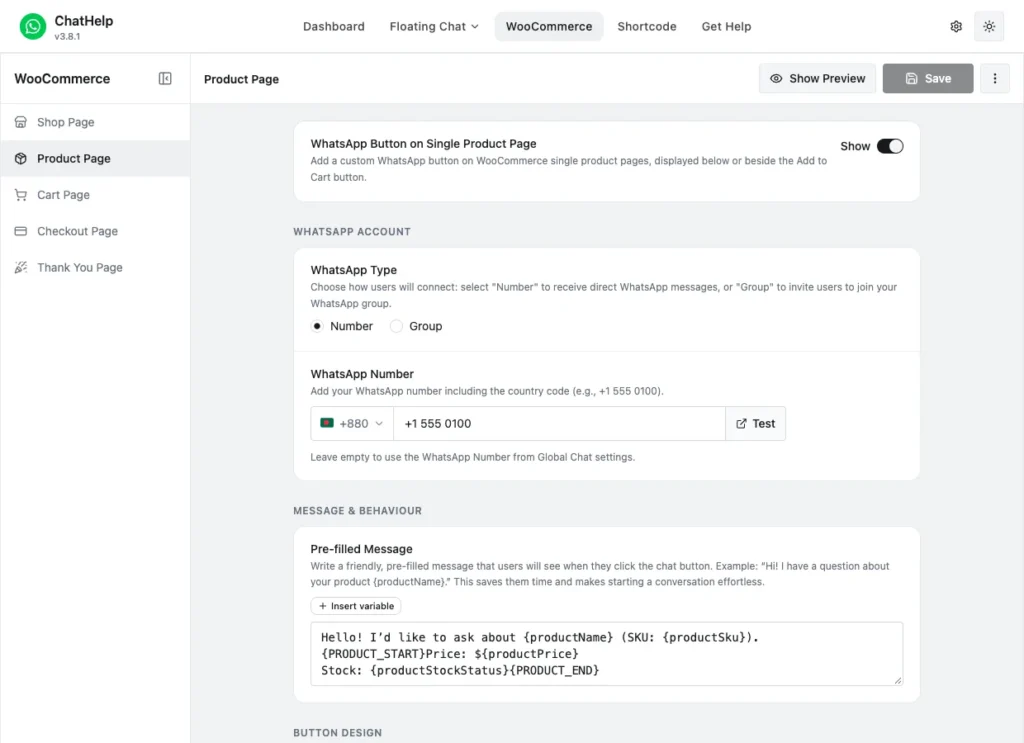
- Product page button FreeName, SKU, price, stock and the picked options in the message.Live demo
- Shop, cart, checkout and thank-you buttons FreeA button at each step, each with its own number, message and style.Live demo
- Product, cart and order variables Free{productName}, {cartInfo}, {orderInfo} and more, filled in for you.Live demo
Buttons in content
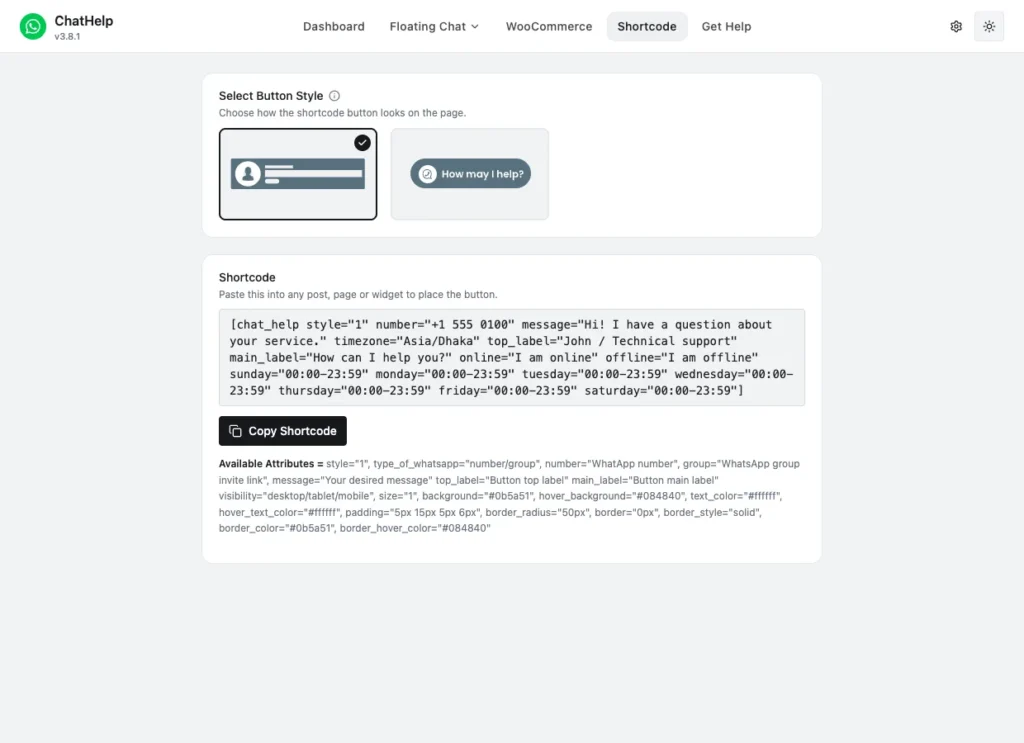
Place a WhatsApp button anywhere in a page, a post, a sidebar or a template.
Messages
Messages that already say who is writing, from which page, and about what.
Control
Who sees which chat, where and when.
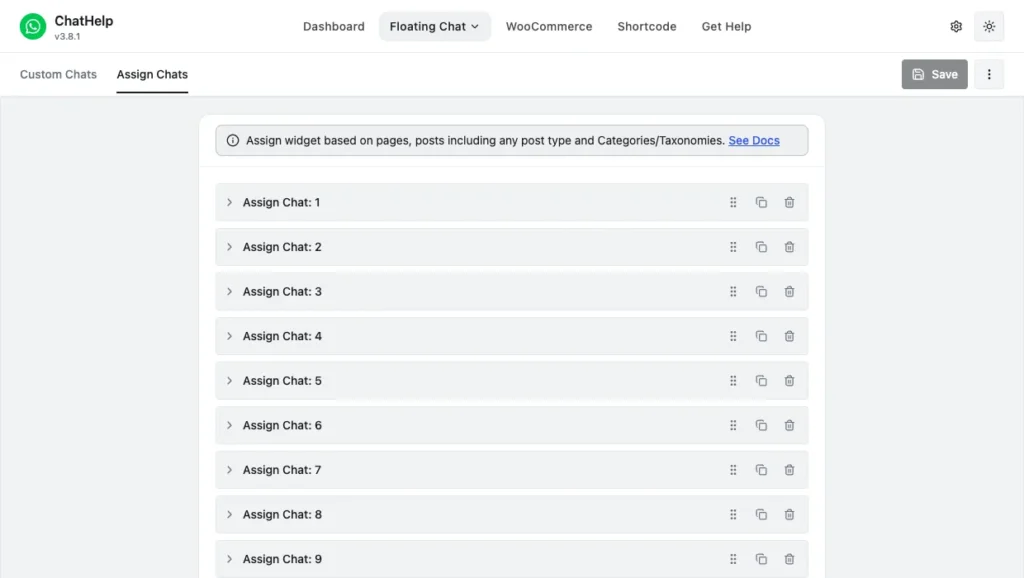
- Unlimited Custom Chats FreeA different chat for different pages, posts or products.Read the docs
- Opening hours FreeOnline or offline by day and time, in your timezone.Read the docs
- Visibility by device FreeShow a chat on desktop, tablet or mobile only.Read the docs
- Rules by page, product, category and tag ProShow or hide a chat on chosen pages, products, categories and tags.Compare
- GDPR consent FreeA consent checkbox with your own text before the chat.Read the docs
Leads and data
See what the chat brings in, and send it where you need it.
- Leads FreeEvery form answer, with search, filters and CSV export.Live demo
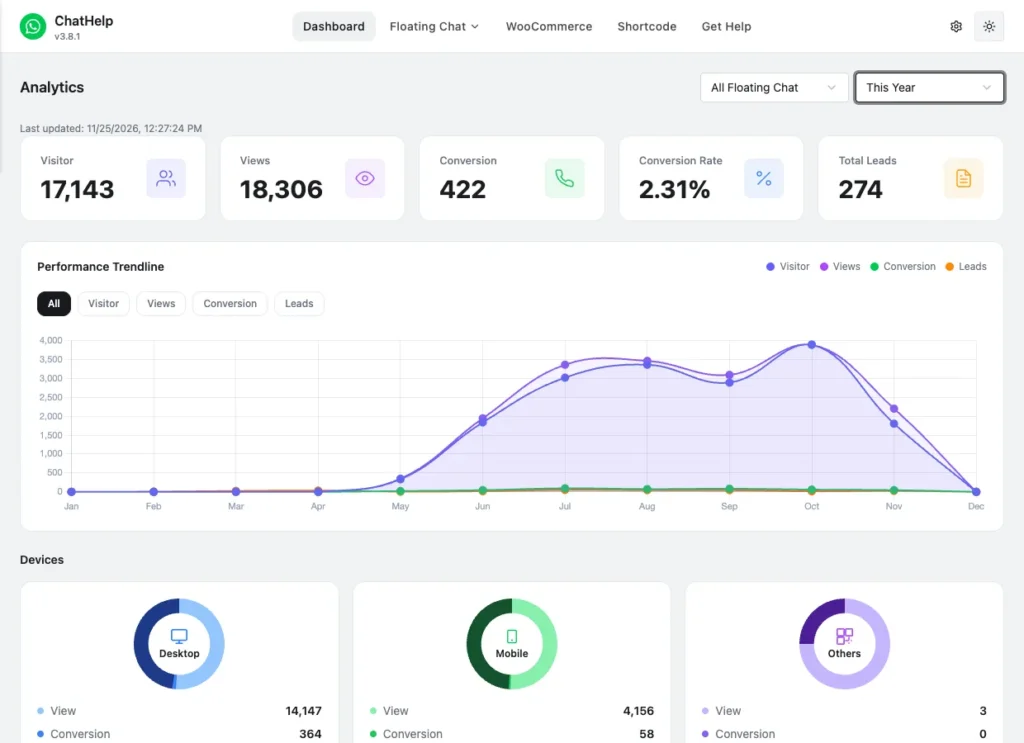
- Analytics dashboard FreeVisitors, views, conversions and leads over time, by device.Live demo
- Countries, pages and browsers ProWhere visitors come from, and which pages and browsers they use.Live demo
- Webhooks ProSend the visitor’s form answers to another tool when they start a chat.Read the docs
- Import and export FreeMove chats, leads and settings between sites.Read the docs
Free vs Pro
The free plugin has four chat layouts, WooCommerce buttons, leads, analytics and the QR code. Pro adds team chat, the Advance button, dark mode, unlimited form fields, more visibility rules and webhooks.
| Feature | Free | Pro |
|---|---|---|
| Chat layouts | ||
| Form Chat, Single Agent, Pre-Chat Message, Chat Button | Included | Included |
| Multi-Agent List and Grid, Multi-Agent Form | Not included | Included |
| Button styles | Icon, Simple | Icon, Simple, Advance |
| Form fields | 2 | Unlimited |
| Light mode / Dark and Night mode | Light | Light, Dark, Night |
| Where it shows | ||
| Unlimited Custom Chats, assigned to posts, pages and products | Included | Included |
| Show on desktop, tablet or mobile only | Included | Included |
| Visibility rules: blog, 404 and search pages, posts | Included | Included |
| Visibility rules: pages, products, categories and tags | Not included | Included |
| Middle-left/right position; separate tablet and mobile positions | Not included | Included |
| Buttons | ||
| WooCommerce: product, shop, cart, checkout and thank-you pages | Included | Included |
| Shortcode, block and Elementor widget | Included | Included |
| Desktop QR code | Included | Included |
| Leads and data | ||
| Leads with search, filters and CSV export | Included | Included |
| Analytics: visitors, views, conversions, devices | Included | Included |
| Analytics: countries, pages and browsers | Not included | Included |
| Webhooks | Not included | Included |
| Import and export of chats, leads and settings | Included | Included |
Questions about the WhatsApp chat plugin
One person answers: Single Agent. You want the visitor’s details first: Form Chat. You want their question first: Pre-Chat Message. No window at all: Chat Button. A team: Multi-Agent List or Grid (Pro). A team and a form: Multi-Agent Form (Pro).
The Form Chat, Single Agent, Pre-Chat Message and Chat Button layouts, all five WooCommerce buttons, the shortcode, block and Elementor widget, message variables, leads, the analytics dashboard and the desktop QR code. Compare Free and Pro.
Yes. Make as many Custom Chats as you need and assign each one to its pages, posts or products.
Yes. Use a WhatsApp or WhatsApp Business number, or a WhatsApp group invite link.
Chat Help works with block themes and classic themes. Buttons can be added with a shortcode, a block or an Elementor widget.
From WordPress.org
What users say
The plugin works perfectly and the team is very professional. I purchased the Pro version and the experience has been excellent. The plugin works perfectly and the team is very professional. I requested a couple of new features and they developed them without any issues and in a short time.
uomiguel (opens in a new tab) on WordPress.org Awesome Plugin for WhatsApp Floating Chat & WooCommerce Order. This plugin worked great for my website, Order Via WhatsApp. It also provides a floating chat icon, which is helpful as well.
mohsinworld (opens in a new tab) on WordPress.org Effective for WhatsApp Chat Support! I am using this plugin to provide support to my customers through WhatsApp. It’s really effective and they can connect with me very easily using their WhatsApp. They don’t need to save our number manually.
firststepstogether (opens in a new tab) on WordPress.org
