
WhatsApp Chat Analytics and Leads in WordPress
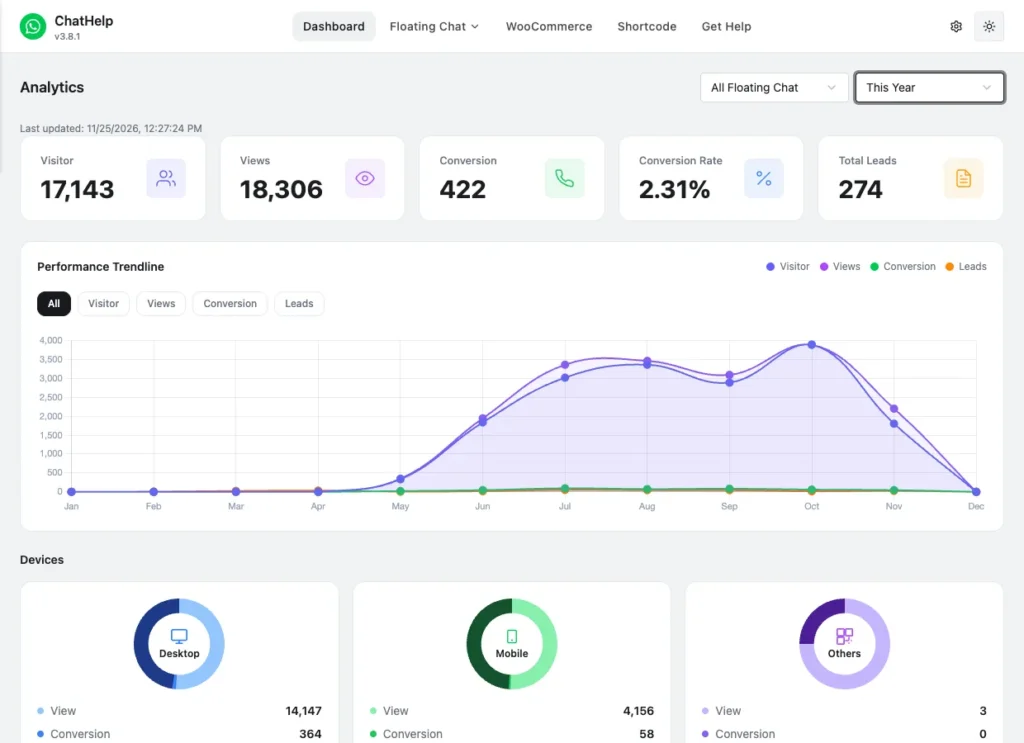
See how many visitors see your chat, how many start a conversation, and every lead from your forms, without leaving WordPress. The dashboard and leads are in the free version; the traffic breakdown is Pro.
The chat in the bottom corner of this page is the real Chat Help plugin with the Analytics and Leads layout.
How it works
What it does
Analytics dashboard
Visitors, views, conversions and leads over time, by device, for this week, this month or your own dates.
Leads
Each form submission with its answers, page and date. Search, filter and export to CSV.
Traffic breakdown
Countries, pages and browsers Pro.
What you can change in the WhatsApp chat analytics
- Track logged-in editors (off by default)
- Keep raw events for 90 days (reports keep their full history)
- Search engine bots are not counted
- Google Analytics event with your own parameters
- Webhooks: send the visitor’s form answers and your own values to another tool when they start a chat Pro
- Import and export leads with your settings
Use cases
Who it is for
See what works
Compare views and conversions over time and by device.
Follow up
Leads keep every form answer after the WhatsApp chat has moved on.
Send data on
Google Analytics events, and webhooks to other tools in Pro.
Set up
Set up the WhatsApp chat analytics in three steps
Turn on leads
In a form layout, switch on Leads (Form Submissions).
Open the dashboard
Go to Chat Help → Dashboard and pick a date range.
Export
Go to Chat Help → Leads, filter and export to CSV.
Step-by-step: Dashboard and analytics · Leads · Webhooks
Video
Watch how it works
Add WhatsApp chat to WordPress: complete Chat Help setup guide · Watch on YouTube (opens in a new tab)
From the blog
Related guides
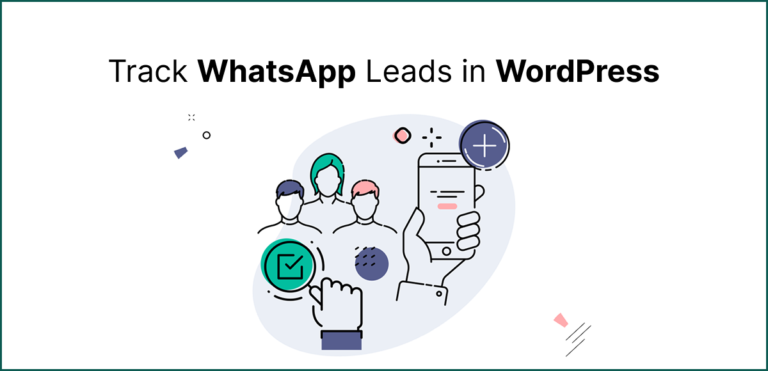 How to Track WhatsApp Leads and Conversations in WordPress (Step-by-Step Guide)1. Introduction In 2026, WhatsApp isn’t just a messaging app—it’s the beating heart of business communication. From boutique…Read the guide
 Does WhatsApp Chat Actually Increase Sales? What the Data Says (2026)Does WhatsApp chat increase sales? Yes — and the effect is measurable. Across independent studies, adding a chat…Read the guide
 WhatsApp Chat vs Live Chat – 7 Key Differences (2026)1. Introduction WhatsApp Chat vs Live Chat — it’s one of the biggest questions WordPress site owners are…Read the guide
More demos
More buttons and features
- Icon Button FreeA round WhatsApp icon in the corner that opens WhatsApp.Open the live demo
- Simple Button FreeThe WhatsApp icon with your own label, such as “Chat with us”.Open the live demo
- Advance Button ProA floating button with your photo, labels and online status.Open the live demo
- Button Shortcode FreeA WhatsApp button anywhere shortcodes work.Open the live demo
- Button Block FreeA WhatsApp button block for the block editor.Open the live demo
- Elementor Widget FreeA WhatsApp button widget for Elementor.Open the live demo
- WooCommerce Product Button FreeA button by Add to Cart, with the product in the message.Open the live demo
- WooCommerce Buttons FreeButtons on the shop, cart, checkout and thank-you pages.Open the live demo
- Desktop QR Code FreeDesktop visitors scan a code and continue on their phone.Open the live demo
- Message Variables FreePage, product, cart and form answers in the message.Open the live demo
- All features Every Chat Help feature on one page.See every feature
- Free vs Pro What the free plugin does, and what Pro adds.Compare
From WordPress.org
What users say
The plugin works perfectly and the team is very professional. I purchased the Pro version and the experience has been excellent. The plugin works perfectly and the team is very professional. I requested a couple of new features and they developed them without any issues and in a short time.
uomiguel (opens in a new tab) on WordPress.org Awesome Plugin for WhatsApp Floating Chat & WooCommerce Order. This plugin worked great for my website, Order Via WhatsApp. It also provides a floating chat icon, which is helpful as well.
mohsinworld (opens in a new tab) on WordPress.org Effective for WhatsApp Chat Support! I am using this plugin to provide support to my customers through WhatsApp. It’s really effective and they can connect with me very easily using their WhatsApp. They don’t need to save our number manually.
firststepstogether (opens in a new tab) on WordPress.org
Questions about the WhatsApp chat analytics
The browser sends at most one small tracking request per page view, and each one is a single database insert.
Not by default. Logged-in editors are left out unless you switch Track Logged-in Editors on.
Yes, to CSV, from Chat Help → Leads.
No. Search engine bots are not counted.
