

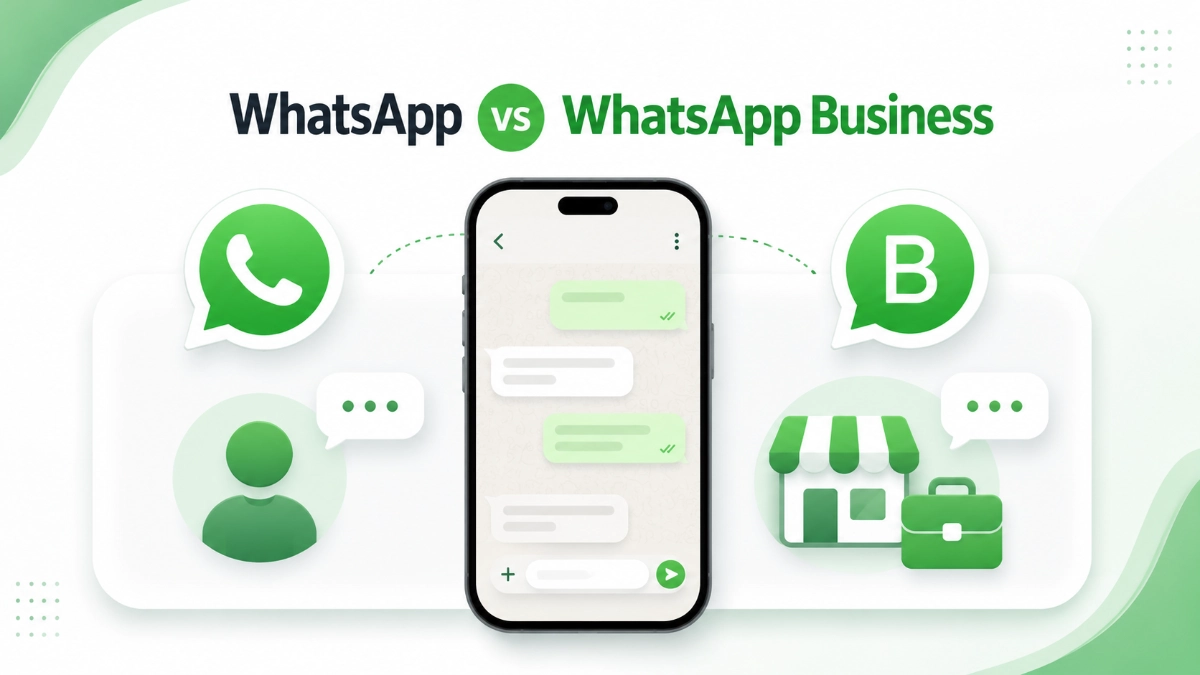

You’ve just finished your website. It looks great, the contact page works, and now you want that little green chat button so visitors can message you directly. Then you open the app store, see two green icons, and the WhatsApp vs WhatsApp Business question begins. Which one do you actually need?
If you’ve been comparing WhatsApp vs WhatsApp Business and feeling unsure, you’re not alone. It’s one of the most common questions I hear from clients before they install a chat plugin. The good news: the answer is simpler than it looks, and you can’t really get it “wrong.” This guide walks you through both apps, how they differ, and which WhatsApp for your website makes the most sense.
Key Takeaways
- WhatsApp vs WhatsApp Business in one line: the first is built for personal messaging, the second adds free tools for customer communication.
- Both apps are free to download and use.
- Both apps work with website chat buttons. A wa.me click-to-chat link doesn’t care which app your number is registered with.
- WhatsApp Business gives you a business profile, product catalog, quick replies, greeting messages, away messages, labels, and basic statistics.
- A phone number can only be active on one of the two apps at a time, but you can switch and keep your chat history.
- The WhatsApp Business API is a separate, paid product for larger companies. Most small businesses don’t need it.
- The WhatsApp vs WhatsApp Business decision affects how you manage chats — not whether your website button works.
Table of Contents
What Is Regular WhatsApp?
Regular WhatsApp — officially WhatsApp Messenger — is the app billions of people use to chat with friends and family. You register with a phone number, then send texts, voice notes, photos, videos, and documents. Voice and video calls are included, and everything is protected with end-to-end encryption.
It’s free, it works on almost any phone, and your customers almost certainly already have it. That familiarity is its biggest strength. A WhatsApp message feels personal and low-pressure — nothing like filling out a contact form and hoping for a reply. You also get group chats, status updates, and broadcast lists. For personal use, nothing is missing.
For a business, though, the limitations show up quickly. There’s no way to display opening hours, an address, or a website inside your profile. You can’t set up automatic replies, so a message that arrives at midnight sits unanswered with no explanation. And once customer conversations start mixing with family group chats, things get messy. That’s exactly where the WhatsApp vs WhatsApp Business question starts to matter.
What Is WhatsApp Business?
WhatsApp Business is the other half of the WhatsApp vs WhatsApp Business pairing: a separate, free app that Meta built specifically for small businesses. It looks and feels almost identical to regular WhatsApp — same chats, same encryption, same calls — but adds a layer of business tools on top.
Here’s what you get:
- Business profile. Your business name, description, address, opening hours, email, and website link. Customers see at a glance who they’re talking to.
- Catalog. A built-in showcase for products or services, with photos, prices, and descriptions — browsable without leaving the chat.
- Quick replies. Saved answers you insert with a shortcut. If you type the same “Here’s our price list” message five times a day, this alone is worth the switch.
- Greeting messages. An automatic welcome for people who message you the first time.
- Away messages. Automatic replies outside business hours, so a midnight enquiry gets an instant “We’ll get back to you in the morning” instead of silence.
- Labels. Color-coded tags like “New customer,” “Order placed,” or “Paid” that keep your chat list organized.
- Messaging statistics. Basic metrics showing how many messages were sent, delivered, and read.
- Broadcast with labels. Like regular WhatsApp, you can broadcast a message to many contacts — but labels make targeting the right group easier.
One more detail: when someone chats with you through WhatsApp Business, they see your business name and an indicator that it’s a business account. That small signal builds trust — people know they’re messaging a company, not a random number.
WhatsApp vs WhatsApp Business: Side-by-Side Comparison
Sometimes a table says it faster than three paragraphs. Here’s the WhatsApp vs WhatsApp Business comparison on the points that matter for a business website.
| Feature | WhatsApp Business | |
|---|---|---|
| Purpose | Personal chats with friends and family | Customer communication for businesses |
| Business profile | No | Yes — hours, address, website, description |
| Catalog | No | Yes — products and services with prices |
| Quick replies | No | Yes — saved shortcuts for common answers |
| Greeting messages | No | Yes — automatic welcome for new contacts |
| Away messages | No | Yes — auto-replies outside business hours |
| Labels | No | Yes — organize chats by status or type |
| Statistics | No | Basic metrics (sent, delivered, read) |
| Broadcast | Yes — broadcast lists | Yes — plus labels for easier targeting |
| Pricing | Free | Free |
| Setup | Phone number and a name | Phone number plus business details |
| Website compatibility | Works with wa.me links and chat plugins | Works with wa.me links and chat plugins |
| Best use case | Personal use, testing, early side projects | Any business that talks to customers |
One row in the WhatsApp vs WhatsApp Business table deserves special attention: website compatibility. Both apps score identically there — and that’s the point most articles get wrong. Let’s clear it up properly.
Can Both Work on a Website?
Yes. Both apps work perfectly with website chat buttons, because the WhatsApp vs WhatsApp Business choice has no effect on how the button functions.
Here’s why. A WhatsApp chat button is really just a special link — usually a wa.me link like wa.me/15551234567. When a visitor clicks it, WhatsApp opens on their device with your number pre-filled, ready for them to type a message. The link points at a phone number, not at a specific app.
The wa.me link works regardless of whether the phone number is registered with regular WhatsApp or WhatsApp Business. The visitor clicks, the chat opens, and the message arrives — either way.
So if you’ve been holding off on adding a chat button until you settle WhatsApp vs WhatsApp Business — don’t. The Business app is not required, and the button works today either way.
When you’re deciding which WhatsApp for your website to connect, the real question is: how much help do you want managing the messages once they start coming in? That’s it. The button itself is app-agnostic.
What About WhatsApp Business API?
Most WhatsApp vs WhatsApp Business comparisons stop at the two apps, but while researching you’ll probably bump into a third name: the WhatsApp Business API (also called the WhatsApp Business Platform). Quick clarification, because the similar name causes confusion.
The API isn’t an app at all. It’s a developer product that lets larger companies connect WhatsApp to their own systems — think airlines sending boarding passes, banks sending alerts, or support teams with ten agents answering from a shared dashboard. It requires technical setup, usually through a solution provider, and unlike the two apps, messaging through the API costs money.
Do you need it? Almost certainly not. If you’re a freelancer, a shop owner, or running a small team, the free WhatsApp Business app covers everything. The API only becomes relevant with thousands of conversations, chatbots, or deep CRM integration. File it under “maybe someday” and move on.
WhatsApp vs WhatsApp Business: Which One Should You Choose?
Now for the actual decision. Since both sides of the WhatsApp vs WhatsApp Business matchup connect to your website the same way, choose based on how you work day to day.
Choose regular WhatsApp if:
- Your website is a personal blog, portfolio, or hobby project rather than a business.
- You only get a handful of messages and can reply to each one personally.
- You want to test whether visitors will even use a chat button before changing anything.
- You’d rather keep one app and one number for everything, at least for now.
Choose WhatsApp Business if:
- You sell products or services and want customers to trust who they’re messaging.
- You answer the same questions repeatedly — quick replies will save you hours.
- You can’t reply around the clock and want away messages covering the gaps.
- You want customer chats organized with labels instead of scrolling through everything.
- You’d like a catalog so customers can browse what you offer inside the chat.
My honest take on WhatsApp vs WhatsApp Business, as someone who sets this up for clients: if your website exists to make money, go with the Business app. It costs nothing, and the away messages alone will save you from looking unresponsive. But don’t let the choice paralyze you — you can start with regular WhatsApp today and switch later without breaking your website button.
How to Add WhatsApp to Your WordPress Website
Whichever winner you picked in the WhatsApp vs WhatsApp Business matchup, connecting it to WordPress takes about ten minutes. Here’s the beginner-friendly version.
- Get your number ready. Make sure the phone number you want visitors to message is active on WhatsApp or WhatsApp Business. Send yourself a test message to confirm it works.
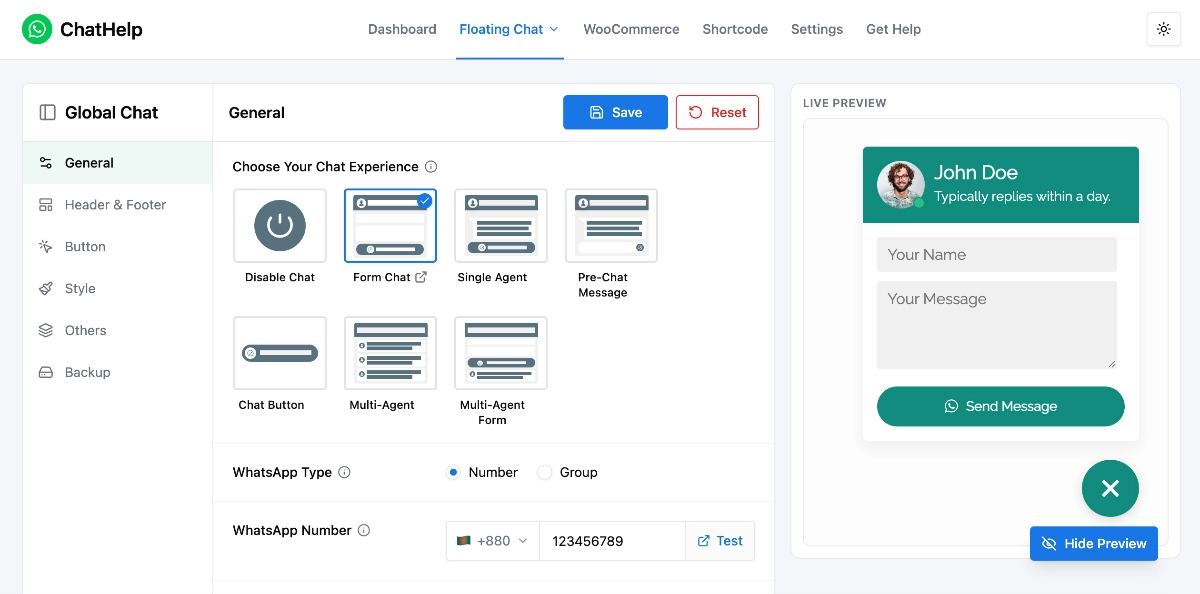
- Install a chat plugin. In your WordPress dashboard, go to Plugins → Add New and search for a WhatsApp chat plugin. Chat Help is a free option that adds a floating WhatsApp button and handles the wa.me link for you.
- Enter your number and a default message. In the plugin settings, add your WhatsApp number with country code, and write a pre-filled message like “Hi! I have a question about…” so visitors don’t face a blank chat.
- Style and position the button. Pick a corner (bottom-right is the convention), adjust colors to match your site, and decide whether it shows on mobile, desktop, or both.
- Test it like a visitor. Open your site on your phone, tap the button, and send a real message. If it lands in your WhatsApp, you’re live.
If you later want extras like multiple team members, business-hours scheduling, or click analytics, paid tools such as Chat Help Pro add those on top. Start free, upgrade only if you feel the limits.
Common Mistakes to Avoid
I’ve watched plenty of site owners set this up, and the same WhatsApp vs WhatsApp Business mistakes come up again and again.
- Treating WhatsApp vs WhatsApp Business as a blocker. The Business app isn’t mandatory. Your chat button works with either one, so don’t delay launching over the choice.
- Entering the wrong phone number format. The wa.me link needs your full number in international format — country code included, no plus sign, no spaces, no leading zeros. One typo and every click goes nowhere.
- Forgetting to set business hours. If you use WhatsApp Business, fill in your hours. Customers check them, and an empty profile looks abandoned.
- Ignoring auto-replies. A greeting message and an away message take five minutes to set up. Without them, a customer messaging on Sunday night hears nothing until Monday — and may message your competitor in the meantime.
- Cluttering the site with chat buttons. One WhatsApp button is helpful. WhatsApp plus Messenger plus a live-chat widget plus a pop-up is noise. Pick the channel you’ll actually answer and commit to it.
- Using a personal number you’re not comfortable sharing. Visitors see the number they’re messaging. If that bothers you, a separate SIM or a second number for WhatsApp Business solves it.
Frequently Asked Questions
Can I use the same phone number for WhatsApp and WhatsApp Business?
You can use your existing number, but not on both apps at once. A phone number can only be registered to one of the two apps at any given time. When you set up WhatsApp Business with your current number, that number moves over to the Business app. Many owners keep their personal number on regular WhatsApp and use a second number for Business.
Is WhatsApp Business free?
Yes. The WhatsApp Business app is completely free to download and use, just like regular WhatsApp. The profile, catalog, quick replies, auto-replies, labels, and statistics all cost nothing. Only the WhatsApp Business API — the separate platform for large companies — involves paid messaging.
Will visitors know which app I’m using?
In a subtle way, yes. With WhatsApp Business, customers see your business name, your profile details, and an indicator that they’re chatting with a business account. With regular WhatsApp, they see a normal personal account. Neither feels “wrong” to visitors — the WhatsApp vs WhatsApp Business difference is subtle on their end, but the business profile adds credibility.
Do I need WhatsApp Business for a WordPress chat plugin?
No. WordPress chat plugins generate a wa.me click-to-chat link, and that link works with any number registered on either app. Plugin settings ask for your phone number, not your app type — the WhatsApp vs WhatsApp Business choice doesn’t matter to the plugin. You can install it today and switch apps later without touching your website.
Can I switch to WhatsApp Business without losing my chats?
Yes. During setup, WhatsApp Business offers to transfer your existing chat history from regular WhatsApp on the same phone. Back up your chats first (Google Drive on Android, iCloud on iPhone) as a safety net, then follow the migration prompts. Your number, contacts, and conversations carry over.
Conclusion
The WhatsApp vs WhatsApp Business question matters less than most articles suggest — at least for your website. Both apps are free, both connect to a chat button the same way, and your visitors will reach you either way. The real difference is on your side of the conversation: WhatsApp Business gives you a professional profile, automatic replies, and organized chats, while regular WhatsApp keeps things simple and personal.
If you’re running a business, the Business app is the sensible default. If you’re not there yet, regular WhatsApp is a perfectly good starting point.
Either way, don’t leave the decision hanging. Settle WhatsApp vs WhatsApp Business today by picking the app that fits how you work, then add a WhatsApp button to your website this week and let visitors start the conversation. You can always adjust later — the button will keep working.