

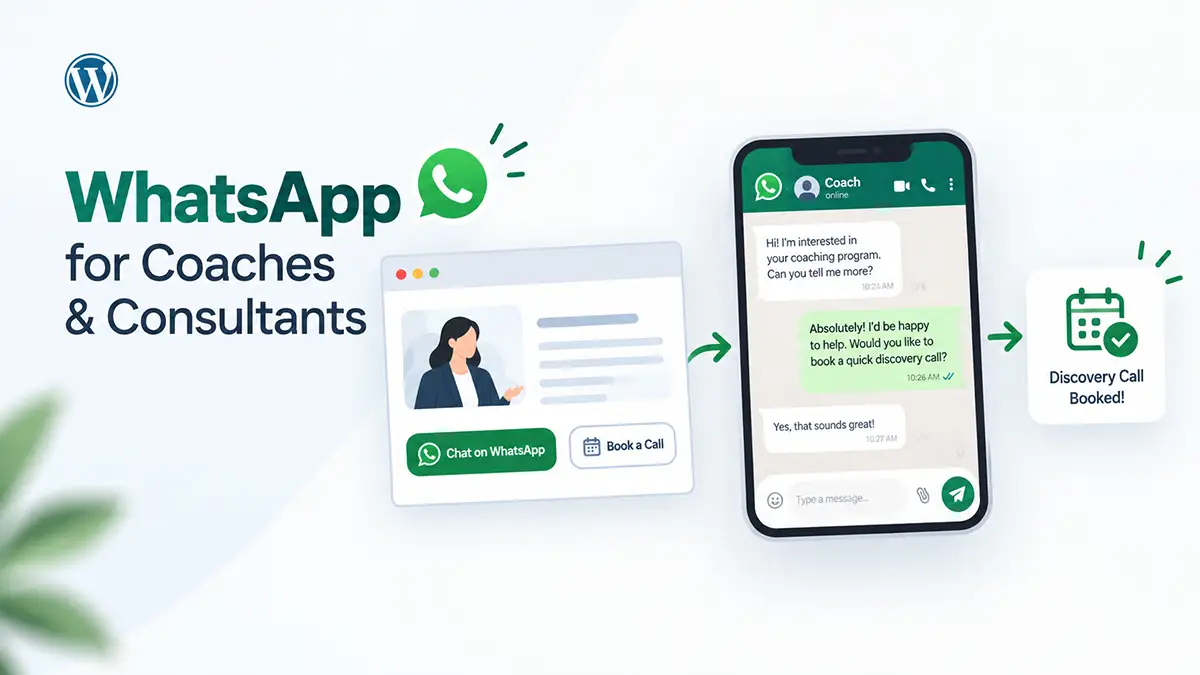

A prospect finds your coaching page, fills out the contact form, and gets an auto-reply promising a response within 24 hours. Then nothing. Not because you ignored them — you emailed back the next morning, like you always do. But the moment had already passed. They’d moved on, or booked with someone faster, or forgot why they were interested.
That gap between “interested enough to ask” and “actually hearing back” is where most coaching and consulting leads quietly die. WhatsApp for coaches closes that gap by turning a slow, form-and-email exchange into something closer to a real conversation — one that can move from a website visit to a booked discovery call in the same afternoon instead of the same week.
This guide covers where a WhatsApp button actually earns its place on a coaching or consulting site, how to write pre-filled messages that don’t sound robotic, and how to walk a WhatsApp conversation toward a booked call without turning it into an interrogation.
Key Takeaways
- WhatsApp works well for coaches and consultants because it lowers the commitment of “just asking a quick question” compared to another contact form.
- A WhatsApp CTA should change based on the page it’s on — a pricing page needs a different message than a webinar thank-you page.
- Qualify a lead with two or three focused questions before sending a booking link, not after a long back-and-forth.
- ChatHelp starts and manages the WhatsApp conversation on WordPress; the coach still shares an external tool like Calendly or Cal.com to confirm the actual booking.
- Research from Harvard Business Review found leads contacted within an hour were nearly seven times more likely to qualify than those contacted an hour later.
- WhatsApp isn’t automatically the right channel — it fits poorly with enterprise procurement, strict clinical/therapeutic boundaries, or a team that can’t realistically respond within a reasonable window.
Table of Contents
Why Coaching and Consulting Leads Go Cold
Most coaching leads don’t disappear because the prospect lost interest. They disappear because the channel added friction at the exact moment interest was highest. A contact form asks someone to type out their situation to a stranger with no immediate feedback. An email reply, even a fast one, arrives after the original curiosity has faded.
In 2011, Harvard Business Review published research by Oldroyd, McElheran, and Elkington showing that firms contacting a lead within an hour were nearly seven times more likely to qualify that lead than firms that waited even one hour longer — and more than sixty times more likely than firms that waited 24 hours or more (Harvard Business Review, “The Short Life of Online Sales Leads,” 2011). It’s an older study, but it’s still the most-cited research on this exact question, and the underlying pattern hasn’t changed: the longer the gap, the colder the lead.
For coaches, the friction shows up in predictable ways: a prospect has one quick question before committing to a full form, they’re unsure whether a program fits their situation, or they’re hesitating over price without wanting to ask outright in writing. Each is small. Stacked together and slowed by a form-and-email cycle, they’re enough to lose someone who was genuinely interested minutes earlier.
Why WhatsApp for Coaches and Consultants Works So Well
WhatsApp fits the coaching sales conversation because it feels like texting a person, not submitting a request. It’s mobile-first, asynchronous, and already installed on almost everyone’s phone, which makes “just ask” genuinely low-friction — no new form, no account, no waiting for a reply that lands in an inbox they might not check until tomorrow.
It also does something a contact form can’t: it lets a prospect ask one specific, half-formed question instead of writing a paragraph explaining their whole situation. “Does this work if I travel a lot?” is easier to send than a form field labeled “Tell us about your goals.” Once that first exchange happens, moving to a calendar link feels like a natural next step, not a cold pitch.
None of that makes WhatsApp automatically right for every coach or consultant. It fits poorly with enterprise procurement processes, clinical or therapeutic relationships bound by strict communication boundaries, and markets where WhatsApp isn’t the dominant messaging app. It also backfires if you can’t keep up with the response-time expectation it creates — a button unanswered for two days does more damage than no button at all.
Where Coaches Should Place a WhatsApp CTA
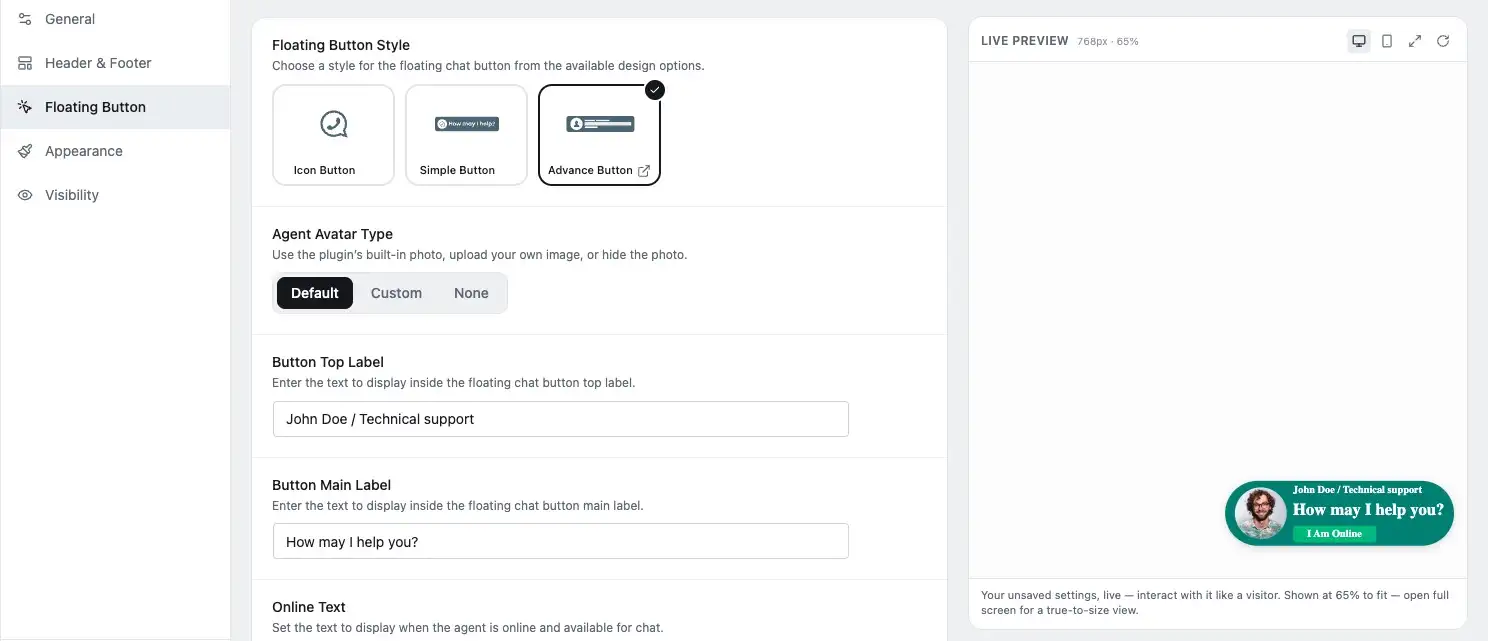
Placement matters more than presence. A WhatsApp button that says the same generic thing on every page misses the actual question a visitor has at that point in their journey.
| Page | Likely visitor question | CTA example | Should it replace anything? |
|---|---|---|---|
| Coaching/service page | What actually happens in this program? | “Ask a quick question about this program” | No — supplement the existing enrollment or contact option |
| Pricing/program page | Is this worth it for someone like me? | “Ask about pricing and fit” | No — pair it alongside pricing details, not instead of them |
| Booking page | I have one question before I book | “Ask before you book” | No — place it near the booking widget, don’t hide the booking flow behind it |
| Educational blog post | Does this apply to my specific situation? | “Ask how this applies to you” | Optional — lower priority, useful on high-intent posts only |
| Webinar/lead-magnet thank-you page | What’s the next step after this? | “Ask about the next cohort” | Can replace a generic “thanks, check your inbox” message with a direct next step |
Not every page needs the button visible. A checkout or legal page rarely benefits from a chat prompt, and showing WhatsApp everywhere dilutes it into background noise. The goal is a button that shows up where someone is already leaning toward a conversation, not one that follows visitors around the entire site.
For the mechanics of where and how a button can be shown or hidden by page, see the WhatsApp chat button best practices guide — this article focuses on which message and placement make sense for a coaching or consulting sales journey specifically.
Pre-Filled Messages That Start Better Sales Conversations
A pre-filled message is text that’s already loaded into the chat box when WhatsApp opens, ready for the visitor to edit or send as-is. It’s not sent automatically, and it doesn’t skip the visitor’s own words — it just removes the blank-page problem of “what do I even say?”
Generic pre-filled text like “Hello, I would like more information about your services” wastes the opportunity. A better message gives the coach context before the conversation even starts:
- Discovery call question: “Hi Sarah, I’m looking at your 8-week career coaching program. I’m changing industries and wanted to check whether it’s suitable for someone at my stage.”
- Program fit: “Hi, I saw your fitness coaching page. I’ve tried a few programs before without much luck — does your approach work for someone who travels a lot?”
- Pricing question: “Hi, could you tell me more about pricing for the 1:1 consulting package? I want to understand what’s included before booking a call.”
- Consultant availability: “Hi, I’m interested in a marketing audit for my business. Do you have any availability for a call this week?”
- Retainer inquiry: “Hi, I’m exploring ongoing marketing support rather than a one-off project. Could you share how your monthly retainer works?”
- Webinar follow-up: “Hi, I just watched your webinar on career transitions. I’d like to ask a couple of questions before deciding on the program.”
- Rescheduling: “Hi, I need to move my discovery call to later this week. What times do you have available?”
- “Is this right for me?”: “Hi, I’m a first-time founder considering your strategy consulting. I’m not sure if I’m too early-stage for this — could we talk it through?”
Each message gives the coach something to respond to besides “hi.” For the full technical walkthrough of setting these up, including dynamic variables like the page title or URL, see how to use pre-filled messages in WhatsApp chat.
A Complete WhatsApp Lead Journey: Emma’s Career Coaching Inquiry
This is an illustrative example, not a real client story. Emma is a career coach’s prospect considering a 6-week career transition program. Here’s the full path from landing page to booked call.
- Emma lands on the “6-Week Career Transition Program” page.
- She sees a contextual WhatsApp CTA: “Ask if this program fits your situation.”
- She taps it. A pre-filled message opens.
Emma: “Hi, I’m looking at the 6-week career transition program. I’m currently in finance and considering a move into product management. Is this a good fit for someone at my stage?”
Coach: “Hi Emma, thanks for reaching out! Quick question first — have you already started applying, or are you still exploring the shift?”
Emma: “Still exploring. I don’t want to job-search blind.”
Coach: “Got it. Are you looking for help with strategy — positioning, which roles to target — or more with interview and negotiation skills once you’re applying?”
Emma: “Mostly strategy right now — I don’t even know which roles to target.”
Coach: “That’s exactly what the first two weeks focus on. A quick call would be the fastest way to see if this is the right fit — here’s my calendar: [booking link]. Grab whatever slot works.”
- Emma books a Tuesday slot on the coach’s Calendly page.
- The coach confirms: “Great, see you Tuesday at 3pm. I’ll send a couple of quick questions beforehand so we make the most of the time.”
A few things here are doing deliberate work. The coach’s first reply is short and asks one question instead of pitching, which keeps momentum instead of front-loading information Emma didn’t ask for. Qualification happens before the calendar link appears — five questions at once would feel like an interrogation, so the coach used exactly two. The booking link only shows up once basic fit is established, which is why it reads as a natural next step rather than a sales push. The confirmation message afterward matters too: it reduces no-show risk and tells Emma the conversation was heard.
From WhatsApp Message to Booked Call: A Simple Workflow
Strip Emma’s example down and the pattern repeats: initial message, first response, basic qualification, booking link, booking confirmation, then a light reminder or follow-up if needed. The questions that do the most work in the qualification step are usually simple ones:
- “What are you hoping to improve?”
- “What have you tried already?”
- “Are you looking for one-off advice or ongoing support?”
- “When are you hoping to get started?”
Two or three of these, not all four at once, is usually enough. The point isn’t to fully diagnose the prospect over chat — it’s to confirm there’s a real fit before asking for a calendar commitment. Once that’s established, move to the booking link and get out of the way. WhatsApp is good at starting the conversation; it isn’t the place to run the whole sales process.
Two Quick Scenarios
These are illustrative examples, not real client exchanges.
A fitness coach selling a 12-week transformation program
The visitor’s real concern is usually “will this work for me,” not the program’s structure. A message like “I’ve tried a few programs before without sticking to them — how is this different?” deserves a specific answer about accountability, not a repeat of the sales page.
“That’s really common, honestly. What usually got in the way before — time, motivation, or not seeing results fast enough?”
A freelance marketing consultant selling a monthly retainer
Retainer prospects usually hesitate on scope, not price alone. “What’s included, and does it flex month to month?” is a fair question that a generic pricing page rarely answers well.
“Good question — the core scope stays fixed, but the priorities inside it flex monthly. What’s the main thing you’d want handled first?”
Setting This Up on WordPress with ChatHelp
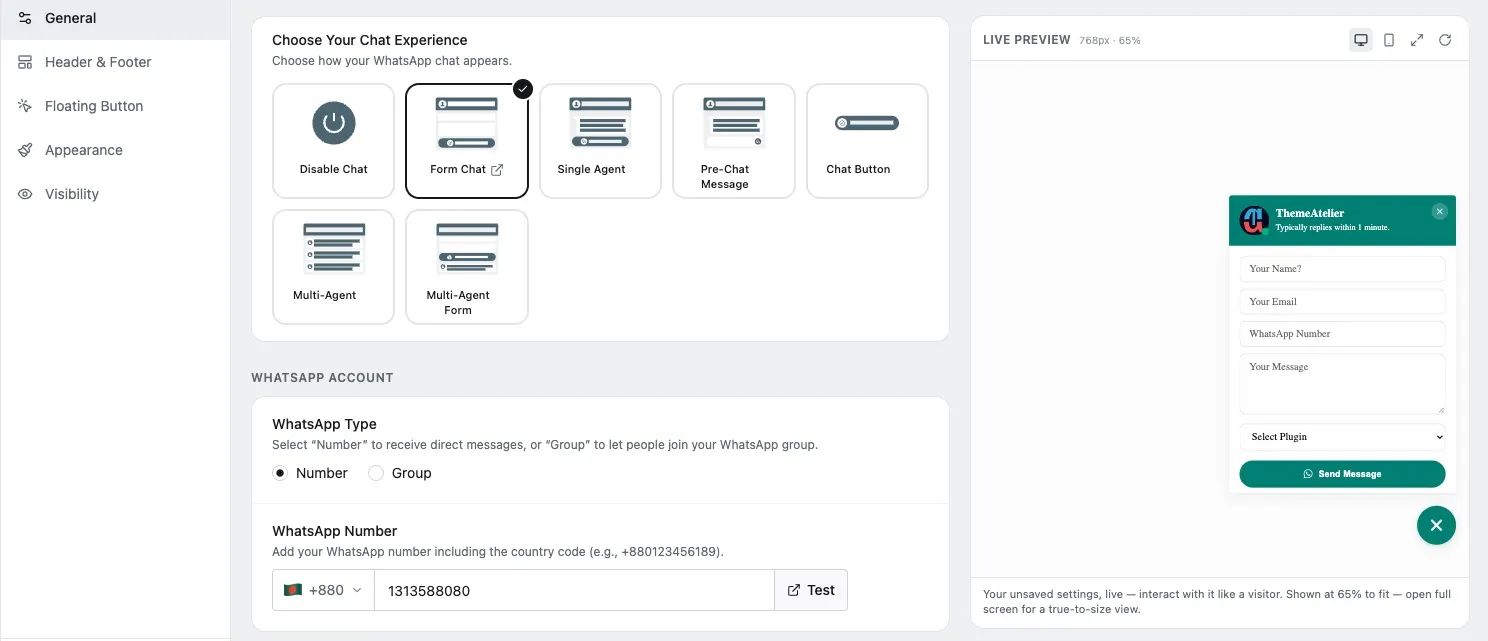
Everything above works with a plain WordPress Button block linked to a WhatsApp number. ChatHelp just makes it faster to configure and easier to keep consistent site-wide. Install the ChatHelp free WordPress plugin, then set a pre-filled message per page so each CTA reflects what that page is about, the way the examples above do.
Availability and offline messaging are part of the free plugin, so you can show accurate business hours instead of implying you’re reachable around the clock. Basic page visibility — showing or hiding the button on specific pages — is also free; more granular targeting by post type, product, category, or tag is a paid-tier capability, worth it once you’re running CTAs across dozens of pages.
One boundary worth stating plainly: ChatHelp starts and displays the WhatsApp conversation on your site — it isn’t a booking calendar. The coach still shares an external tool like Calendly, Cal.com, Amelia, or Bookly once fit is confirmed, exactly as in Emma’s example. If your practice grows to the point where different inquiries should reach different people, that’s a paid-tier multi-agent capability, covered in how to add multi-agent WhatsApp chat support in WordPress. Most solo coaches won’t need it on day one.
Setting Expectations So the Conversation Doesn’t Backfire
A WhatsApp button creates an expectation of speed, and it’s worth being honest about whether you can meet it. “We usually reply within 2 hours” reduces uncertainty for a prospect deciding whether to wait; if that’s not realistic, “within 24 hours” stated clearly beats silence that quietly breaks an unstated promise.
Use a WhatsApp Business number rather than mixing inquiries into your personal one — it keeps a professional boundary and makes handoff easier later. Move from messaging to a call once fit is confirmed rather than letting the back-and-forth drag on; a long thread that could have been a 15-minute call wastes time on both sides. And it’s fine to stop following up after a couple of unanswered check-ins — not every WhatsApp conversation is a qualified lead.
What to Actually Measure
Button clicks are the easiest thing to track and the least useful number on their own. The funnel that matters: button clicks, conversations started, qualified inquiries, booking links sent, calls booked, clients closed. ChatHelp’s built-in analytics dashboard reports visitors, views, conversions, and leads with a device breakdown, covering the earlier stages reasonably well.
What happens after someone opens WhatsApp happens inside WhatsApp itself, so a WordPress plugin can’t track it automatically. A simple spreadsheet logging each inquiry, whether it qualified, and whether it converted tells you more than click counts alone.
Common Mistakes Coaches Make with WhatsApp Lead Generation
- A generic “Chat with us” CTA everywhere, instead of a message matched to the page.
- The same pre-filled message on every page, wasting the context advantage WhatsApp offers.
- Sending the booking link immediately, before any qualification happens.
- Asking too many qualifying questions, turning a conversation into an intake form.
- No stated response-time expectation, leaving prospects guessing.
- Using a personal number with no boundaries, instead of a dedicated business number.
- Treating every WhatsApp message as a qualified lead, when some are just casual questions.
- Letting a long thread replace a call that would have resolved things faster.
Frequently Asked Questions
Is WhatsApp good for coaches?
Yes, for the pre-sale conversation specifically. It lowers the effort needed to ask a quick question compared to a contact form, and it moves naturally toward booking a call once basic fit is confirmed. It’s less suited to delivering full coaching sessions or replacing a structured client relationship.
Can consultants use WhatsApp to book discovery calls?
Yes. A visitor messages with a specific question, the consultant asks two or three qualifying questions, then shares an external booking link like Calendly or Cal.com once fit is established. WhatsApp doesn’t include scheduling itself — it starts the conversation that leads to it.
Should I use WhatsApp Business or my personal WhatsApp number?
Use WhatsApp Business where possible. It keeps client inquiries separate from personal messages, supports a business profile, and makes handoff easier later if you bring on support. Mixing prospects into a personal number works short-term but gets messy as volume grows.
Can I add a WhatsApp booking button to WordPress?
Yes, either with a core Button block linked to a wa.me click-to-chat link or a plugin like ChatHelp for more configuration. It’s not a booking button in the calendar sense — it opens a conversation, and the booking still happens through a separate scheduling tool.
Should WhatsApp replace my contact form?
Not necessarily. Some prospects still prefer writing a longer message through a form, especially for detailed inquiries. WhatsApp works best as a faster, lower-friction option alongside your existing form, not a wholesale replacement for it.
Can WhatsApp work with Calendly?
Yes, in the sense that you can share a Calendly link inside a WhatsApp conversation once you’ve qualified the lead. There’s no automatic integration between the two through ChatHelp — it’s a manual handoff, which works fine for most solo coaches and consultants.
How quickly should coaches reply to WhatsApp leads?
As fast as you can realistically sustain, and stated clearly. Research on online sales leads found response within an hour dramatically improved qualification rates compared to waiting longer (Harvard Business Review, 2011). If same-day isn’t possible, say “within 24 hours” rather than leaving visitors guessing.
Close the Gap Between Interest and a Real Conversation
WhatsApp doesn’t work for coaches and consultants because it’s a trendy channel. It works because it removes friction between a visitor’s question and the next meaningful step in a sales conversation — and friction is what kills warm leads, not lack of interest.
If you want to try this on your own WordPress site, the ChatHelp free plugin covers everything in this guide — pre-filled messages, availability, and page-level placement — without touching code.