


You’ve got three tabs open: ChatHelp, Click to Chat, and Joinchat. All three add a WhatsApp button to WordPress. All three have a free version. On the surface, they look interchangeable.
The real differences show up after installation. How fast you can configure it. What the visitor sees when they click. Whether business hours are a free setting or a paywall. What happens the moment you need a second person answering chats. This comparison is built around those questions, not “which one has the longest feature list” — for the best WhatsApp plugin WordPress search, feature-list length rarely decides the right fit.
Features and pricing last checked: August 29, 2026. All three plugins are actively updated — free/paid boundaries and prices can change after this date, so treat specifics as a snapshot, not a permanent fact.
Key Takeaways
- ChatHelp is the only one of the three that includes business-hours/availability scheduling for free, plus a native Gutenberg block and free WooCommerce buttons — but it has the smallest install base (1,000+) and review count (9) of the three.
- Click to Chat ships its full marketing-analytics stack free — Google Analytics, Meta Pixel, Google Ads Conversion, and Webhooks all work without upgrading — and holds a 96% rating across 131 reviews.
- Joinchat has the richest visitor-facing chat window of the three — an avatar, multiple message bubbles, dark mode, and a desktop QR-code fallback — plus the most granular free page/category/product targeting, backed by the largest install base (700,000+).
- Multiple WhatsApp agents require a paid tier in all three plugins — there’s no free multi-agent option among them.
- Business-hours/availability scheduling is free in ChatHelp, but a paid feature in both Click to Chat and Joinchat — check this specifically if it’s a requirement.
- None of the three has been independently benchmarked for frontend performance here — treat any speed claim you read elsewhere as unverified until you test your own setup.
Table of Contents
How This Comparison Was Made
Who published this: the ChatHelp team. We have a commercial interest in this comparison, so we’re separating verified facts from editorial judgment rather than asking you to trust our conclusions blindly.
How it was made: from each plugin’s current official WordPress.org listing, readme, documentation, and pricing page — not memory, not third-party roundups.
What we did NOT do: run a controlled performance benchmark, or test every documented feature by hand. Where we’re describing a documented feature rather than something verified in a live install, we say so. Try the free versions yourself where it matters — that beats any comparison article, including this one.
Quick Verdict
- Choose ChatHelp if you want free business-hours scheduling without upgrading, plan to use a native Gutenberg block and free WooCommerce buttons, and don’t mind a smaller, faster-moving plugin over a long-established one.
- Choose Click to Chat if you want free marketing-pixel integrations (Google Analytics, Meta Pixel, Google Ads, Webhooks) without paying, and value a high satisfaction rating backed by real review volume.
- Choose Joinchat if you want the most polished out-of-the-box visitor chat experience and the most granular free page/category/product targeting, especially on a larger content site.
The Best WhatsApp Plugin for WordPress, Side by Side
| Criterion | ChatHelp | Click to Chat | Joinchat |
|---|---|---|---|
| Setup/learning curve | Free, several layout choices out of the box | Free, 8 style presets + custom trigger | Free, includes a native Gutenberg block |
| Visitor-facing widget | Floating button or Pre-Chat panel with agent photo — free | Floating button + Greeting Dialog template — free | Rich multi-bubble chat panel, avatar, dark mode, desktop QR code — free |
| Multiple agents | Pro — visitor picks from a list/grid | Pro — visitor picks from a list | Premium — schedule-based; visitor-facing picker not confirmed |
| Business hours/availability | Free | Pro | Premium (bundled with multi-agent) |
| Page/product/category targeting | Basic free; category/product — Pro | Free by post type, post ID, category, device; time/day rules — Pro | Free across post, page, product, custom post type, tag, and category |
| Marketing analytics (GA/Pixel/Ads) | Free dashboard + GA events; country/page/browser breakdown — Pro | Free — GA, Meta Pixel, Google Ads, GTM | Free per plugin docs; official pricing page lists some of this under Premium Plus — verify current tier |
| Webhooks | Pro | Free | Premium Plus |
| Free vs paid structure | Single Pro tier, site-count pricing | Single Pro tier, site-count pricing | Two tiers (Premium / Premium Plus) plus a separate AI add-on |
ChatHelp vs Click to Chat vs Joinchat feature comparison — last checked August 29, 2026. On smaller screens, this table may scroll horizontally.
ChatHelp: Free Business Hours and Native Gutenberg Support
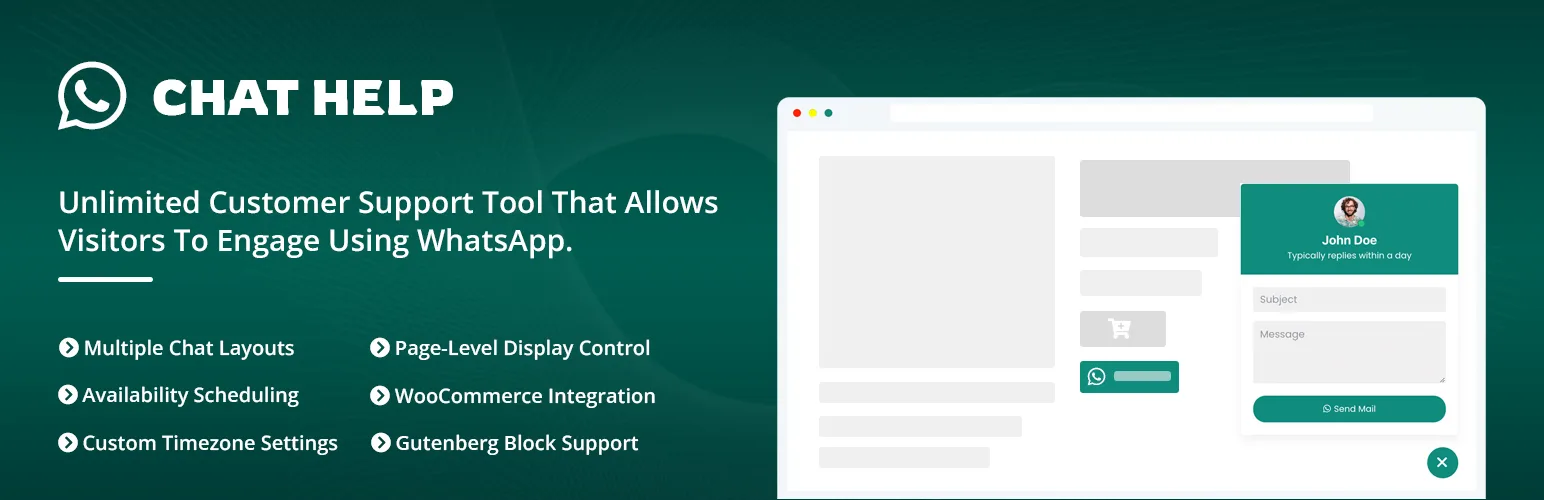
ChatHelp is a WordPress plugin by ThemeAtelier adding WhatsApp chat through a floating widget, inline buttons (shortcode, a native Gutenberg block, or Elementor widget), and dedicated WooCommerce buttons. Its free tier stands out in one area: availability scheduling. Business hours with automatic online/offline switching, plus WooCommerce pre-filled variables like product name and price, all work without upgrading.
The single Pro tier (priced by site count) unlocks multi-agent layouts, granular product/category/tag targeting, deeper analytics, more icon packs and layouts, and webhooks — webhooks moved from free to Pro in version 3.5.0, worth knowing if you counted on that staying free. See the official ChatHelp WordPress.org listing for the current changelog.
The honest limitation: ChatHelp has the smallest install base and review count of the three by a wide margin (1,000+ installs, 9 ratings, versus hundreds of thousands and over a hundred reviews for the other two). It has also had two disclosed security issues patched in past releases — a stored XSS fixed in 3.5.2, a broken access-control issue fixed in 3.1.4 — and recent releases fixed front-end bugs including a broken wa.me link and form fields that weren’t rendering. Signs of active maintenance, but also of a smaller, faster-moving codebase with less real-world testing behind it.
ChatHelp suits someone who wants free scheduling and native WooCommerce/Gutenberg support and doesn’t mind being an earlier adopter. Weaker fit if a long, quiet stability record matters more than any single feature.
Click to Chat: Free Analytics and Webhooks, No Free Scheduling
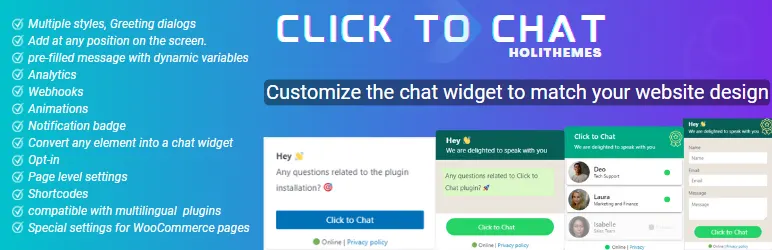
Click to Chat by HoliThemes is a mature, widely-used plugin: 600,000+ active installs, a 96% rating from 131 reviews, version 4.43. Setup revolves around 8 preset button styles, custom image/GIF triggers, and a “Custom Element” option that turns any existing page element into a chat trigger.
Two genuine free-tier strengths: its full marketing-analytics stack is free — Google Analytics, Meta Pixel, Google Ads Conversion, and GTM all work without a license, unlike ChatHelp’s or Joinchat’s more contested free tiers here. Webhooks (Zapier/IFTTT/Pipedream) are also free, whereas ChatHelp gates the same behind Pro. It’s also the only one of the three with documented AMP compatibility.
The trade-off is scheduling: business hours and multi-agent are both Pro-only, with no free equivalent to ChatHelp’s free availability setting. It also requires WordPress 6.5 or higher, notably higher than the other two.
Click to Chat fits best when free analytics and webhooks matter more than free scheduling, and a large, consistently high satisfaction rating matters to you. Current pricing is on HoliThemes’ official pricing page.
Joinchat: More Than a Floating Button
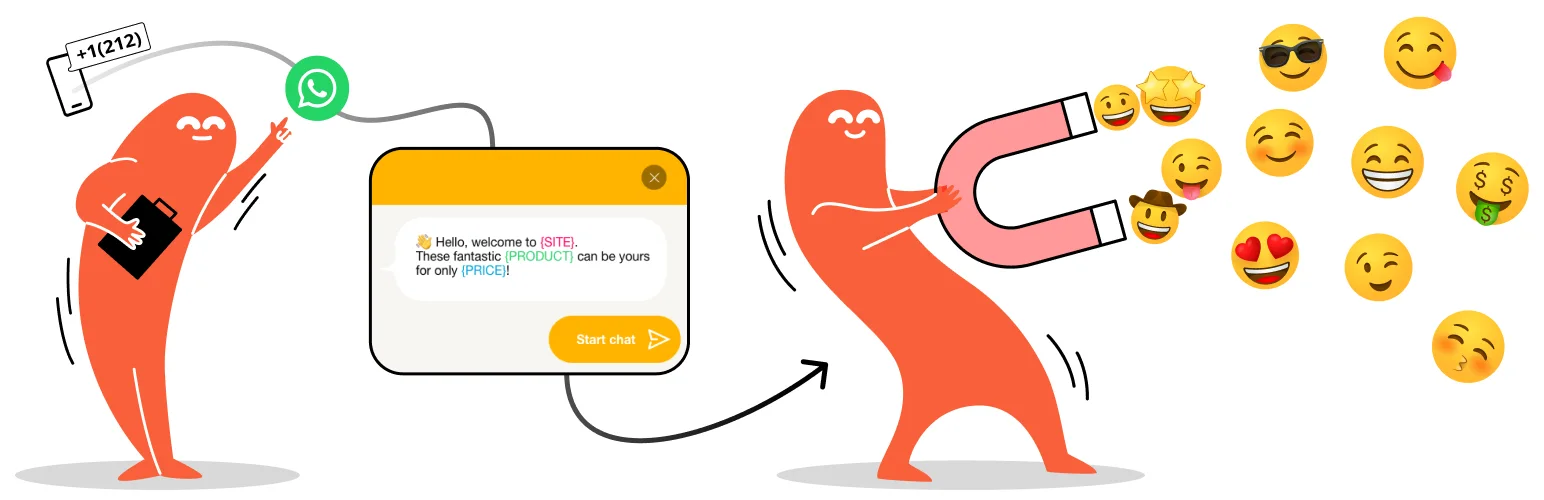
Joinchat (by Creame, developer of join.chat) is the largest of the three by install count — 700,000+ installs, 94% rating across 189 reviews, version 6.3.2. It also deserves a closer look than “another WhatsApp button” — its free widget is genuinely richer than the other two.
Checked directly in the plugin’s own front-end code, not just marketing copy: the chat panel includes a circular agent avatar, multiple styled message bubbles (“Rich Chat,” with links/images/randomized text), dark mode, and — unique here — a desktop QR code letting a desktop visitor scan and continue on their phone. Free-tier targeting is also the most granular: post, page, product, custom post types, tags, and categories can each get their own number, message, and visibility rule.
Its premium structure differs from the other two: Premium and Premium Plus tiers, plus a separate “Joinchat AI” subscription for an auto-responder. Multi-agent with per-agent schedules is Premium; the wording suggests time-based routing to a number rather than a visible agent-picker like ChatHelp’s or Click to Chat’s, though we couldn’t confirm that distinction with certainty. One inconsistency worth flagging: the readme describes GA4/GTM/Facebook Pixel tracking as a general feature, while the pricing page lists Google Ads/GA4/GTM specifically under Premium Plus — confirm the current tier before assuming a tracking integration is free.
Joinchat fits a site wanting the most polished default chat experience and the most granular free targeting, especially a larger site with many categories. Weaker fit if you want one simple flat-rate tier rather than two paid levels plus an add-on. Current pricing is on Joinchat’s official pricing page.
What Do You Actually Get for Free?
Price pages compare numbers. This compares the point where each free version actually stops being enough.
| You need… | ChatHelp | Click to Chat | Joinchat |
|---|---|---|---|
| One number, basic button | Free | Free | Free |
| Business hours | Free | Pro | Premium |
| Multiple staff/agents | Pro | Pro | Premium |
| Different message per category/product | Pro | Free by post type/category; finer rules — Pro | Free |
| Marketing pixel tracking | Free basics; deeper data — Pro | Free | Free per docs; verify against pricing page |
| Webhooks/automation | Pro | Free | Premium Plus |
Notice there’s no row where one plugin wins everything. That’s the actual buying decision: which paywall you hit first depends on which of these you need on day one.
Pricing
Checked August 29, 2026. ChatHelp and Click to Chat price in USD with annual or lifetime options; Joinchat prices in EUR, tax excluded, as annual subscriptions only. These aren’t directly comparable currency-for-currency — treat the numbers below as each vendor’s own structure, not a like-for-like conversion.
- ChatHelp: Single Site $27.30/yr, Five Sites $47.40/yr, Unlimited $69.50/yr (sale pricing shown at check time; lifetime options also available). Yearly plans keep working after expiry but lose updates and support.
- Click to Chat: Single site $18/yr, Plus (up to 3 sites) $34/yr, Unlimited $69/yr, with lifetime one-time options also listed.
- Joinchat: Premium (1 site) €96/yr; Premium Plus starts at €180/yr for 1 site, €240/yr for 5 sites, €480/yr for 20 sites. Joinchat AI is a separate subscription (around €39/mo at check time), not included in either tier.
Because pricing changes often and structures differ (single flat tier vs. two tiers plus an add-on), don’t treat price alone as the deciding factor — check the current official page for the plugin you’re leaning toward before buying.
Which WhatsApp Plugin Is Lighter?
We haven’t independently benchmarked all three under an identical environment, so declaring a performance winner from documentation alone would be misleading. Not independently benchmarked is the honest answer here, not a number.
You can test this yourself in about ten minutes, on your own theme and hosting, which matters more than any generic result anyway:
Browser DevTools method
- Open DevTools, go to the Network panel, and filter by the plugin’s asset filenames.
- Reload the page and note the transferred JS/CSS size and request count.
- Repeat with mobile network throttling enabled, since that’s closer to a real visitor’s connection.
Lighthouse / PageSpeed method
Run a Lighthouse or PageSpeed Insights test on the same URL before and after activating the plugin, with caching in the same state both times. Run it more than once and compare the median result — a single run can be misleading either way.
Mobile Experience
All three open WhatsApp on tap per their documentation, but “opens WhatsApp” isn’t the whole picture on a phone. Worth checking on your own theme — see WhatsApp chat button best practices for placement guidance beyond this comparison:
- Does the floating button obstruct a sticky “Add to Cart” bar or checkout button on small screens?
- Is the CTA large enough to tap reliably without zooming?
- Does the chat window (Pre-Chat panel, Greeting Dialog, or Rich Chat bubbles, depending on which plugin) render cleanly at narrow widths?
Joinchat’s QR-code fallback is a desktop-only affordance, not something to test on mobile. We haven’t tested any of the three under throttled 3G, so we’re not claiming one behaves better than another there.
Page Builders and Cache Plugins
Rather than guessing at compatibility problems, here’s what’s documented, and what’s worth testing yourself.
ChatHelp’s readme lists Elementor, Gutenberg, WPBakery, Divi, Beaver Builder, Oxygen, SiteOrigin, and more, plus named themes. Click to Chat documents AMP compatibility, with the caveat that AMP won’t load its JavaScript, limiting functionality there. Joinchat names an even broader builder list (Elementor, Brizy, Oxygen, Thrive Architect, Visual Composer, and more) and is the only one with a documented caching fix — a LiteSpeed Cache compatibility patch added in version 6.0.6.
None of this means the others silently fail with these tools — Joinchat and ChatHelp just name more of them explicitly. Test conditional, page-targeted visibility after clearing both plugin and CDN caches, since that’s the kind of thing aggressive caching can serve stale.
Switching from Click to Chat or Joinchat to Another Plugin
None of the three officially documents an automatic settings-import tool between each other, so plan for a manual migration on staging, not a one-click switch:
- Note your existing WhatsApp number(s) and any group links in use.
- Copy your current greeting and pre-filled messages somewhere safe.
- Record which pages/categories currently show or hide the button.
- Record your current business hours, if configured.
- Screenshot the existing button/widget styling for reference.
- Configure the replacement plugin on a staging site first.
- Check both desktop and mobile before going live.
- Clear site and CDN caches after switching.
- Deactivate the old plugin rather than running both at once — two floating WhatsApp buttons on one live site confuse visitors.
- Re-test the CTA end to end on the live site.
Looking for a Click to Chat Alternative?
Most people searching for a Click to Chat alternative aren’t unhappy with it — their requirements changed. Maybe you now need business-hours scheduling without paying for Pro, a richer chat window, or more granular targeting. Click to Chat’s free tier doesn’t cover scheduling, and that’s a reasonable trigger to look elsewhere.
If free business hours are the gap, ChatHelp covers that without upgrading. If a richer default chat window and granular free targeting matter more, try Joinchat. But if what you actually value is the free marketing-pixel stack and Webhooks, staying on Click to Chat is perfectly reasonable.
How to Choose in Under 10 Minutes
- Need only one WhatsApp number and a simple button? Compare the free versions of all three directly — any of them will work; pick whichever default widget style you prefer.
- Need multiple agents? This is a paid feature everywhere. Compare ChatHelp’s and Click to Chat’s visitor-facing agent picker against Joinchat’s schedule-based Premium routing before paying for either approach.
- Need different agents or messages on specific pages? Joinchat’s free tier already covers granular page/category/product targeting; the other two require Pro for that level of detail.
- Want a richer pre-chat experience? Test Joinchat’s Rich Chat panel and Click to Chat’s Greeting Dialog against ChatHelp’s Pre-Chat Message layout side by side.
- Need marketing/analytics tracking? Click to Chat’s free tier is the most confirmed-complete here; verify Joinchat’s current tier for Google Ads/GA4 before assuming it’s free.
- Want maximum simplicity, nothing else? Evaluate setup friction directly — all three install and configure a basic button in a similar amount of time.
Three Buying Scenarios
These are illustrative scenarios, not customer testimonials.
Solo store owner
One number, basic customization, live in ten minutes — all three free versions handle this. If business hours matter from day one without paying, ChatHelp is the only one that includes it for free; otherwise, pick whichever default widget style fits your theme.
Two-person service team
Different agents, working hours, page-specific routing — this pushes all three into a paid tier. Compare ChatHelp’s and Click to Chat’s visible agent-picker against Joinchat’s Premium schedule-based routing, and confirm which one actually shows the visitor a choice versus routing behind the scenes.
Marketing-focused site
Strong CTA experience, conversion tracking, campaign measurement. Click to Chat’s confirmed free analytics stack (GA, Meta Pixel, Google Ads, GTM) is the most straightforward fit here without paying. Joinchat’s tracking looks similar on paper but has an unresolved free-vs-paid inconsistency between its own sources — worth a direct check before committing.
Frequently Asked Questions
What is the best WhatsApp plugin for WordPress?
There isn’t one answer for everyone. ChatHelp gives free business-hours scheduling, Click to Chat gives free marketing-analytics integrations, and Joinchat gives the richest chat window and most granular free targeting. The best fit depends on which you need first.
Is there a good Click to Chat alternative?
Yes, depending on what’s missing. ChatHelp is worth trying for free business hours; Joinchat for a richer chat window and more granular free targeting. If you mainly value Click to Chat’s free analytics and webhooks, there’s no clear reason to switch.
Is a free WhatsApp plugin enough for WordPress?
For one number and a basic button, yes — all three free versions handle that. You’ll hit a paywall once you need multiple agents in any of them, or business hours in Click to Chat or Joinchat, since ChatHelp is the only one offering that for free.
Which plugin is better for multiple WhatsApp agents?
All three require a paid tier. ChatHelp and Click to Chat both show the visitor a list or grid of agents to pick from. Joinchat’s Premium tier documents per-agent schedules, but its visitor-facing routing behavior isn’t fully confirmed in documentation — test it directly if this is your main requirement.
Can these plugins work with WooCommerce?
Yes, all three have free WooCommerce integration, including dynamic product variables and buttons on shop/product pages. The exact hook placements and variable names differ, but none of the three requires a paid tier for basic WooCommerce support.
Do WhatsApp plugins slow down WordPress?
We haven’t independently benchmarked all three under identical conditions, so we can’t declare one lighter than another here. Check your own theme with browser DevTools or Lighthouse before and after activating any of them — that tells you more than a generic claim would.
Can I switch WhatsApp plugins without losing conversations?
Yes. The actual conversation happens inside WhatsApp itself, not inside WordPress, so switching the plugin that generates your chat link doesn’t delete anything already sitting in WhatsApp. You will need to reconfigure settings like numbers, messages, and visibility rules manually in the new plugin.
Do I need the WhatsApp Business API?
Not for what these three plugins do. They implement standard WhatsApp click-to-chat, opening a normal WhatsApp conversation via a link. The WhatsApp Business Platform/API is a separate, more complex product built for automated or CRM-driven messaging at scale, and none of the three plugins compared here requires it for typical use.
There’s No Single Winner Here
ChatHelp wins on free scheduling and native Gutenberg/WooCommerce support. Click to Chat wins on free analytics and webhooks, backed by a large, consistently positive review record. Joinchat wins on visitor-facing polish and free targeting granularity, backed by the largest install base of the three. None of that adds up to one plugin being objectively best — it adds up to three genuinely different trade-offs.
If you want to try the one built for free business-hours scheduling and Gutenberg-native setup, ChatHelp’s free version is available on the WordPress plugin directory — no pressure either way, since the right plugin depends on what you actually need first.
Last reviewed: August 29, 2026.