
WhatsApp Single Agent Chat for WordPress
A chat bubble that shows one person: photo, name, a greeting and a Start Chat button. Visitors know who they are talking to, and one tap opens WhatsApp. The Single Agent layout is in the free version.
The chat in the bottom corner of this page is the real Chat Help plugin with the Single Agent layout.
How it works
What visitors see
A real person
Your photo, name and a line such as “Typically replies within a day”, or the default avatar.
A greeting
A message from you in the chat window, so the visitor knows what to ask.
Online and offline
Opening hours with a timezone. Outside them the subtitle changes to your offline text.
What you can change in the WhatsApp single agent chat
- Agent photo: default, custom or none
- Agent name, subtitle and offline subtitle
- Message from the agent and the pre-filled WhatsApp message
- Timezone and hours for each day
- GDPR consent checkbox before the chat
- Send button label and icon
- Flat or WhatsApp theme; colours and font
- Bubble position, opening animation and auto-open delay
- Dark and night mode Pro
- Custom footer text Pro
Use cases
Who it is for
Freelancers and consultants
One face and one number: clients see who will answer before they write.
Small shops
Answer questions about stock, sizes or delivery from your own WhatsApp.
Part-time support
Set your hours, so visitors who write outside them know you will reply later.
Compare
Which layout fits?
All layouts at a glance. Switch a chat to another layout at any time.
| Form Chat | Single AgentThis page | Pre-Chat Message | Chat Button | Multi-Agent List / Grid | Multi-Agent Form | |
|---|---|---|---|---|---|---|
| Opens a chat window first | Included | Included | Included | Not included | Included | Included |
| Several people, each with their own number | Not included | Not included | Not included | Not included | Included | Included |
| A form before the chat | Included | Not included | Not included | Not included | Not included | Included |
| Visitor types the question in the window | Not included | Not included | Included | Not included | Not included | Not included |
| Saves leads in WordPress | Included | Not included | Included | Not included | Not included | Included |
| In the free version | Included | Included | Included | Included | Not included | Not included |
Set up
Set up the WhatsApp single agent chat in three steps
Add a chat
Go to Chat Help → Add Chat, give it a title, choose Single Agent and enter your WhatsApp number or group link.
Write the greeting
Set the agent name, photo, subtitle and the message from the agent, and the pre-filled message for WhatsApp.
Choose where it shows
Publish it and assign it to pages, posts or products, or set it up as the Global Chat for the whole site.
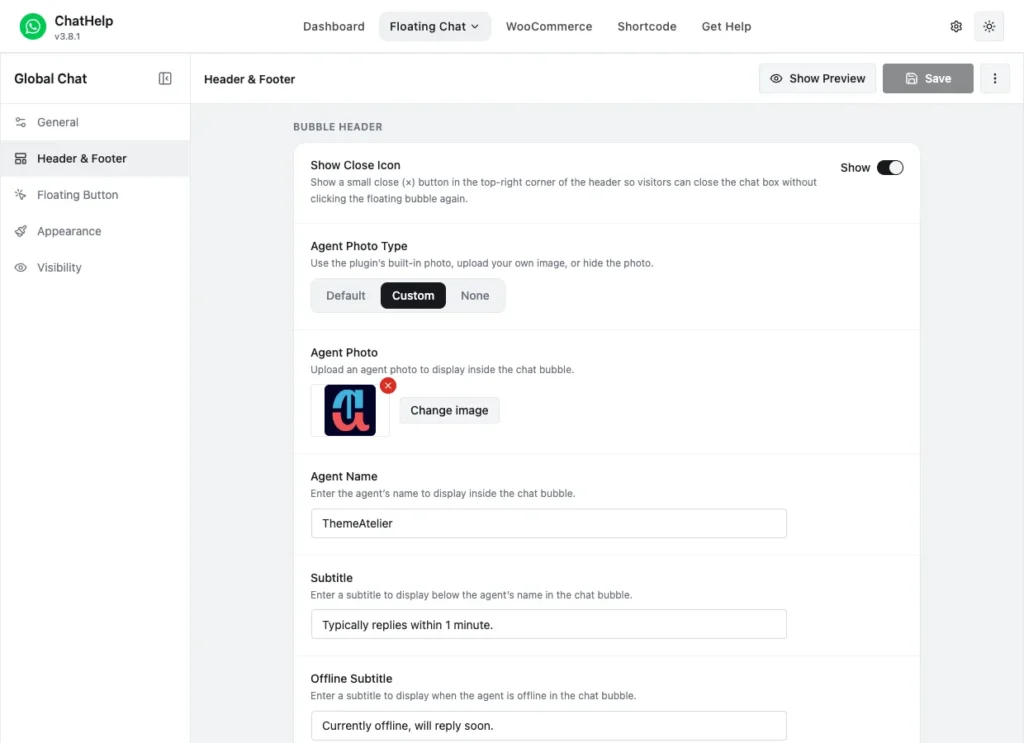
Step-by-step: Single agent · Quick start guide
Video
Watch how it works
How to use the Single Agent layout · Watch on YouTube (opens in a new tab)
From the blog
Related guides
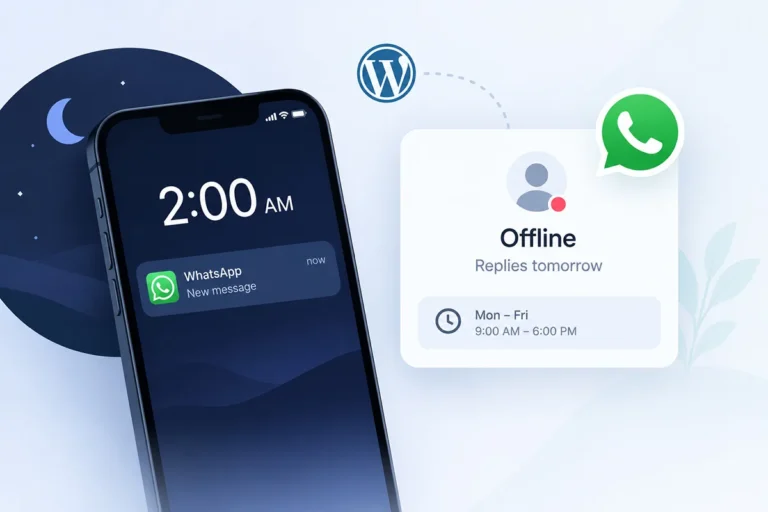 How to Set WhatsApp Chat Availability Hours (So You’re Not Pinged at 2 AM)It’s 2 AM. A WhatsApp notification lights up the phone. The business owner ignores it, rolls over, goes…Read the guide
 7 WhatsApp Chat Button Best Practices That Boost ConversionsA WhatsApp button only converts when it's set up deliberately. Learn seven best practices — smart placement, clear…Read the guide
 How to Get a WhatsApp Business Number for Your Website (2026 Guide)You’ve decided to add WhatsApp to your website. Then the questions start. Can you use your personal number?…Read the guide
More demos
Other chat layouts
- Form Chat FreeAsk for a name, email or anything else before the chat. Answers fill the WhatsApp message and are saved as leads.Open the live demo
- Pre-Chat Message FreeVisitors type their question in the bubble; it arrives in WhatsApp ready to send.Open the live demo
- Chat Button FreeA floating button that opens WhatsApp straight away. Icon, Simple or Advance style.Open the live demo
- Multi-Agent List ProYour team in a list, each with a photo, role, hours and their own number.Open the live demo
- Multi-Agent Grid ProThe same team view as cards in a grid, with a search field.Open the live demo
- Multi-Agent Form ProVisitors pick an agent, then fill in a short form before the chat.Open the live demo
- Dark and Night Mode ProAny layout in a dark or night colour mode.Open the live demo
- All features Every Chat Help feature on one page.See every feature
From WordPress.org
What users say
The plugin works perfectly and the team is very professional. I purchased the Pro version and the experience has been excellent. The plugin works perfectly and the team is very professional. I requested a couple of new features and they developed them without any issues and in a short time.
uomiguel (opens in a new tab) on WordPress.org Awesome Plugin for WhatsApp Floating Chat & WooCommerce Order. This plugin worked great for my website, Order Via WhatsApp. It also provides a floating chat icon, which is helpful as well.
mohsinworld (opens in a new tab) on WordPress.org Effective for WhatsApp Chat Support! I am using this plugin to provide support to my customers through WhatsApp. It’s really effective and they can connect with me very easily using their WhatsApp. They don’t need to save our number manually.
firststepstogether (opens in a new tab) on WordPress.org
Questions about the WhatsApp single agent chat
Yes. It is in the free plugin on WordPress.org.
Yes. Choose Group as the WhatsApp type and paste the group invite link.
The subtitle changes to your offline text, so visitors know you may reply later.
Yes, with the Multi-Agent List or Grid layout in Pro. Each agent has their own number, photo and hours.
Yes. Any WhatsApp or WhatsApp Business number works, or a group invite link.
Yes. Switch on auto-open and set a delay in seconds.