


The phone rings again. “Are you open Saturday?” Ten seconds later: “Where should I park?” Then: “Can I move Tuesday’s appointment?” Meanwhile, someone’s standing at reception waiting to be checked in, and the receptionist is answering the same handful of questions she answered yesterday.
WhatsApp for clinics can absorb a lot of that administrative volume — hours, directions, pricing, appointment requests — without adding another phone line. It works best with a deliberately narrow job: administrative communication, not clinical care. That boundary is the subject of this guide as much as the setup steps are.
Keep WhatsApp Administrative
Good uses: hours, directions, general pricing, appointment requests, rescheduling, cancellation, booking links.
Move elsewhere: symptoms, diagnosis, treatment decisions, test results, medical records, and anything urgent or clinically sensitive.
Keep Medical and Urgent Questions Out of WhatsApp Chat
WhatsApp chat should not be used for medical emergencies or urgent clinical concerns. If you believe you are experiencing an emergency, contact your local emergency service or follow your clinic’s established urgent-care instructions.
Key Takeaways
- WhatsApp can help clinics handle routine administrative questions without turning it into a clinical-care channel.
- Administrative appointment details can still be sensitive health-related information depending on context, so data minimisation matters even here.
- End-to-end encryption is one security control — it doesn’t by itself establish HIPAA, GDPR, or other regulatory compliance.
- Clinical information, results, emergencies, and sensitive records belong on an approved clinical channel, not an ordinary WhatsApp button.
- A plain click-to-chat button doesn’t store the conversation in WordPress, but ChatHelp’s optional form/lead features do — the two behave very differently.
- Multi-location or multi-department practices should treat website-side routing as separate from an actual shared clinical inbox or messaging system.
Table of Contents
Why Patients Reach for Messaging
A short WhatsApp message doesn’t require waiting on hold, and it’s asynchronous — a patient can ask “do you take this insurance” between meetings and check back later. In markets where WhatsApp is the default messaging app, it’s also simply familiar, which lowers the effort of asking a quick administrative question compared to a contact form.
None of this means every clinic needs it, or that it replaces phone and email. It’s a reasonable secondary channel for a question that takes ten seconds to answer and doesn’t need a human on the line to ask it.
What Belongs in Chat, and What Doesn’t
| Usually appropriate for administrative chat | Move to an approved clinical/secure channel |
|---|---|
| Opening hours | Symptoms or triage |
| Directions | Diagnosis |
| General service pricing | Test results |
| Appointment availability | Medical records |
| Rescheduling/cancellation | Treatment decisions |
| General payment information | Prescriptions |
| Link to the official booking system | Medical images or documents |
| General preparation info with no personal clinical detail | Urgent or emergency issues |
Even an appointment or service inquiry may be sensitive depending on the clinic and context — the next section explains why.
Administrative Doesn’t Always Mean Non-Sensitive
It’s tempting to assume anything short of a diagnosis is automatically safe to send anywhere. That’s too broad. Health information counts as “special category data” under UK GDPR and comparable frameworks, and the UK Information Commissioner’s Office notes that information you can reasonably infer may itself qualify as special category data, even when it isn’t stated outright. An appointment message sent to a general clinic (“can I move Tuesday’s appointment?”) reveals very little. The same kind of message, sent from a highly specialized service page, or to a clinic whose specialty itself signals a health circumstance, can reveal considerably more just by context.
That’s why data minimisation is worth applying even to routine administrative WhatsApp use. GDPR’s own minimisation principle requires that personal data collected be “adequate, relevant and limited to what is necessary” for the purpose. Practically: ask for only what’s needed to complete the administrative task in front of you, and don’t build a habit of auto-populating messages with more page or service context than that task requires.
Keep Pre-Filled Messages Generic
A common WordPress technique is auto-filling a WhatsApp message with the current page title or service name. For a general business, that’s a helpful shortcut. For a clinic, it can create disclosure nobody intended — a message that opens with “I am contacting you from the [specific sensitive-condition treatment page]” tells the recipient something the visitor may not have chosen to share explicitly.
Prefer neutral openers: “Hi, I’d like to ask an administrative question about an appointment” or “Hi, I’d like to check availability.” Use page or service variables only when the resulting message is something you’d be comfortable having generated automatically, without the visitor reviewing it first — remember they can still edit it, but the safer default doesn’t rely on that. For the general mechanics of setting these up, see the pre-filled WhatsApp message guide — this article focuses specifically on what belongs in a clinic’s version of that message.
Pre-Filled Message Examples for Clinics
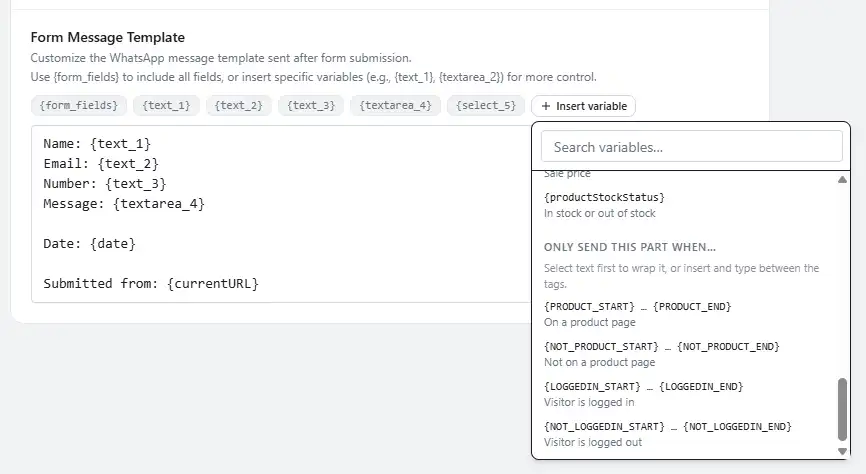
- Appointment availability: “Hi, I’d like to ask about available appointment times next week.”
- Rescheduling: “Hi, I’d like to ask about rescheduling an existing appointment.”
- Cancellation: “Hi, I need to cancel an upcoming appointment.”
- Hours: “Hi, could you confirm your opening hours this week?”
- Directions: “Hi, I have an appointment soon and wanted to check parking/directions.”
- General pricing: “Hi, could you tell me more about pricing for a general consultation?”
- Payment methods: “Hi, which payment methods do you accept?”
- Insurance acceptance: “Hi, do you accept [insurance plan name]?”
- Non-sensitive preparation: “Hi, is there anything I should bring to my appointment?”
- Accessibility: “Hi, I wanted to ask about accessibility at your clinic before my visit.”
None of these ask for a name, date of birth, diagnosis, symptoms, medical history, or an insurance member number — the visitor decides what to share once the conversation starts.
An Appointment Request Isn’t a Completed Booking
Starting a conversation and managing the appointment system are two different things. A reasonable flow: the patient sends a WhatsApp inquiry, reception confirms the right next step, and the clinic shares its approved booking link, phone number, or portal to complete there. ChatHelp opens that first conversation — it isn’t an EHR, practice-management system, patient portal, or scheduling platform.
Good qualifying questions stay in that administrative lane: “New appointment or changing an existing one?”, “Which location?”, “Morning or afternoon?”, “Self-pay or is a specific plan accepted?” Avoid anything inviting clinical detail — don’t ask about symptoms, a condition, or for a photo or test result. If a message drifts that way, redirect to your approved clinical channel.
Where to Place the Button
Contact, directions/location, general appointment-information, pricing, FAQ, and team/location pages are all reasonable places for an administrative WhatsApp CTA. Be more cautious on sensitive-condition pages, patient portals, clinical forms, or results pages — a chat button next to a clinical form can read as an invitation to copy that same information into WhatsApp, which isn’t the workflow this guide describes.
Larger practices with multiple locations or departments often want different buttons in different places — a location page routed to that location’s reception, a billing page routed to billing. Placing the button manually with the Gutenberg WhatsApp Button block works well for a handful of pages; ChatHelp’s chat button best practices and its multi-agent setup cover the mechanics of broader targeting in more depth than this article needs to repeat.
Setting Response Expectations
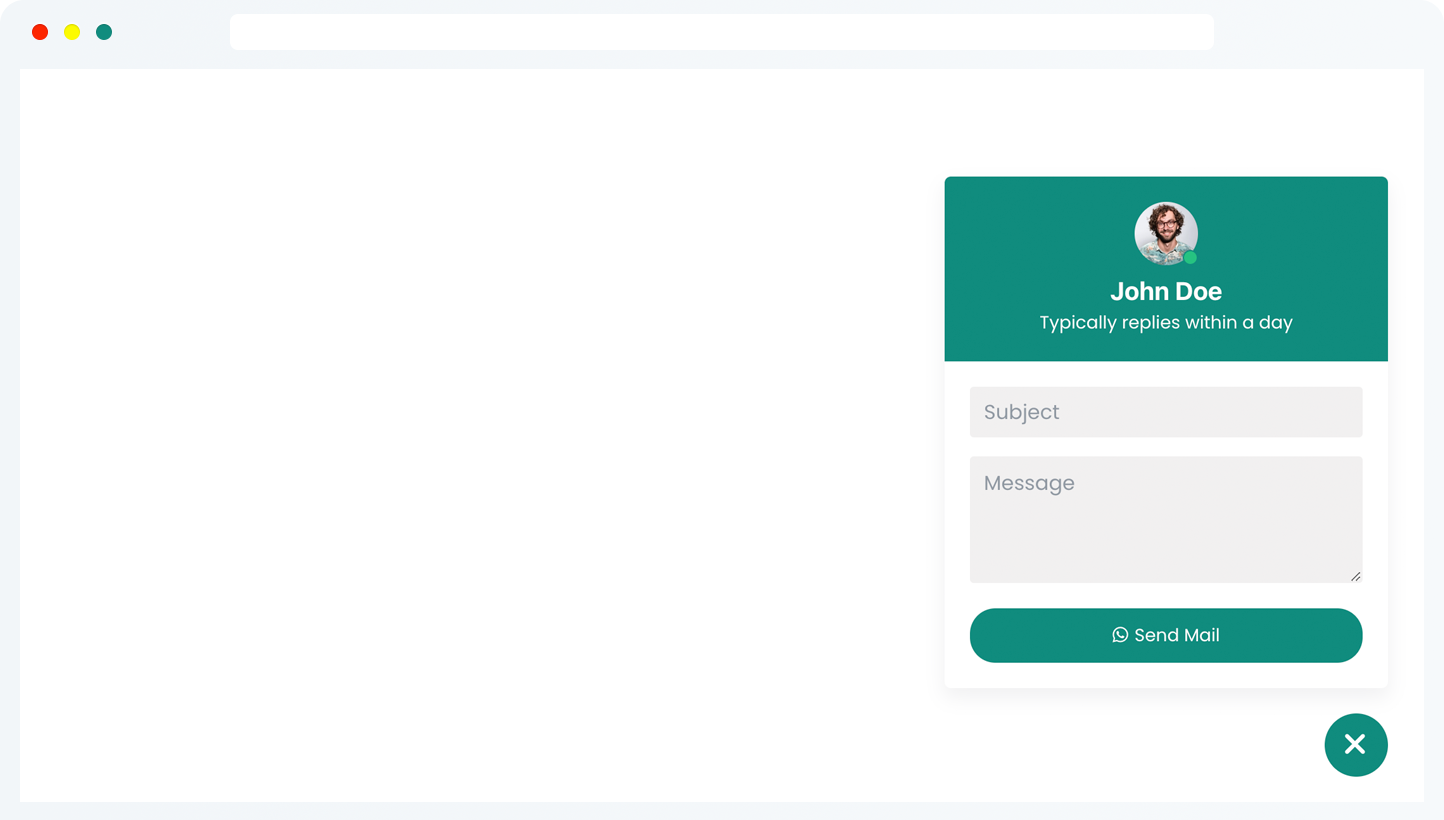
A WhatsApp button creates an expectation, so state it plainly rather than implying round-the-clock availability you can’t staff. A line like “We reply to administrative WhatsApp enquiries during clinic hours, Monday to Friday. Messages are not monitored for urgent medical concerns” sets a realistic bar and reinforces the emergency boundary at once.
- Standard administrative: “Thanks for contacting [Clinic]. This WhatsApp channel is for appointment and general administrative questions. We reply during clinic hours. Please don’t send medical records, test results, or urgent clinical questions here.”
- Closed / after hours: “Thanks for your message. Reception is currently closed. We’ll review administrative enquiries during the next working period. This channel isn’t monitored for medical emergencies.”
- Appointment-focused: “Thanks for contacting [Clinic]. We can help with availability, rescheduling, and general appointment questions here. For clinical questions, please use the communication method provided by your care team.”
Multi-Language Clinics
If your patients speak more than one language, separate language-specific buttons or layouts, clearly labeled and routed to staff who speak that language, usually work better than one generic button. Keep translated messages simple, and make sure emergency and privacy wording stays understandable in each language — don’t rely on machine translation for anything sensitive.
Setting This Up with ChatHelp
Not every part of ChatHelp behaves the same way, and this distinction matters more here than on an ordinary business site.
A plain click-to-chat button doesn’t store the conversation in WordPress. Per ChatHelp’s own documentation: “All messages are handled directly by WhatsApp. The plugin does not log or store conversations.” That changes with the Single Form and Multi-Agent Form layouts, which let a visitor submit information before WhatsApp opens. When lead saving is enabled there, ChatHelp stores that submission — name, phone number, email, message, submission date and time, plus device, browser, and IP address — viewable and exportable from the plugin’s Leads screen. It’s optional, and off outside those specific layouts, but if you turn it on, you’re now holding whatever the visitor typed in your own WordPress database.
For a clinic’s administrative use case, a direct click-to-chat button with a minimal, non-sensitive pre-filled message creates a narrower WordPress-side data footprint than collecting information through a form first. If you do use the form/lead features for anything, review the stored fields, retention period, access controls, and your privacy notice against your own requirements — don’t leave it on defaults simply because the feature exists, and don’t use Pre-Chat Form, Single Form, or Multi-Agent Form to collect clinical information.
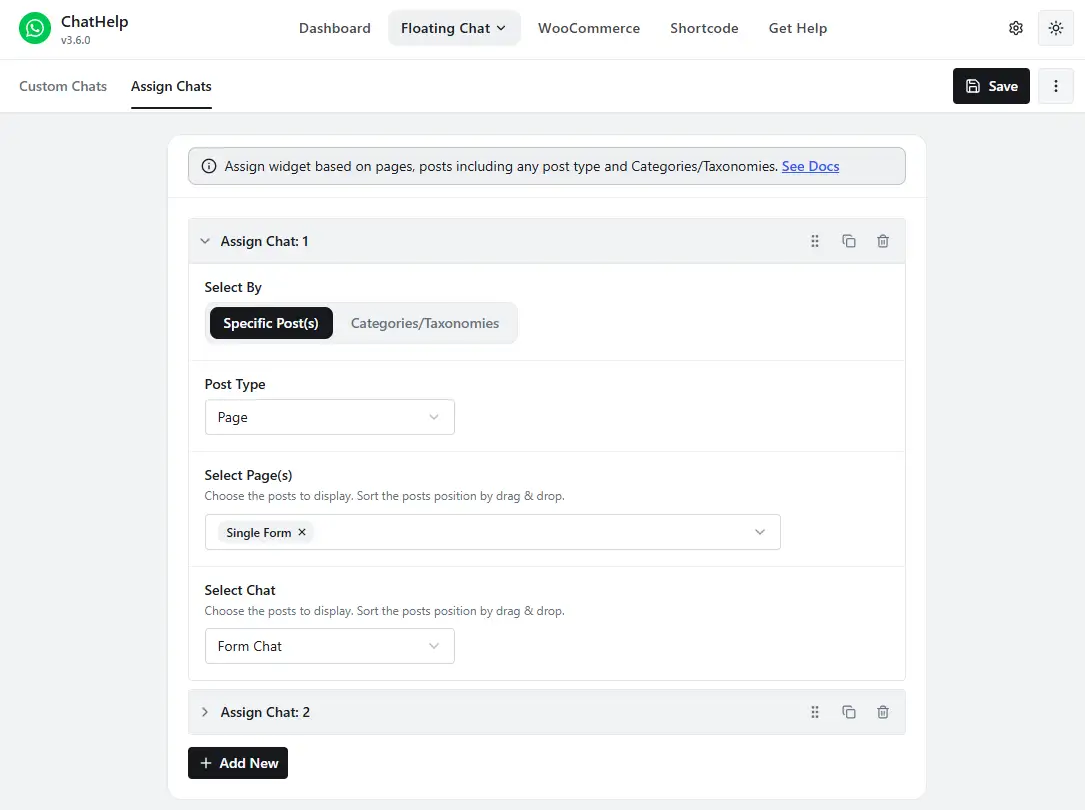
Layout Assignment lets you target different chat layouts to different pages, posts, or categories without code — useful for routing a Location A page to Location A’s reception, a Location B page to Location B, and a billing page to billing. ChatHelp’s multi-agent layouts let a visitor choose from a list of configured contacts on your website; that’s a visitor-facing choice, not an internal shared inbox, ticketing system, or clinical routing tool — once WhatsApp opens, everything that follows happens between the visitor and whichever number they reached. Availability scheduling sets working hours with an automatic offline status and a custom offline message, which is genuinely useful for setting the expectation covered above — just remember it doesn’t stop someone from sending a message outside those hours, so pair it with the away-message wording rather than treating the schedule alone as your safeguard. All of this is available in the free plugin; check your current version’s documentation before assuming a specific feature’s exact tier, since plugin capabilities change.
One Shared Reception Phone: The Real Risk
An unlocked reception phone many staff can pick up creates risk beyond the obvious: broader access than necessary, weak accountability for who replied to what, unclear offboarding when someone changes roles, and no defined retention practice for whatever history sits on that device. Choose an access model that matches your clinic’s actual risk rather than defaulting to “whoever’s at the desk.” If considering WhatsApp’s linked-device features or the Business Platform for structured team access, verify current capabilities directly from Meta — those details change.
WhatsApp Business App or Business Platform?
For most single or small multi-location practices, the WhatsApp Business App — the free app built for small businesses — is operationally simpler for day-to-day messages. Larger organizations wanting messaging tied into other systems may eventually look at the WhatsApp Business Platform, Meta’s structured, API-based product for messaging at scale (sometimes still informally called “the WhatsApp Business API”). Neither is automatically appropriate for PHI, and this article isn’t recommending either as a compliant clinical messaging system — evaluate pricing and scope against Meta’s current documentation, with your own legal and security review, before committing.
HIPAA, GDPR, and Why “Compliant” Isn’t a Simple Answer
Privacy and healthcare communication rules vary by jurisdiction and organization. This article provides general information, not legal or compliance advice; healthcare organizations should confirm their own requirements with their privacy, security, or legal advisor.
HIPAA (United States)
HIPAA applies to regulated organizations, uses, relationships, and safeguards around protected health information (PHI) — it isn’t a certification stamped on a messaging app. The U.S. Department of Health and Human Services explains that a business-associate relationship exists when a vendor “creates, receives, maintains, or transmits” PHI on behalf of a covered entity, and its own guidance specifically names patient messaging as an example activity that can trigger this. If a regulated organization uses a vendor for anything touching PHI, business-associate obligations — including an appropriate agreement where required — need evaluating for that exact relationship.
WhatsApp’s own current Business Terms of Service state: “We make no representations or warranties that our Business Services meet the needs of entities regulated by laws and regulations with heightened confidentiality requirements for personal data, such as healthcare, financial, or legal services entities.” That’s Meta’s own language, not a third party’s interpretation of it, and it’s reason enough to treat ordinary WhatsApp — Business App or Business Platform — as an administrative, data-minimised channel unless your organization’s privacy, security, and legal team has separately approved a specific configuration for PHI. Personal messages on WhatsApp are end-to-end encrypted, meaning WhatsApp itself can’t read them, but encryption is one security control among several HIPAA compliance actually requires — it isn’t a compliance determination on its own.
GDPR and UK GDPR
Health data is special category data under UK GDPR and equivalent EU frameworks, which carries extra protection requirements: a valid lawful basis, and typically an additional Article 9 condition for the special-category processing itself. Which basis or condition applies depends on your specific processing and jurisdiction — there’s no single setup that satisfies it for every clinic, and “we got consent” alone isn’t automatically sufficient. Beyond the legal basis, purpose limitation, retention/storage limits, appropriate security and access control, and transparency about how you handle personal data all apply, the same as they would to any other special category processing.
Other Jurisdictions
Healthcare, privacy, professional, and communications rules differ substantially across countries — India, Brazil, the UAE, Mexico, Bangladesh, Spain, and Italy, among many others, each have their own frameworks that this article isn’t attempting to summarize. Confirm your own local privacy, professional, and communications requirements rather than assuming a setup that works in one country transfers cleanly to another.
What to Measure, and What Not to Store
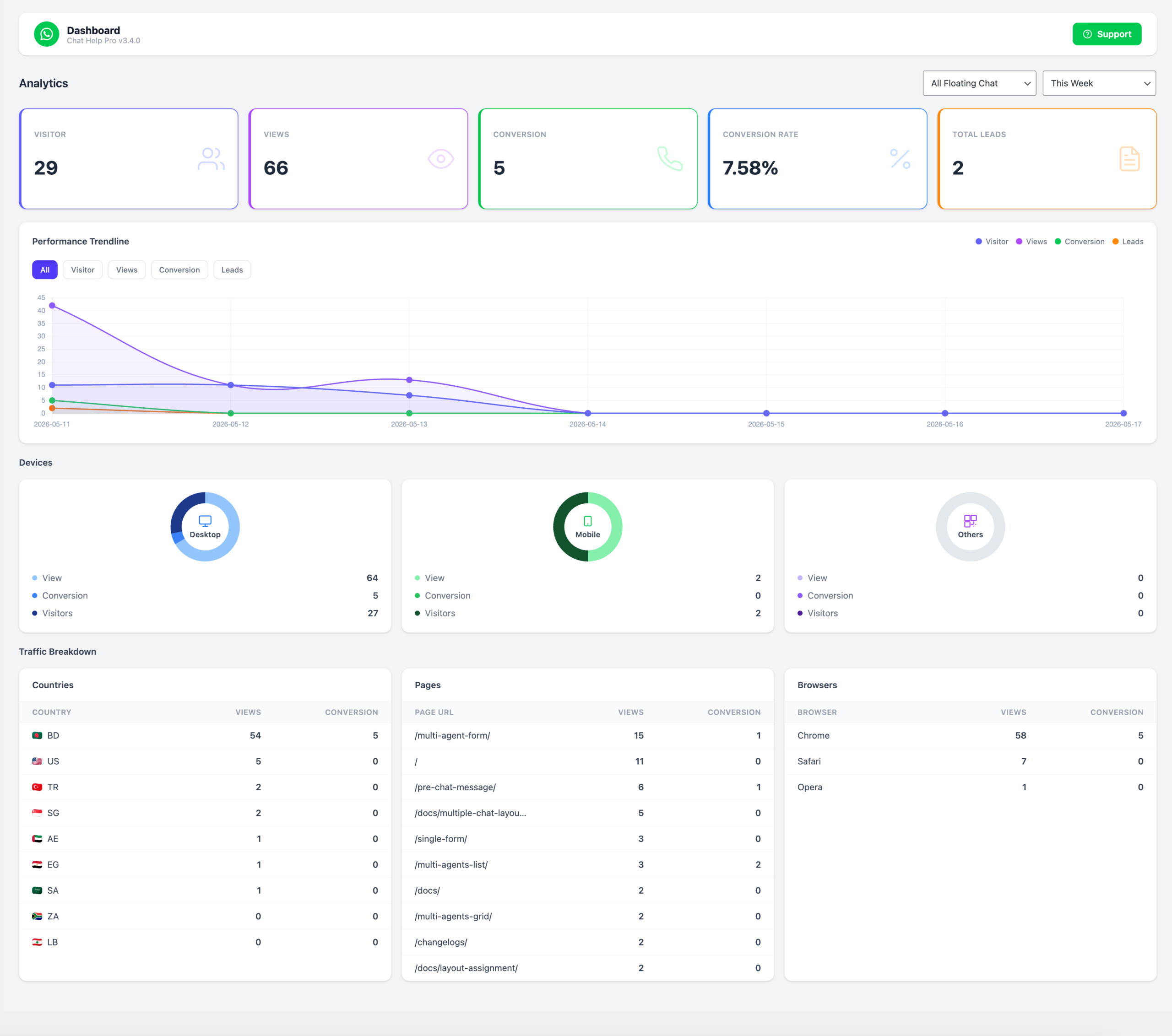
Useful signals: routine phone calls versus administrative WhatsApp enquiries, time to first response, the share resolved without a follow-up call, booking-link usage, and reception workload. Your practice-management system, not ChatHelp, is the right place to track no-shows.
Avoid collecting more than that requires: diagnoses, clinical-message content, health-condition categories, or patient identities for marketing attribution have no place in a WhatsApp analytics setup. Even page-level interaction data deserves a privacy look on a sensitive page — a page title or URL can reveal a health interest on its own. Data minimisation applies to measurement too, not just messages.
Two Illustrative Scenarios
These are illustrative examples, not customer testimonials.
A single-dentist practice
One receptionist handles hours, directions, pricing, and rescheduling through a single WhatsApp button. The setup stays simple: one administrative CTA, a minimal pre-filled message, stated working hours, an away message, and the emergency boundary in the greeting — no form collection, since a direct click-to-chat button is enough for this volume.
A three-location physiotherapy group
Three locations each need their own contact and hours, plus a separate billing contact, so this practice uses page-specific Layout Assignment: each location page routes to that location’s reception, and the billing page routes elsewhere. Multilingual locations get translated layouts routed to staff who speak that language. None of this replaces the group’s actual practice-management software or a shared clinical platform — it only controls the website layer, before any real scheduling occurs.
Common Mistakes
- Treating WhatsApp like a clinical portal instead of an administrative channel
- Asking for symptoms or condition details in the pre-filled message
- Sending test results through an unapproved workflow
- Asking patients to upload medical documents through the chat
- Auto-generating messages from sensitive page titles
- No away message or stated response window
- No emergency boundary stated anywhere
- Promising response times the clinic can’t actually meet
- Enabling form/lead storage without reviewing what’s retained
- Giving too many staff unrestricted access to a shared device
- Assuming encryption alone establishes compliance
- Assuming ChatHelp provides a shared clinical inbox
Frequently Asked Questions
Can clinics use WhatsApp for appointment requests?
Yes, as an administrative channel for requesting availability, rescheduling, or cancelling — a receptionist confirms details and points the patient to the clinic’s official booking system to complete it. Privacy and security rules still apply, and appropriateness depends on context, so treat this as one channel among several, not a replacement for your booking system.
Can a US clinic assume ordinary WhatsApp is suitable for PHI under HIPAA?
No. A HIPAA-regulated organization shouldn’t assume ordinary WhatsApp use is appropriate for protected health information simply because messages are encrypted. It needs to evaluate the exact service, vendor relationship, required agreements, security controls, and intended use. Use WhatsApp for low-risk administrative communication unless your organization has approved a broader, specifically reviewed workflow for PHI.
Can a clinic send test results through WhatsApp?
Use the clinic’s approved secure clinical communication workflow instead, unless your organization has specifically reviewed and approved a WhatsApp-based system for that purpose. An ordinary administrative click-to-chat button isn’t the right channel for test results, medical records, or clinical documents under normal circumstances.
Is WhatsApp GDPR compliant for clinics?
There’s no single yes or no answer. GDPR compliance depends on your specific processing: your lawful basis, an appropriate special-category condition where health data is involved, data minimisation, transparency, security, and retention practices. A clinic’s own privacy or legal advisor is the right place to confirm which of these apply to its exact setup.
Can patients complete a booking through WhatsApp?
WhatsApp is well suited to starting the conversation and requesting an appointment, but completing the actual booking usually happens through the clinic’s official scheduling system, portal, or a phone call — WhatsApp itself doesn’t manage your calendar or medical records.
Can multiple staff answer one WhatsApp number?
That depends on WhatsApp’s own linked-device or Business Platform capabilities, which are separate from ChatHelp’s website-side multi-agent feature. ChatHelp’s multi-agent layouts let a website visitor choose which configured contact to message; they don’t create a shared inbox for multiple staff to jointly manage one incoming conversation. Verify current WhatsApp capabilities directly with Meta before assuming a specific setup works for your team.
Does ChatHelp store patient messages?
A plain click-to-chat button doesn’t — the conversation happens entirely inside WhatsApp. ChatHelp’s optional Single Form and Multi-Agent Form layouts are different: when lead saving is enabled, submitted form data (name, phone, email, message, and some technical metadata) is stored in your WordPress database. Review that feature carefully before using it for anything patient-related.
Should a clinic use the WhatsApp Business App or Business Platform?
The free Business App is usually simpler for a single or small multi-location practice’s day-to-day administrative messaging. The Business Platform suits larger organizations wanting structured, system-level integration at scale. Neither choice is a compliance decision on its own — evaluate the operational fit and confirm any regulatory questions separately.
Can clinics use WhatsApp for emergencies?
No. WhatsApp chat should not be used for medical emergencies or urgent clinical concerns. Direct patients to your local emergency service or your clinic’s established urgent-care instructions instead, and make sure your away message and greeting both say so clearly.
WhatsApp is most useful for clinics when the channel has a deliberately narrow administrative purpose, clear response expectations, and a defined route for anything clinical or urgent. If you want to set up an administrative WhatsApp button on WordPress — page-specific routing, availability scheduling, and a simple, direct click-to-chat flow — the free ChatHelp plugin covers that starting point.