

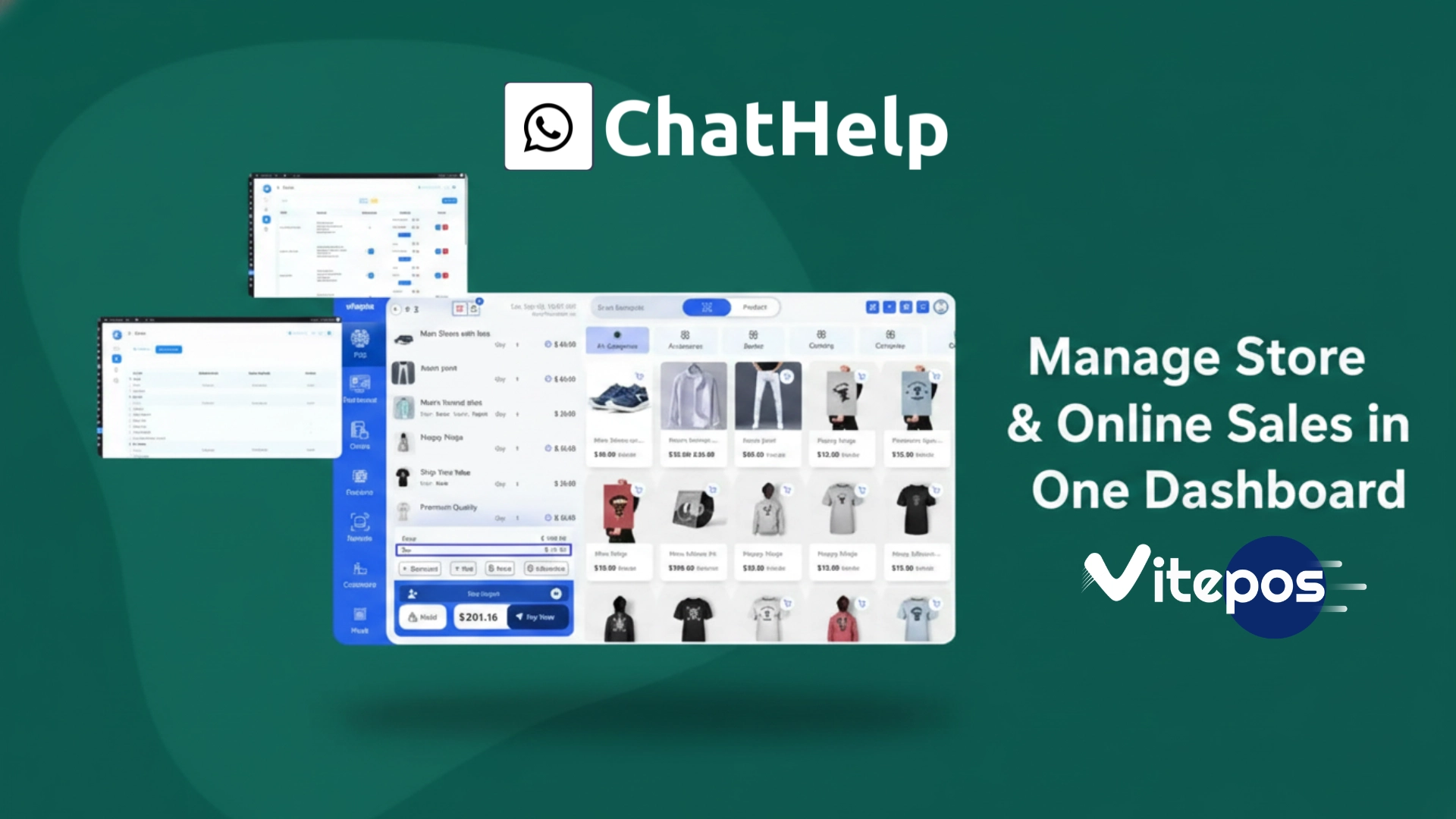

Running a physical store and a WooCommerce online store at the same time creates a common problem: two separate systems, two sets of inventory records, and too many chances for errors. If a customer buys the last item in your shop, your online store might still show it as available. That leads to overselling, refunds, and unhappy customers.
VitePos is a WordPress POS plugin that solves this by connecting your physical counter directly to your WooCommerce store. Every sale at the counter updates your online inventory in real time. This guide walks through what VitePos does, how to set it up, and how to use its main features to manage in-store and online sales from one dashboard.
How to Add a Floating WhatsApp Chat Bubble in WordPress (Step-by-Step)
Table of Contents
What Is VitePos?
VitePos is a Point of Sale plugin built specifically for WooCommerce. It is developed by Appsbd and is available in two versions: a free Lite version on WordPress.org and a Pro version on the official VitePos website. The plugin runs entirely inside your WordPress dashboard — no separate app, no external software, no API bridge required.
The POS interface opens in any web browser, which means it works on desktops, tablets, and mobile devices. You can use it on an iPad at a store counter, a laptop at a pop-up market, or a desktop in a restaurant. VitePos is built using Vue.js, a modern single-page application framework, which makes the interface fast and responsive even during busy checkout periods.
Key fact: VitePos stores all POS orders directly in WooCommerce with full order details. This means your WooCommerce reports, customer records, and order history include both online and in-store transactions.
Setting Up VitePos: Step-by-Step
Getting VitePos running does not require technical knowledge. Here is the basic setup process:
- Install the plugin. Go to your WordPress dashboard, click Plugins > Add New, search for Vitepos Lite, and install it. For the Pro version, upload the zip file from the VitePos website.
- Activate the plugin. After activation, a new Vitepos Lite menu appears in your WordPress sidebar.
- Create an outlet. An outlet represents a physical store location. Go to VitePos > Outlets and add your first outlet with its name, address, and tax settings.
- Create a counter. A counter is an individual checkout register within an outlet. Assign a cashier to the counter.
- Open the POS screen. Click the POS button to open the sales interface. Your WooCommerce products load automatically.
That is the complete setup for a basic single-store configuration. You can start processing sales immediately after completing these steps. VitePos pulls all existing WooCommerce products, prices, and stock levels into the POS interface without any manual import.
Managing In-Store and Online Sales from One Dashboard
The main reason businesses choose VitePos is unified sales management. When you process a sale through the Vitepos POS dashboard, the following happens automatically:
- The order is saved in WooCommerce as a standard order
- Inventory levels update immediately across your online store
- Customer records are update if the buyer is an existing WooCommerce customer
- Sales data appears in WooCommerce reports alongside online orders
This means you do not need to manually reconcile your physical store sales with your online store records at the end of the day. The Vitepos dashboard and your WooCommerce backend stay in sync continuously.
Real-Time Inventory Sync
Real-time inventory sync is one of the most important features in VitePos. When a product sells at the counter, the stock count in WooCommerce drops instantly. If the same product is listed on your online store, it reflects the updated quantity within seconds. This prevents the common problem of selling an out-of-stock item online after it was already sold in-store.
The real-time stock update works in both directions. If a customer places an online order that reduces stock, the POS screen shows the updated quantity so the cashier knows what is actually available.
Barcode Scanning & Generator
VitePos supports barcode scanning with both a physical handheld barcode scanner and a mobile phone camera. At the checkout counter, the cashier scans a product barcode and it is added to the cart instantly. This speeds up the checkout process and reduces the chance of manually selecting the wrong product.
The Pro version of VitePos also includes a barcode generator. You can generate and print barcodes for products directly from the WordPress dashboard, which is useful if your products do not already have barcodes.
Key Features of VitePos
| Feature | Available In | What It Does |
|---|---|---|
| Real-time inventory sync | Pro only | Updates WooCommerce stock after every in-store sale |
| Offline mode | Pro only | Continues processing sales without internet; syncs when reconnected |
| Barcode scanning | Free & Pro | Scan products using a physical scanner or phone camera |
| Multi-outlet management | Free & Pro | Manage unlimited store locations from one dashboard |
| Split payment | Pro only | Accept multiple payment methods in one order |
| Role management | Free & Pro | Assign Cashier, Manager, or custom roles with specific permissions |
| Custom invoices | Free & Pro | Customize invoice layout and add your logo |
| Cash drawer management | Free & Pro | Track cash drawer open/close and balances |
| Vendor & purchase module | Free & Pro | Manage vendors, record purchases, and track incoming stock |
| Multi-color themes | Pro only | Choose a color skin that matches your brand |
Offline Mode: Selling Without Internet
VitePos has an offline mode that allows you to continue processing sales even when the internet connection drops. Transactions are saved locally on the device. When the internet connection returns, all offline orders sync automatically with WooCommerce.
This is useful for businesses that operate in locations with unreliable internet, such as outdoor markets, or stores in areas with poor connectivity. The offline mode means a dropped connection does not stop sales. Once the Vitepos POS dashboard comes back online, the inventory sync runs and all offline transactions appear in WooCommerce as regular orders.
Multi-Outlet Management
VitePos supports unlimited outlets and counters under one account. A business with multiple store locations can manage all of them from the same WordPress dashboard. Each outlet in Vitepos has its own settings:
- Separate inventory tracking per location
- Individual cashier assignments per counter
- Location-based tax rules
- Custom receipt and invoice settings
The multi-outlet management feature in the Pro version also allows stock transfers between outlets. If one location is running low on a product while another has excess, you can transfer inventory between them directly from the VitePos dashboard.
Role Management and Staff Access
Managing staff access is straightforward in VitePos. You can create custom roles such as Cashier, Manager, or Admin and assign specific permissions to each role. A cashier can process sales and print receipts but cannot access reports or change product prices. A manager can view sales data and handle refunds. An admin has full access.
This role-based access control means that sensitive business data — such as daily sales totals, customer information, and vendor records — is only visible to the staff members who need it. VitePos uses the same user system as WordPress, so you do not need to create separate accounts for your POS staff.
Payment Options in VitePos
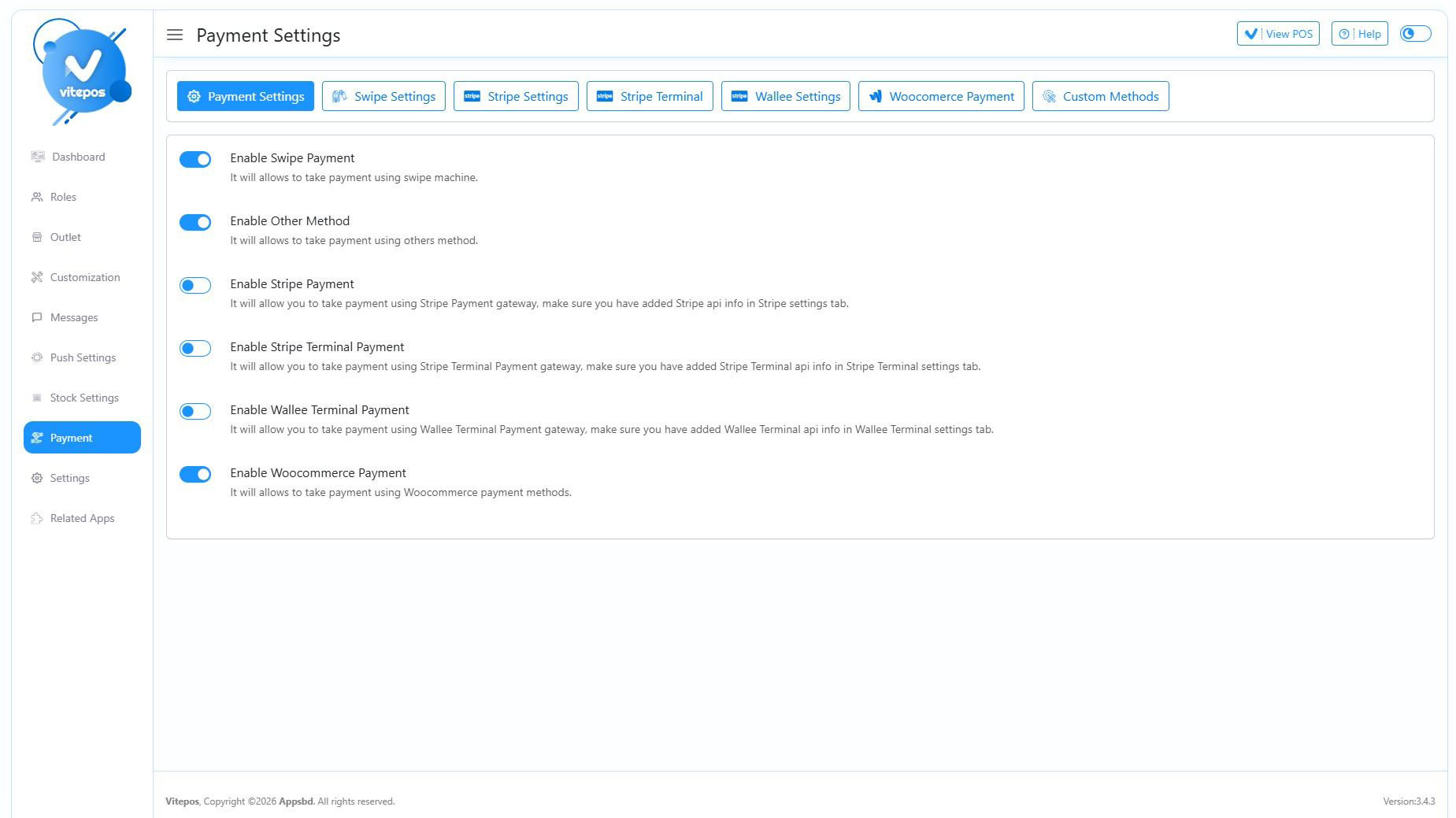
Vitepos supports multiple payment methods at checkout. The standard options include cash, card, any payment gateway already connected to your WooCommerce store, custom payment, built-in Stripe online payment, Stripe Terminal, and Wallee Terminal, and also the multisafepay terminal is upcoming. The Pro version adds split payment functionality, which allows a single order to be paid using two or more methods simultaneously — for example, part cash and part card.
The cash drawer feature in Vitepos keeps a record of drawer opens and closes, along with the cash balance at each point. This makes it easier to reconcile cash at the end of a shift without manually counting from scratch.
Receipts and Invoices
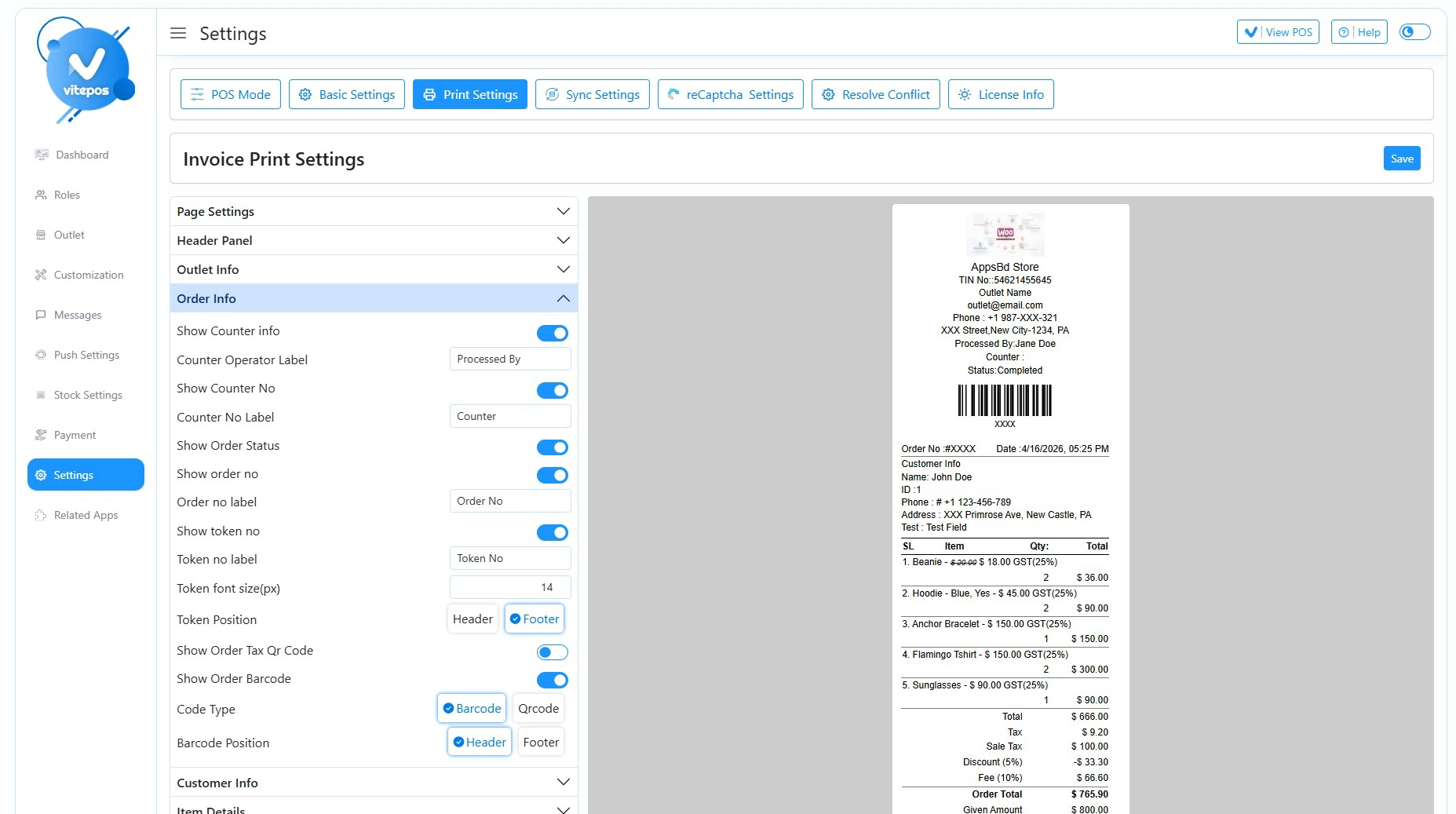
Vitepos includes a receipt and invoice system with customization options. You can add your business logo, change the layout, and include custom fields. Receipts can be printed automatically after each sale or manually when needed. The invoice system connects directly to WooCommerce, so every POS transaction has a corresponding order record with a full invoice.
For businesses that need branded receipts — such as retail stores or restaurants — VitePos provides enough customization to match basic branding requirements without needing separate receipt printing software.
VitePos for Restaurants and Retail
VitePos is used across different business types. For retail stores and grocery shops, the fast barcode scanning and real-time inventory sync are the most-used features. For restaurants and cafes, the Pro version includes table management, waiter dashboards, and a kitchen display option.
Restaurants can assign orders to specific tables, track which items are being prepared in the kitchen, and modify orders after they have been placed. These features make VitePos a practical option for food service businesses that already use WooCommerce for online orders or delivery management.
VitePos Pricing
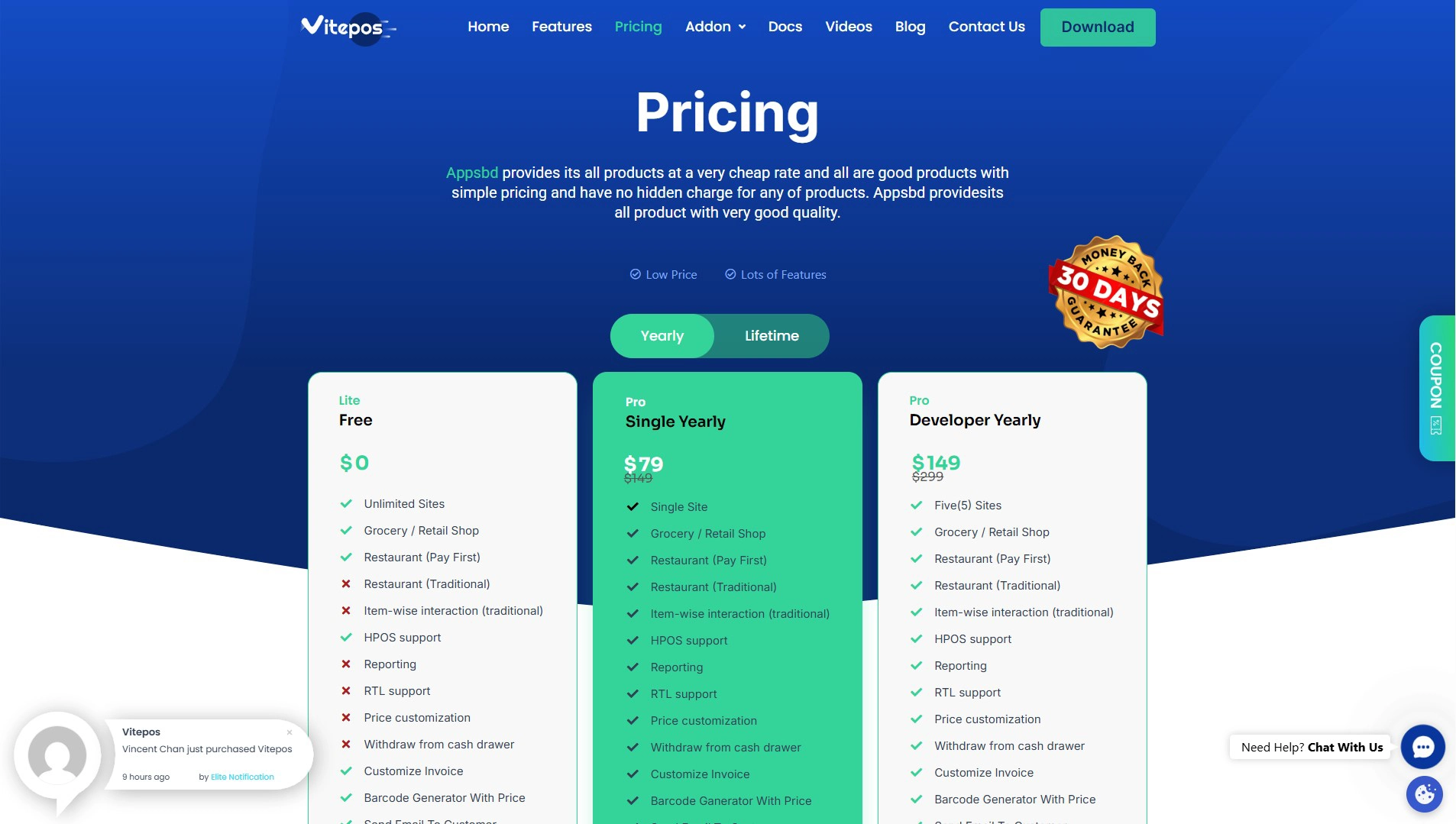
VitePos Lite is free and available on WordPress.org. The Pro version is available in yearly and lifetime plans. Yearly plans start at $79 for a single site. Lifetime plans are also available, which is a one-time payment with no recurring annual fee. This pricing model is different from cloud-based POS systems like Shopify POS, which charge a monthly subscription fee.
Who Should Use VitePos?
VitePos is a good fit for businesses that already use WooCommerce for online sales and also operate a physical store, pop-up shop, market stall, or restaurant. It removes the need to manage two separate systems for in-store and online sales.
Businesses that benefit most from VitePos include:
- Retail stores that sell both in-person and through a WooCommerce website
- Restaurants and cafes that take online orders and also handle dine-in payments
- Pop-up shops and market sellers who need offline POS capability
- Multi-location businesses that want centralized sales and inventory control
- Small businesses looking for a one-time cost POS solution instead of a monthly subscription
If your business does not use WooCommerce, VitePos is not the right tool, as it is built specifically to work within the WooCommerce ecosystem.
Frequently Asked Questions (FAQ)
Does VitePos work without an internet connection?
Yes. VitePos has an offline mode that lets you continue processing sales when the internet is unavailable. All transactions are saved locally on the device and sync automatically with WooCommerce once the connection is restored.
Can I manage multiple store locations with VitePos?
Yes. VitePos supports unlimited outlets and counters. Each outlet can have its own inventory tracking, cashier assignments, and tax settings. The Pro version also allows stock transfers between outlets.
Does VitePos sync inventory in real time with my WooCommerce online store?
Yes. Every sale processed through VitePos updates your WooCommerce inventory immediately. If an item sells at the counter, the stock level on your online store drops within seconds. This prevents overselling.
What payment methods does VitePos support?
Vitepos supports multiple payment methods at checkout. The standard options include cash, card, and any payment gateway already connected to your WooCommerce store; custom payment; built-in Stripe online payment; Stripe Terminal; and Wallee Terminal, and also the multisafepay terminal is upcoming
Is there a free version of VitePos?
Yes. Vitepos Lite is free and available on WordPress.org. It includes core POS functionality, including inventory sync, barcode scanning, outlet management, and invoice customization. The Pro version adds features like split payments, the vendor module, table management for restaurants, offline mode, and multi-color themes.
Does VitePos require any special hardware?
No special hardware is required. VitePos runs in any web browser, including on tablets and iPads. It supports physical barcode scanners as well as mobile phone cameras for scanning. A cash drawer and receipt printer can be connected if needed, but they are optional.
Can I use VitePos for a restaurant?
Yes. The Pro version of VitePos includes table management, waiter dashboards, and kitchen display support, which makes it suitable for restaurants and cafes that use WooCommerce for their ordering system.
How does VitePos handle staff permissions?
VitePos uses role-based access control. You can create roles such as Cashier, Manager, and admin and assign specific permissions to each. Staff members only see and access the parts of the system relevant to their role.
Where are VitePos orders stored?
All orders processed through VitePos are stored in WooCommerce with full order details. They appear in your WooCommerce order list alongside online orders and are included in WooCommerce reports.
What is the difference between VitePos Lite and VitePos Pro?
Check Vitepos pricing to get the Lite vs. Pro difference.