Black Friday Sale: up to 80% off every Pro plan

Ends Dec 15 at 6:59 pm EST. See pricing

WhatsApp Chat Help screenshots

The Chat Help admin: the dashboard, every chat setting, WooCommerce buttons, leads and settings.
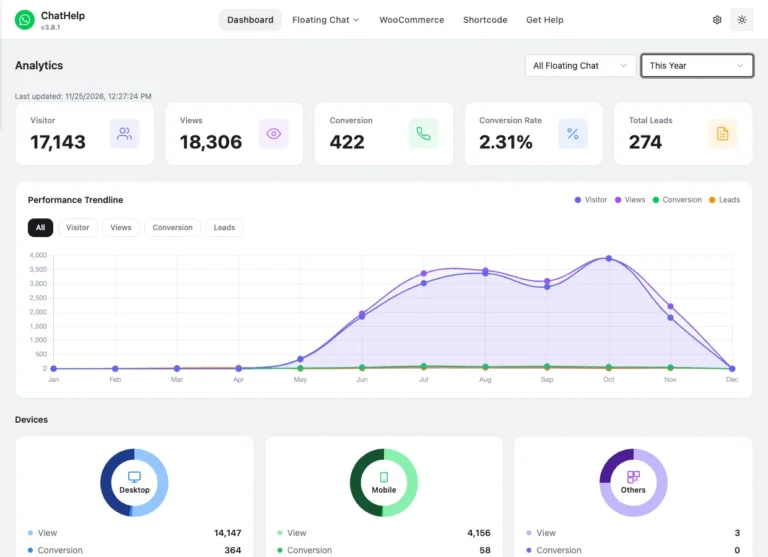
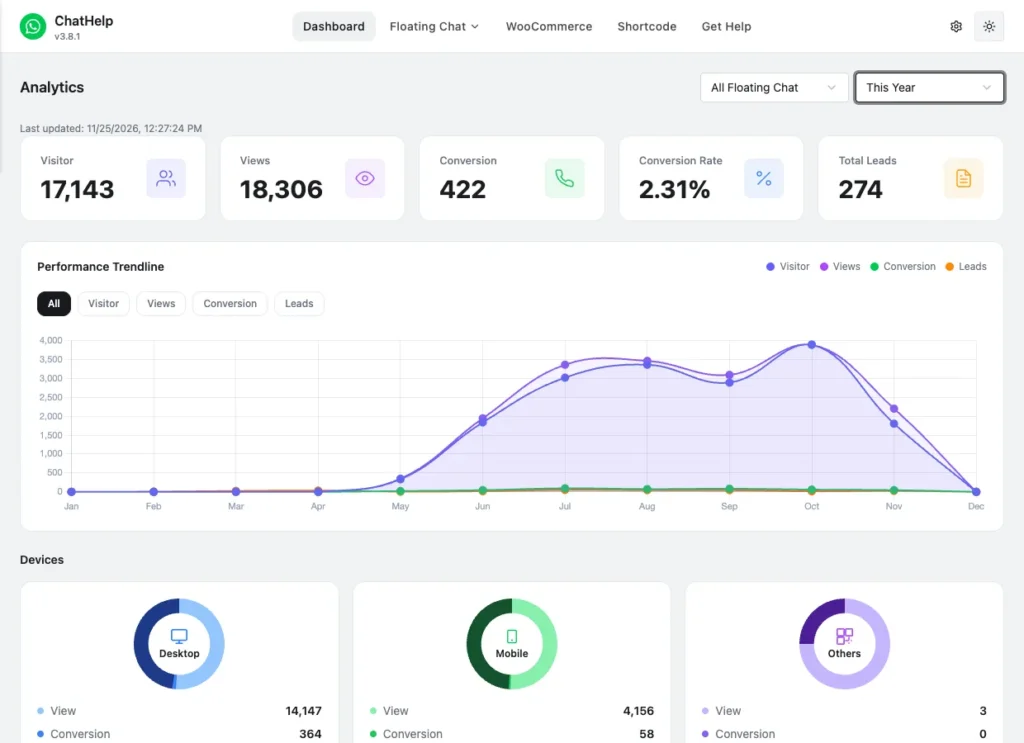
  • Overview: Free trial: Dashboard analytics: The Chat Help dashboard with views, conversions and leads
    Dashboard: visitors, views, conversions and leads
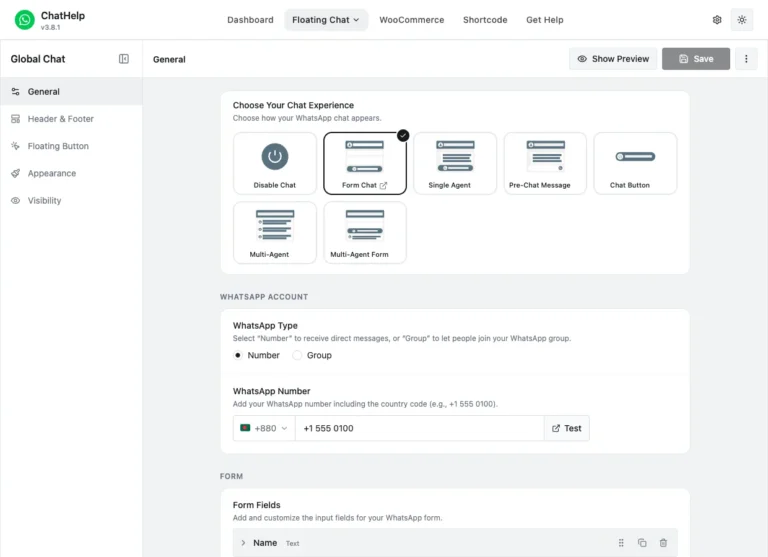
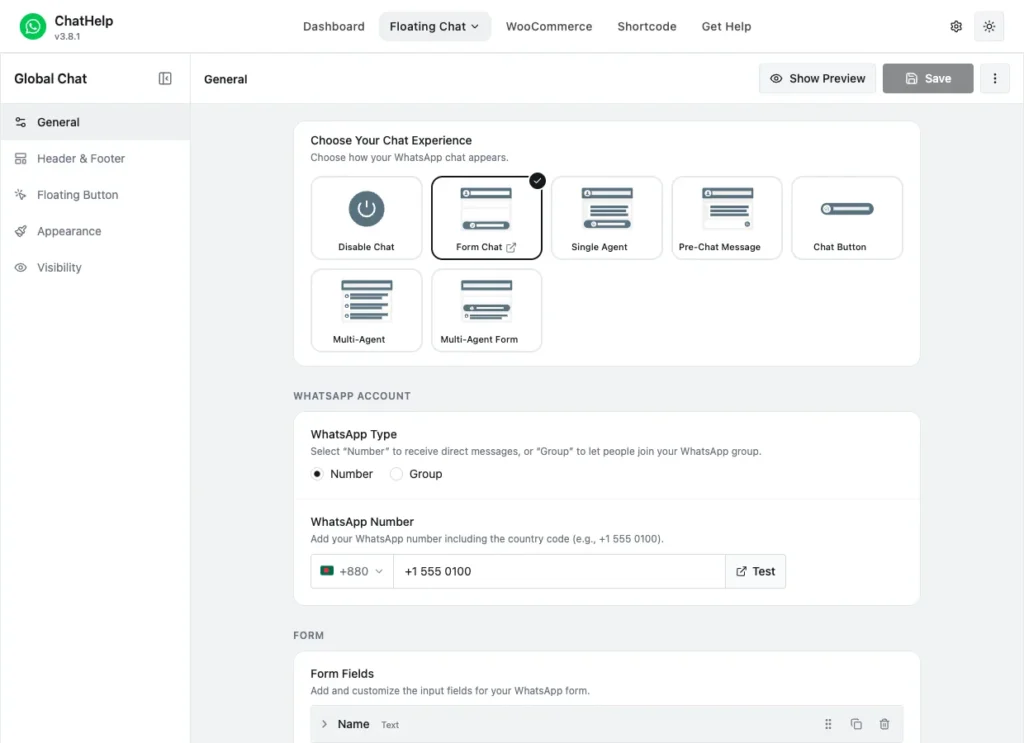
  • Language: WhatsApp Type: WhatsApp group: WhatsApp number: Dynamic variables in non-form layouts: Open the Global Chat
    Global Chat: choose the chat experience and your number
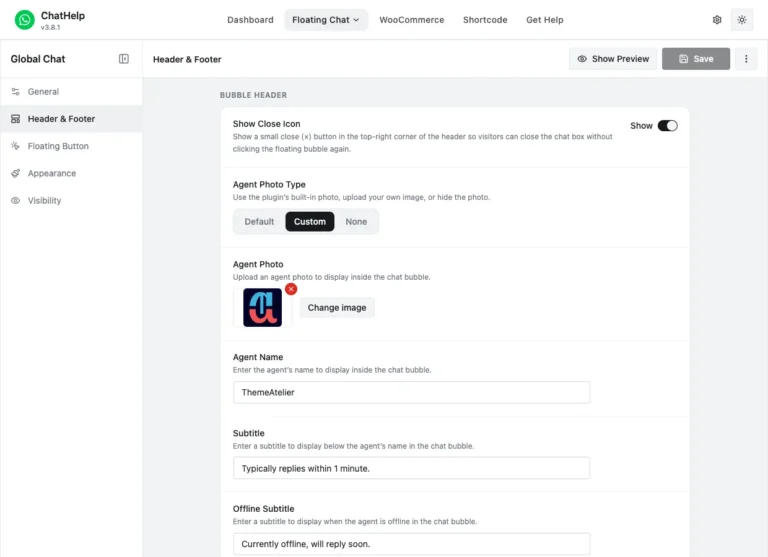
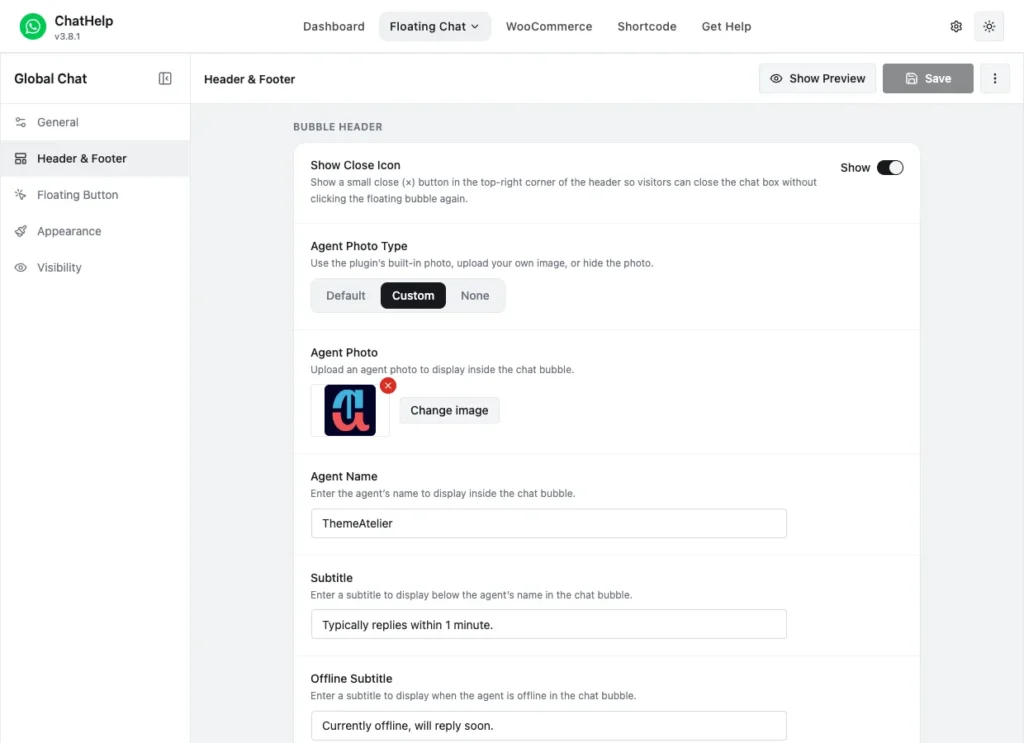
  • GDPR compliance: Header and footer: The Header & Footer tab of the Global Chat
    Header and footer of the chat window
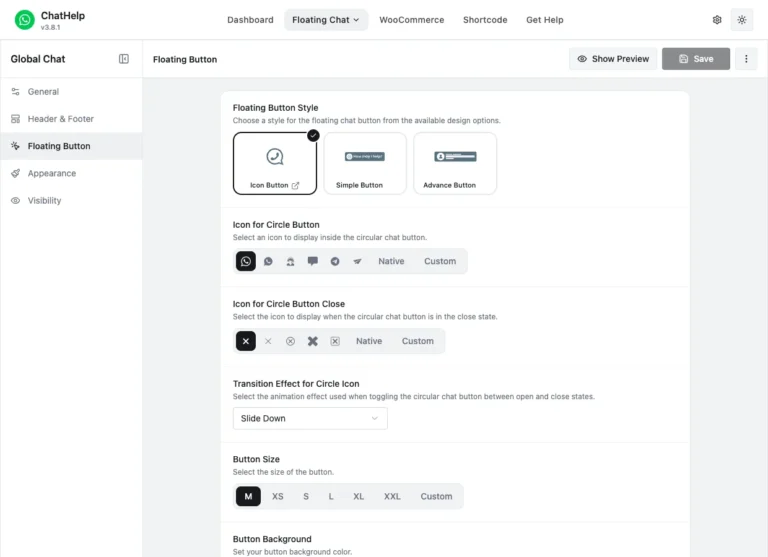
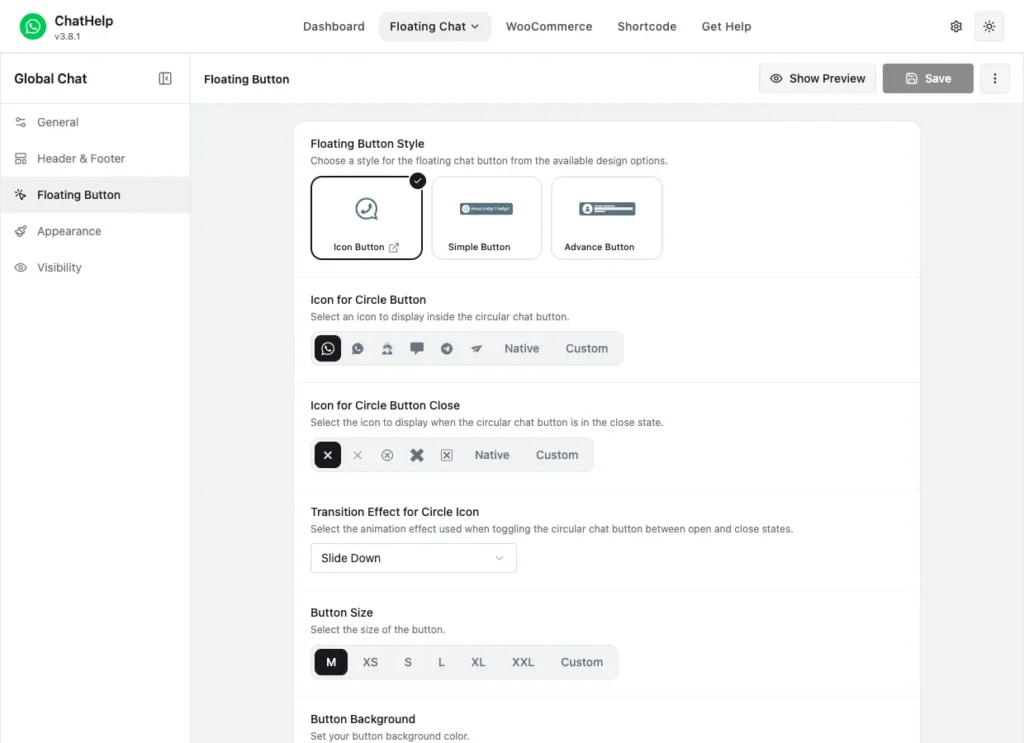
  • The Floating Button tab of the Global Chat
    Floating button style, icons and position
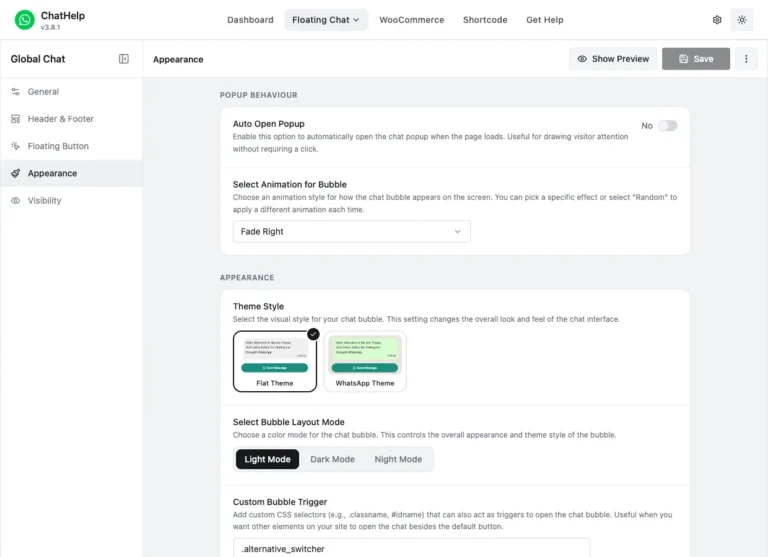
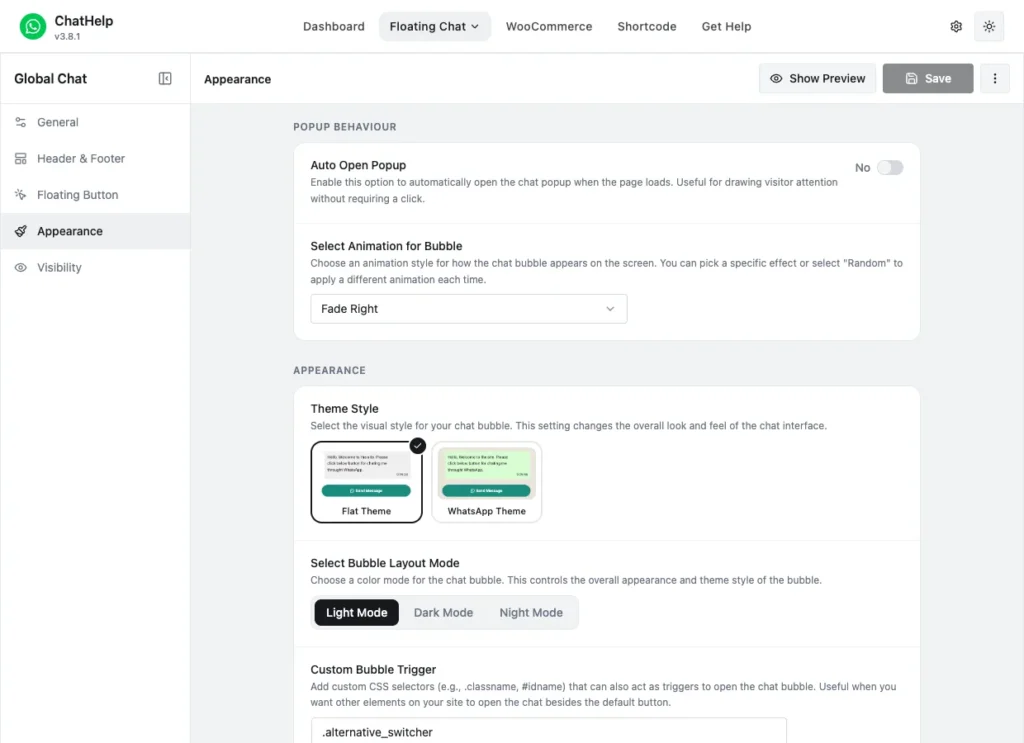
  • Additional CSS: The Appearance tab of the Global Chat
    Theme, light, dark or night mode, colours and fonts
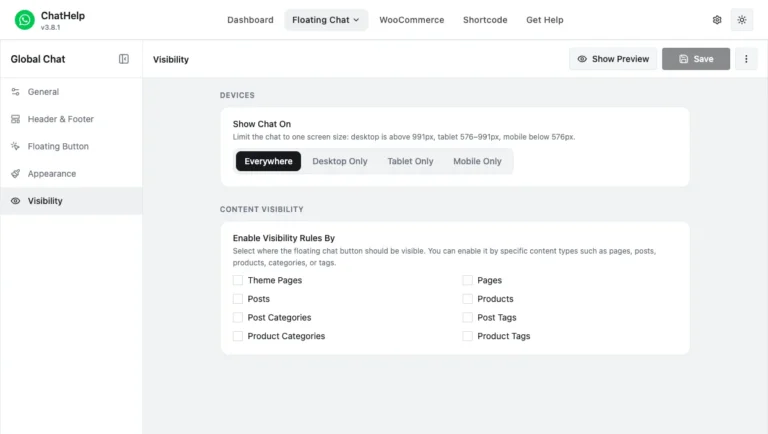
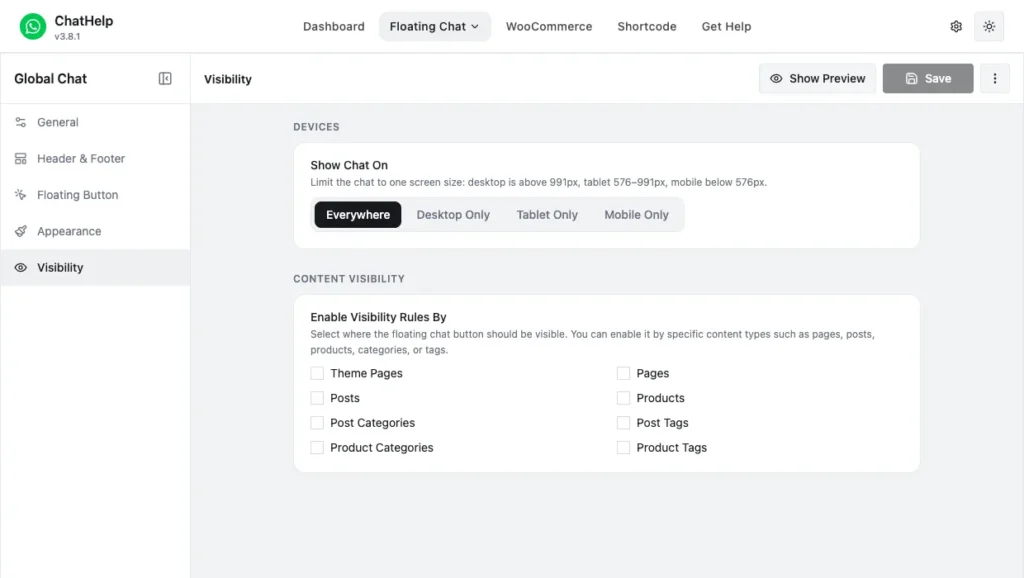
  • Fully responsive: The Visibility tab of the Global Chat
    Visibility rules by device and content
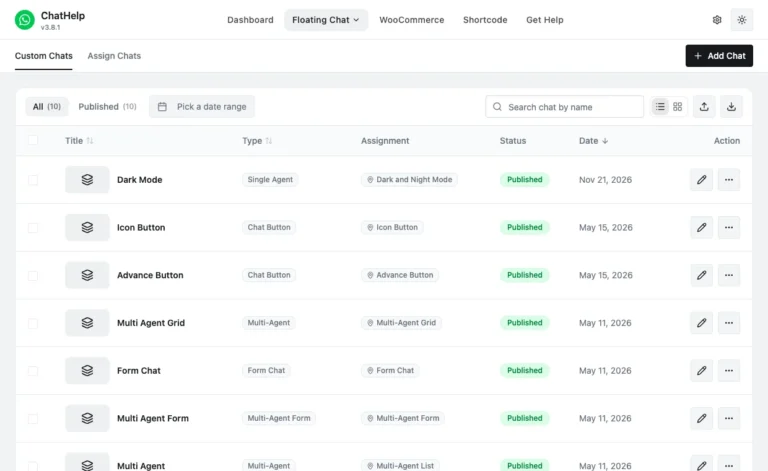
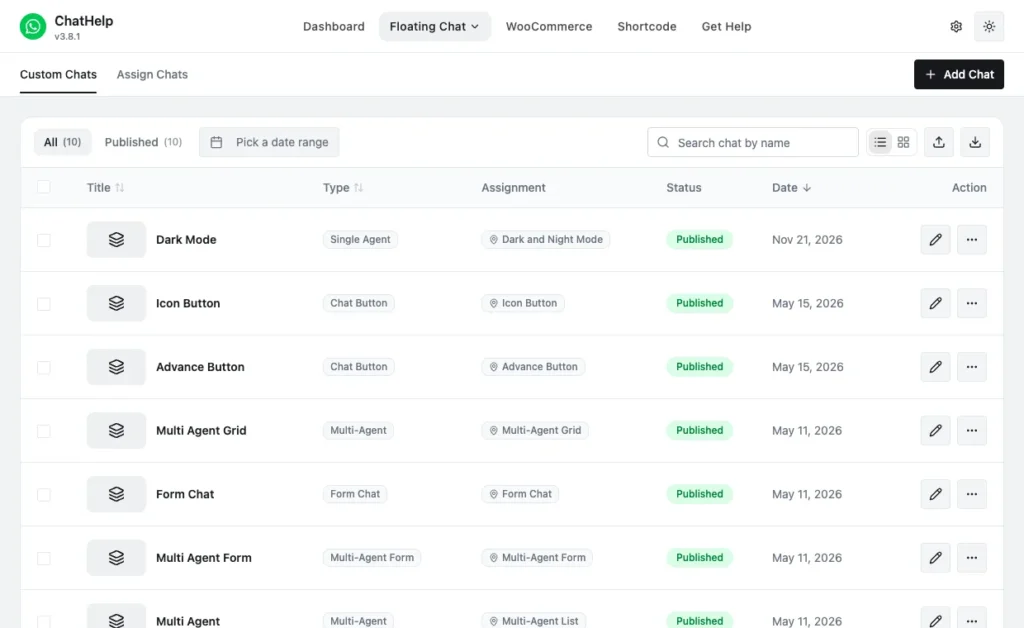
  • Multiple chat layouts: The Custom Chats list with each chat’s type, assignment and status
    Custom Chats: a different chat for different pages
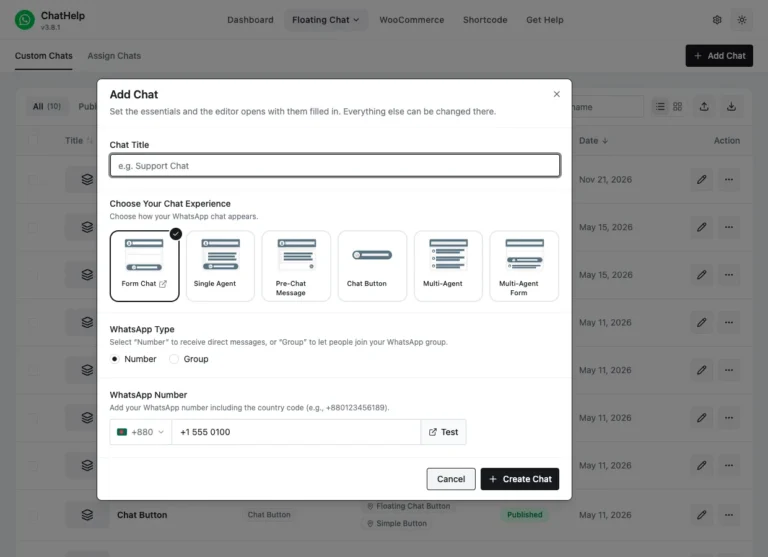
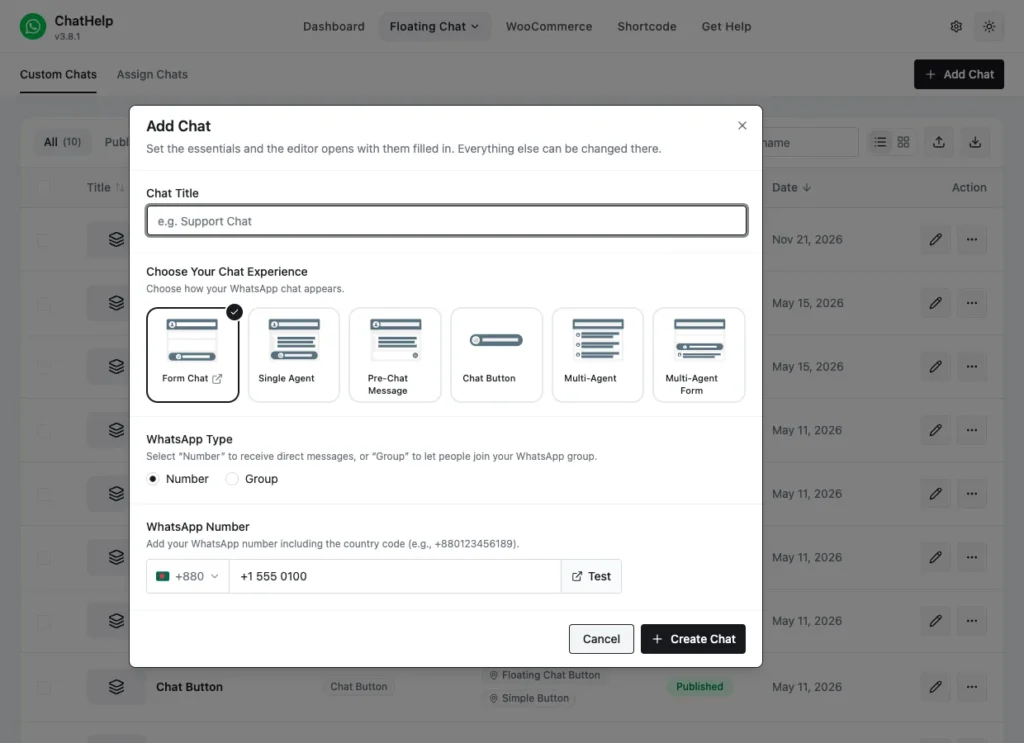
  • Add Chat
    Add Chat: the essentials first
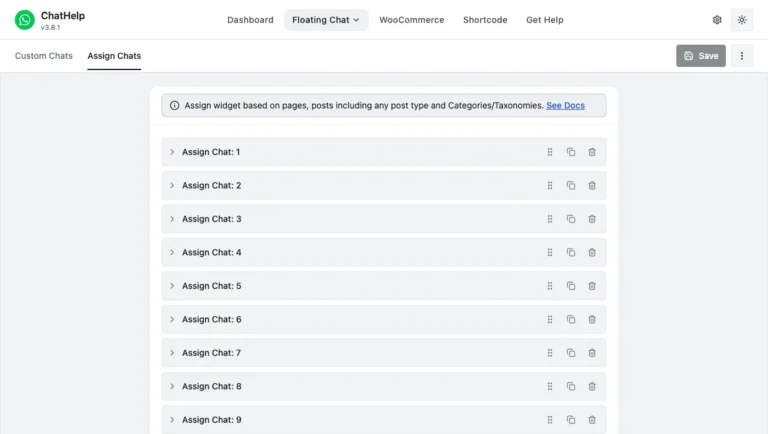
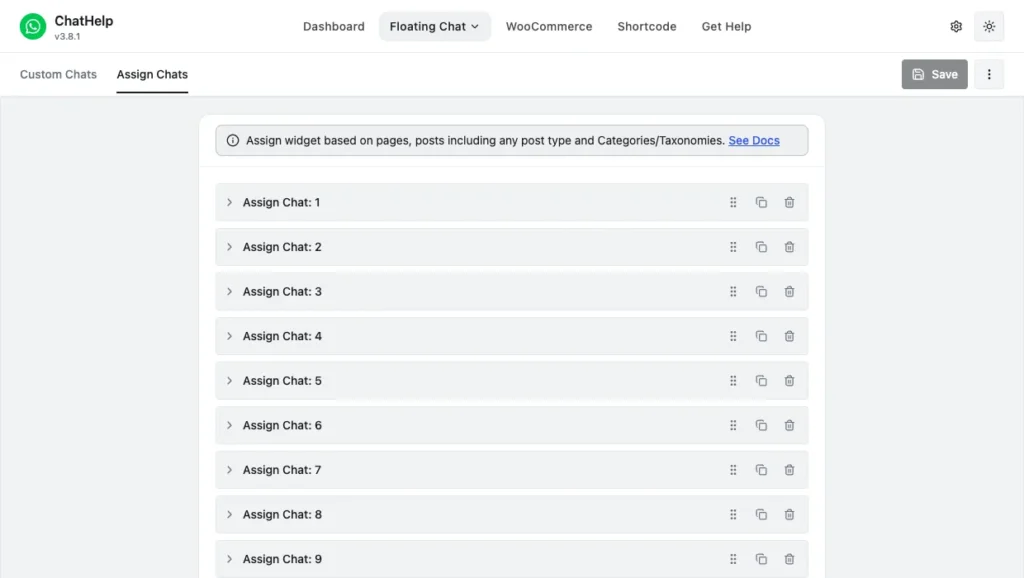
  • Layout assignment: The Assign Chats screen with a chat assigned to pages
    Assign Chats to posts, pages and products
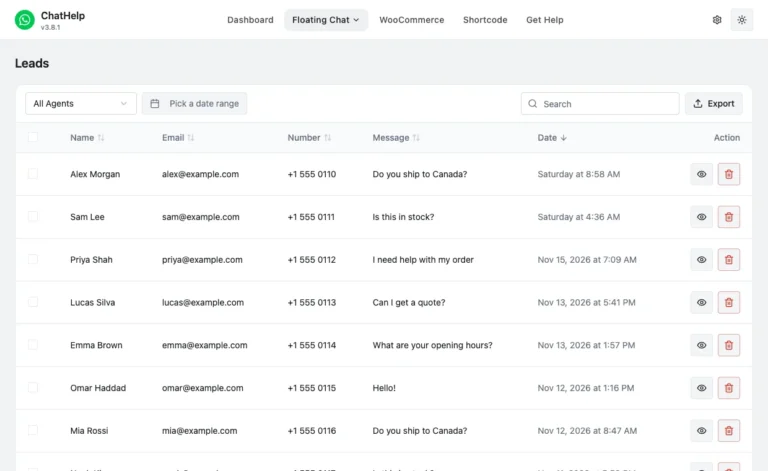
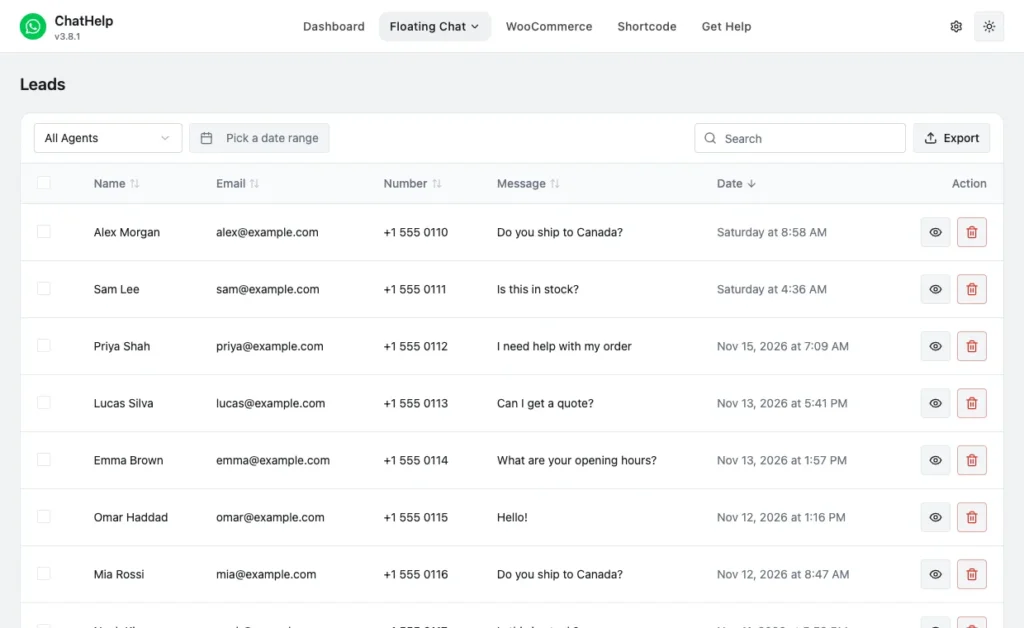
  • Leads management: The Leads screen with search, filters and the Export button (example data)
    Leads with search, filters and CSV export (example data)
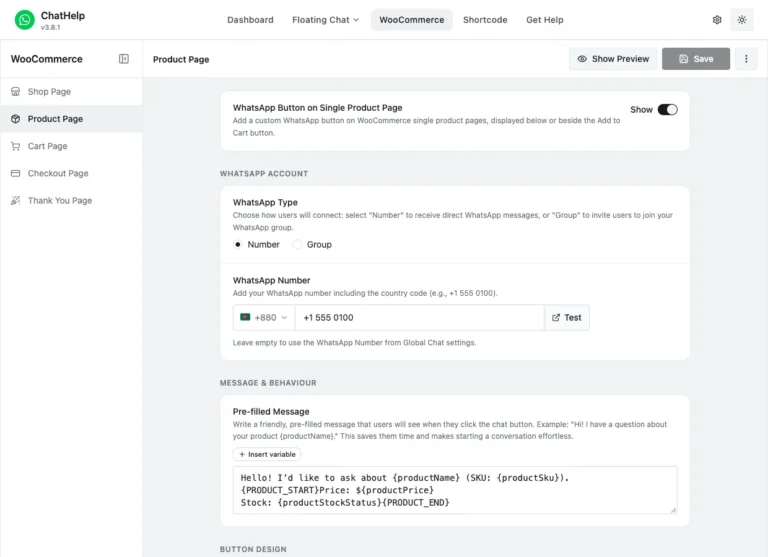
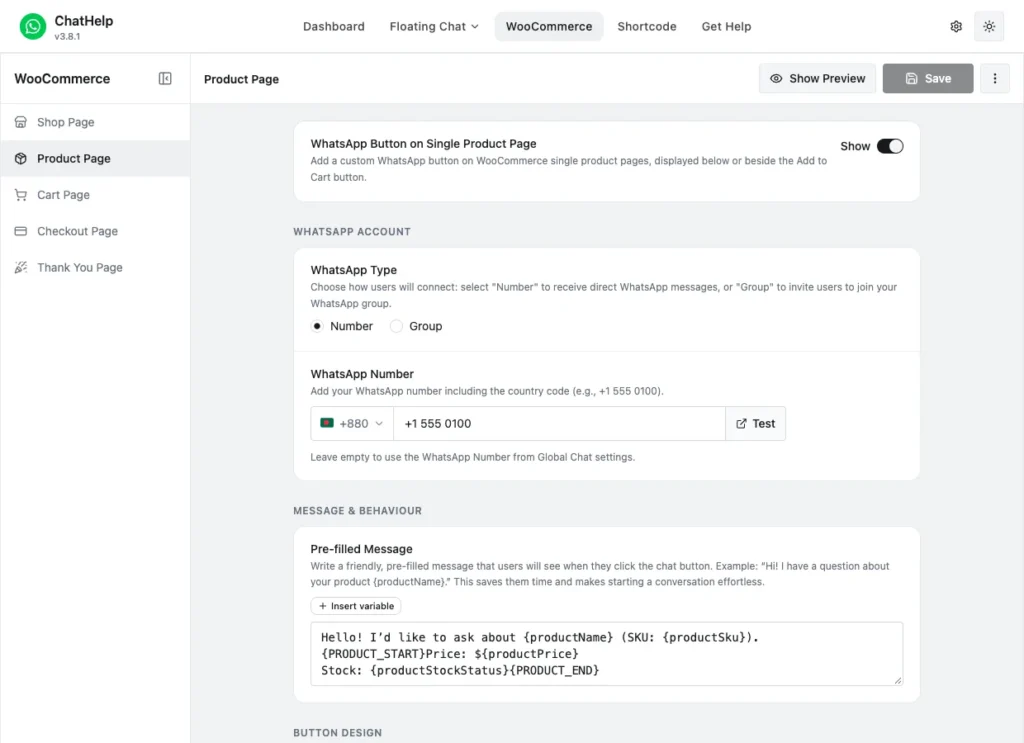
  • Dynamic variables in the WooCommerce button: The Product Page settings of the Chat Help WooCommerce buttons
    WooCommerce: product page button
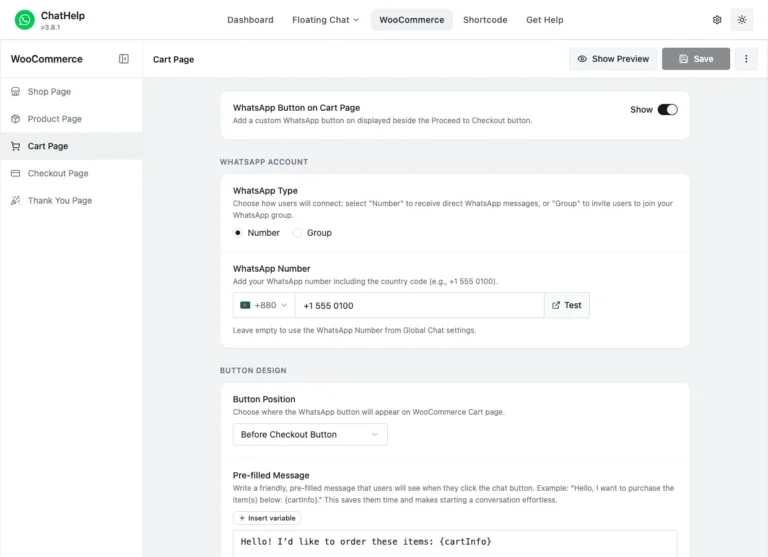
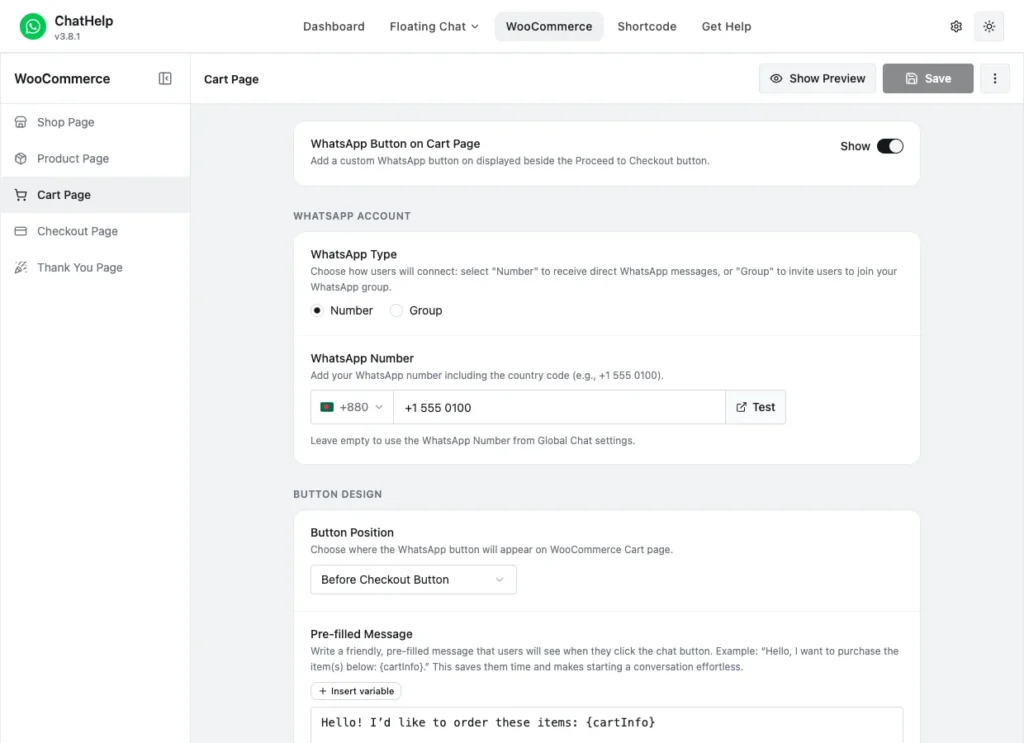
  • The Cart Page settings of the Chat Help WooCommerce buttons
    WooCommerce: cart page button
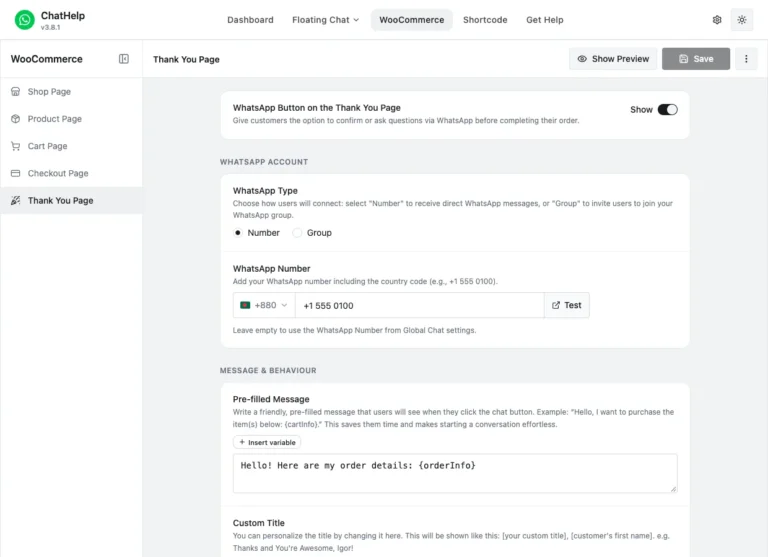
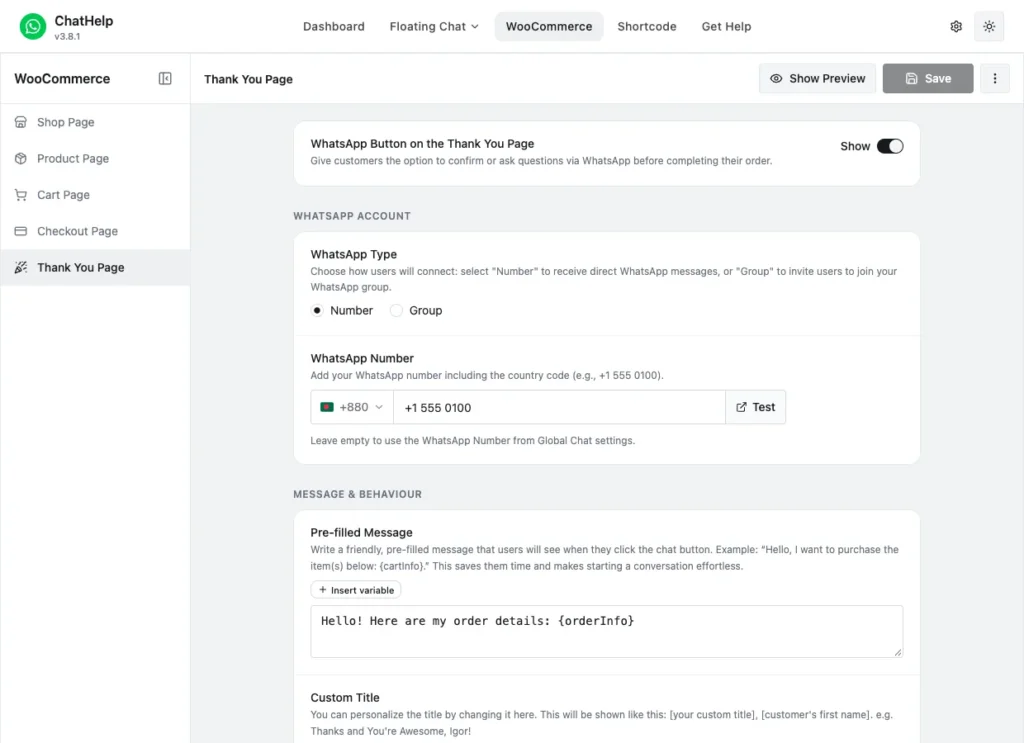
  • The Thank You Page settings of the Chat Help WooCommerce buttons
    WooCommerce: thank-you page button
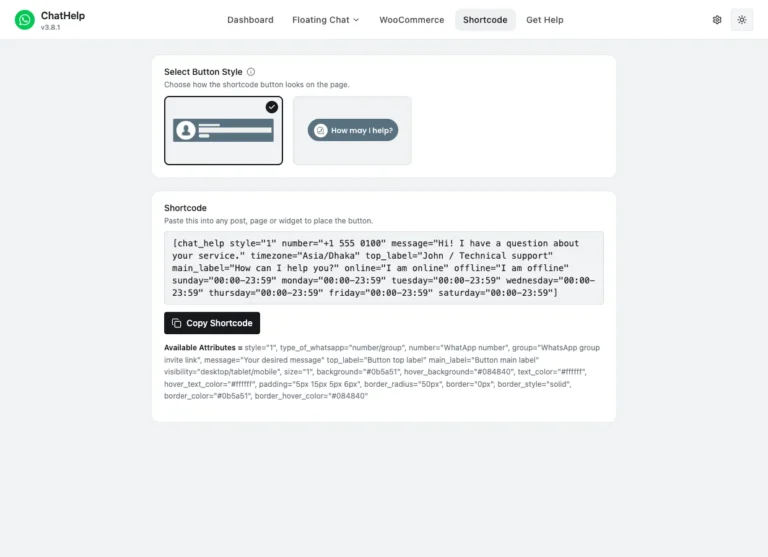
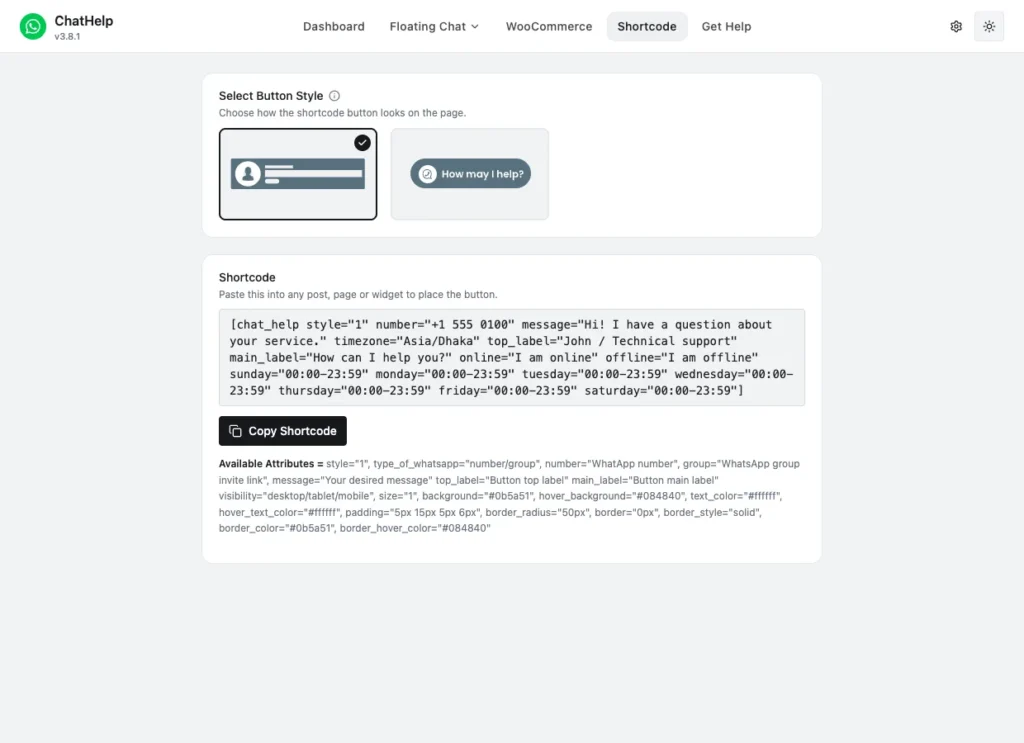
  • Shortcodes: The Shortcode screen with the two button styles
    Ready-made button shortcodes
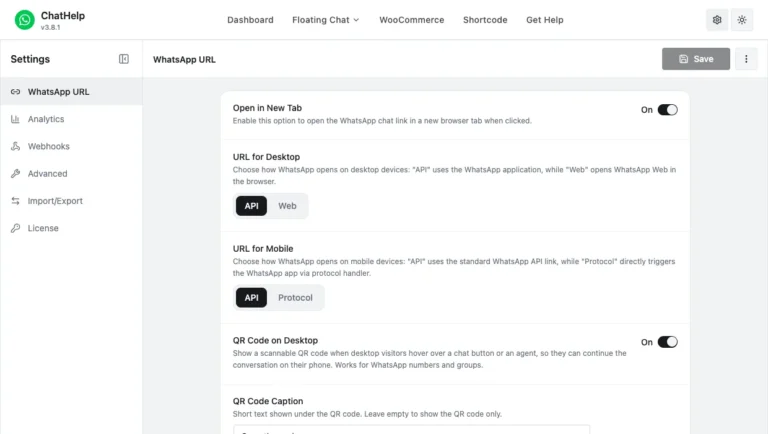
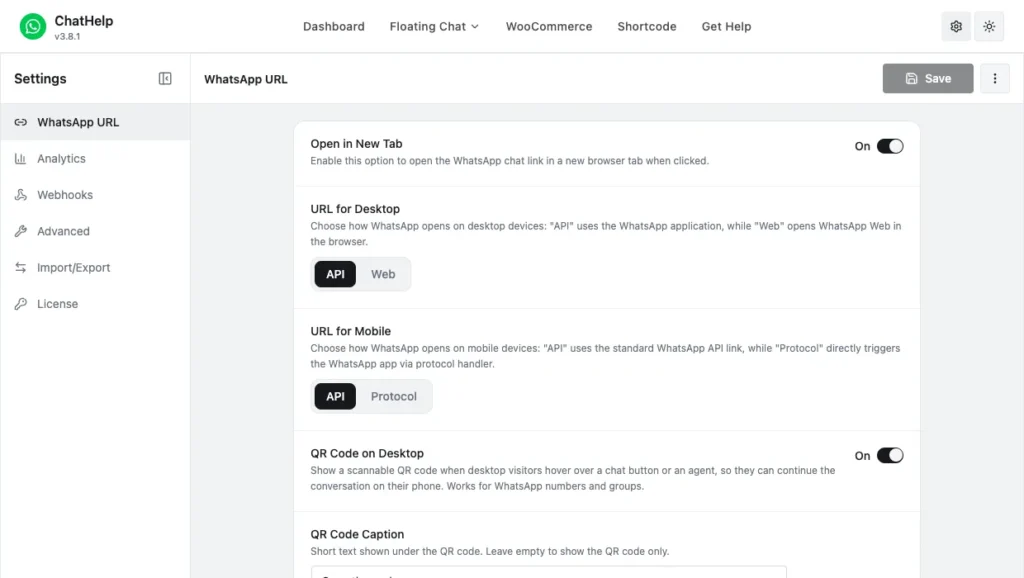
  • Advanced controls: The WhatsApp URL settings with the QR code options
    WhatsApp URL settings and the desktop QR code
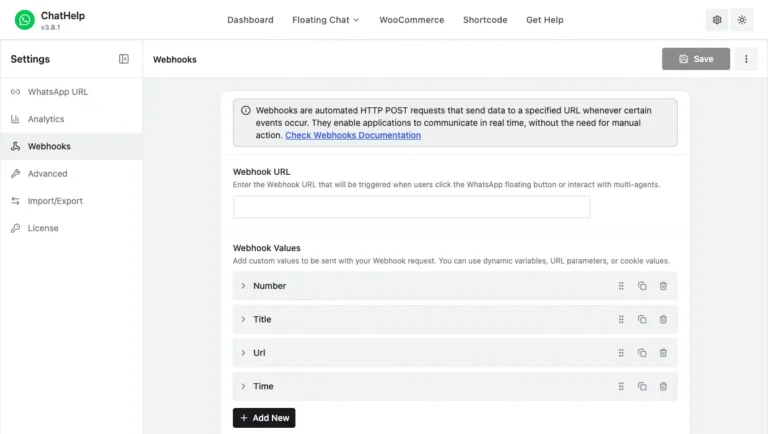
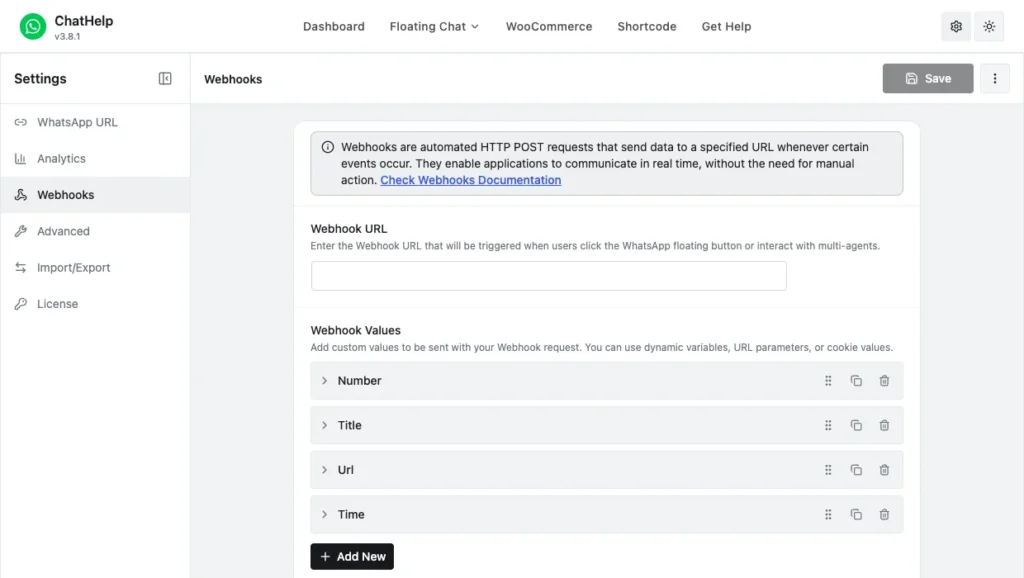
  • The Webhooks settings with a URL and values
    Webhooks (Pro)
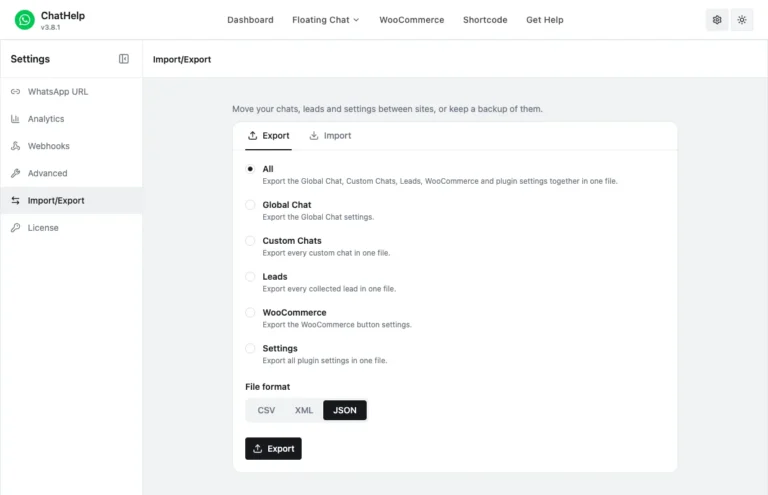
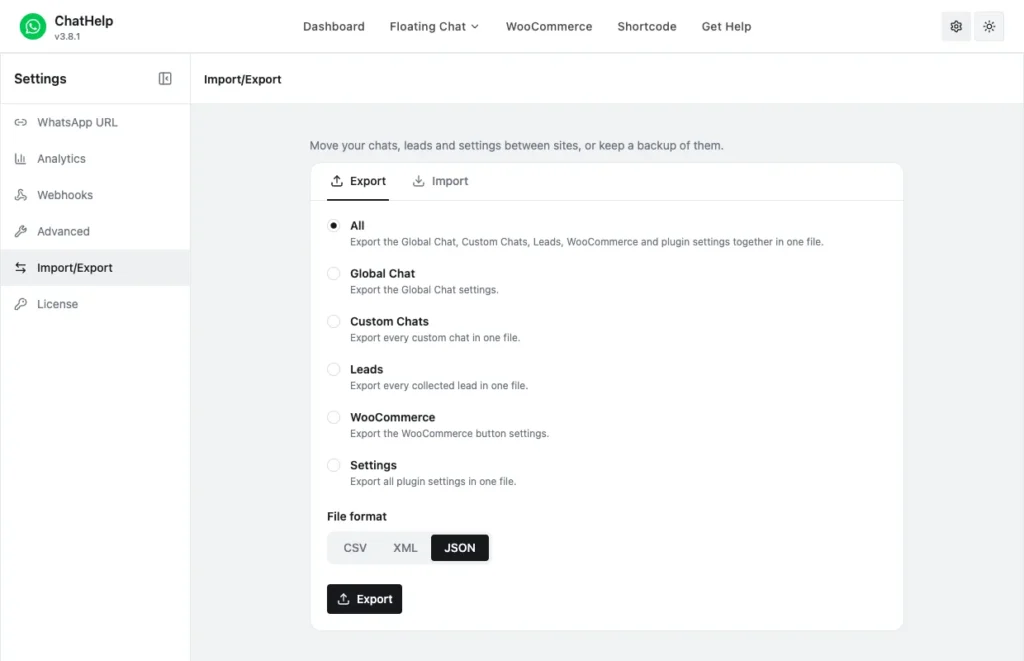
  • Backup: The Import/Export screen
    Import and export chats, leads and settings
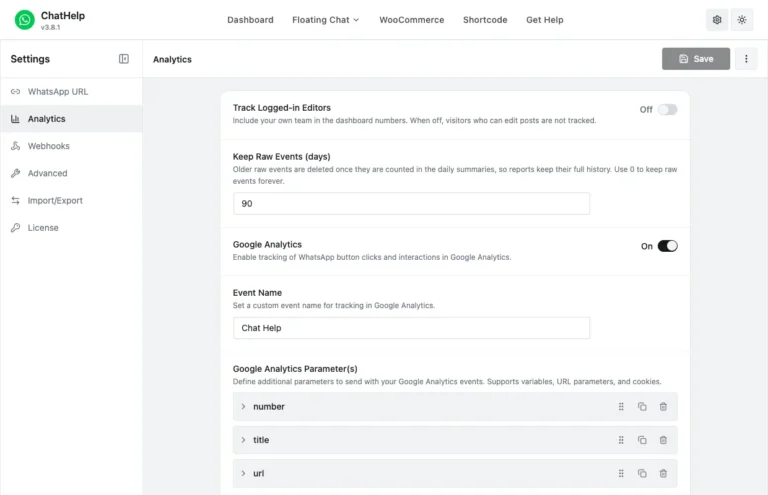
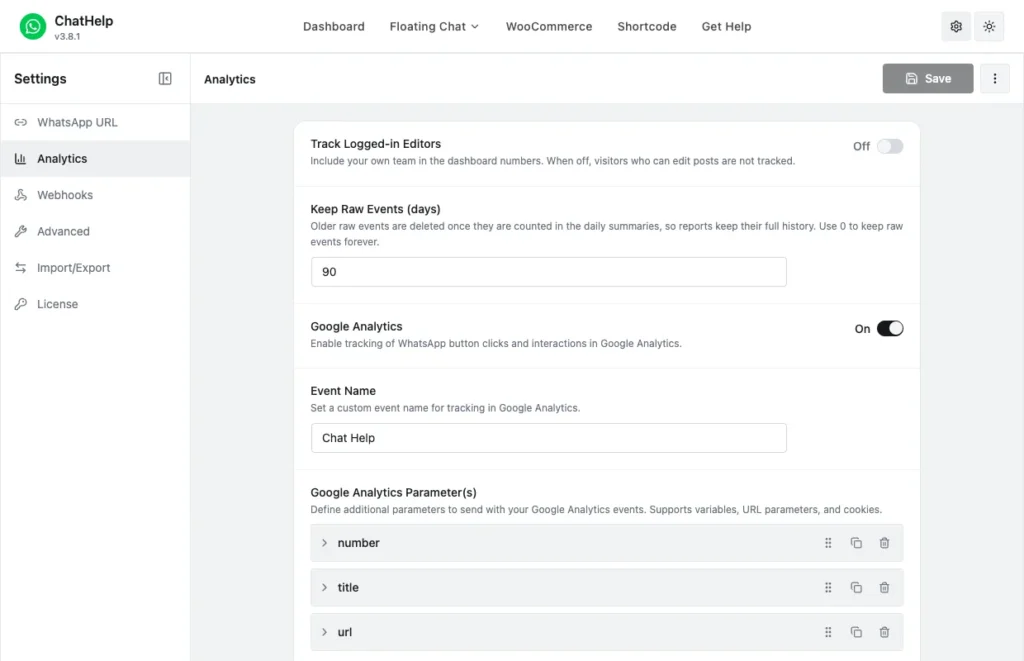
  • The Analytics settings
    Analytics and Google Analytics settings
Turn visitors into WhatsApp conversations

Start free from WordPress.org. Upgrade to Pro for team chat with several agents, the Advance button, dark mode, unlimited form fields, visibility rules and webhooks.

Chat Help Demo
ThemeAtelier
Typically replies within 1 minute.