
WhatsApp Button Shortcode for WordPress
Put a WhatsApp button anywhere shortcodes work: pages, posts, widgets, templates and every page builder. Each button has its own number, message, labels, colours and opening hours. The shortcode is in the free version.
Every button on this page is the real [chat_help] shortcode.
Live buttons, made with the [chat_help] shortcode

Both open WhatsApp. Try them.
Live buttons
Two styles
Style 1 is the Advance button with a photo, a top label and an online status. Style 2 is the Basic button with an icon.
Style 1: Advance
[chat_help style="1" number="+8801313588080" background="#0B5A51" hover_background="#084840" icon_color="#0B5A51" hover_icon_color="#084840" top_label="Sarah / Sales" main_label="Questions before you buy?" message="Hi! I have a question before I buy Chat Help Pro." online="Online now" offline="Back tomorrow"]Style 2: Basic
[chat_help style="2" number="+8801313588080" background="#0B5A51" hover_background="#084840" icon_color="#0B5A51" hover_icon_color="#084840" main_label="Chat on WhatsApp" message="Hi! I have a question about Chat Help."]Set up
Set up the WhatsApp button shortcode in three steps
Copy the shortcode
Go to Chat Help → Shortcodes, choose a style and copy the shortcode.
Paste it
Paste it into a Shortcode block, a widget, a page builder module or a template.
Adjust it
Change the number, message, labels or colours with the attributes.
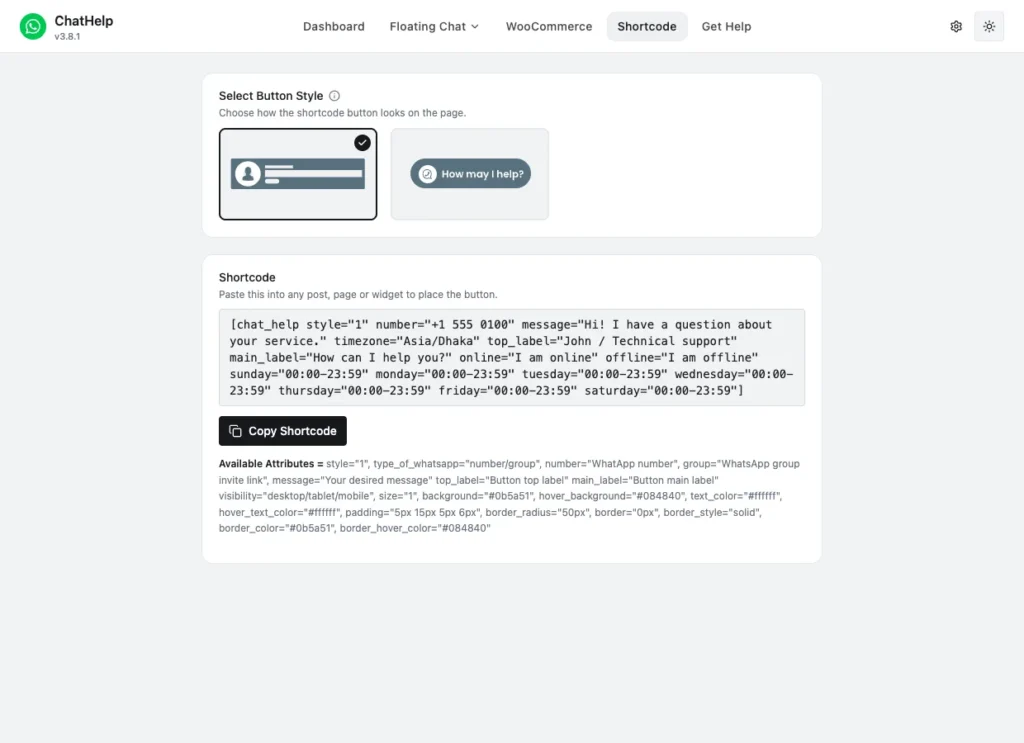
Step-by-step: Shortcodes
From the blog
Related guides
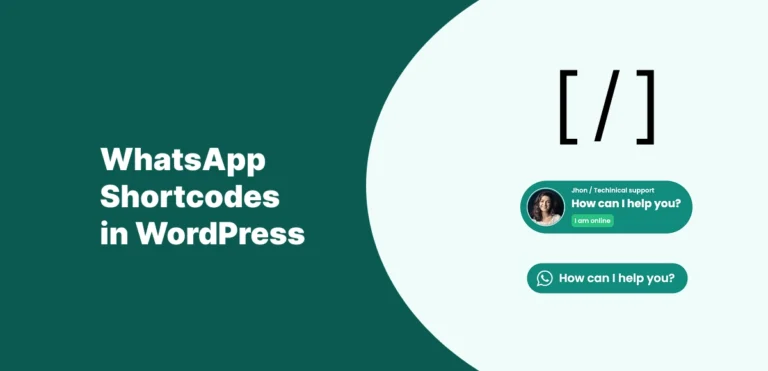 WhatsApp Shortcodes in WordPress – Complete GuideWhatsApp shortcode WordPress is one of the most flexible ways to add chat buttons or contact options anywhere…Read the guide
 How to Add WhatsApp Chat to WordPress Sidebar (2026 Guide)Add WhatsApp Chat to WordPress sidebar — and instantly make your website more interactive, personal, and conversion-friendly. It’s…Read the guide
 How to Add WhatsApp Chat to WordPress Footer Without a PluginWhatsApp chat WordPress footer integration might be the simplest way to turn your silent visitors into loyal customers.…Read the guide
From WordPress.org
What users say
The plugin works perfectly and the team is very professional. I purchased the Pro version and the experience has been excellent. The plugin works perfectly and the team is very professional. I requested a couple of new features and they developed them without any issues and in a short time.
uomiguel (opens in a new tab) on WordPress.org Awesome Plugin for WhatsApp Floating Chat & WooCommerce Order. This plugin worked great for my website, Order Via WhatsApp. It also provides a floating chat icon, which is helpful as well.
mohsinworld (opens in a new tab) on WordPress.org Effective for WhatsApp Chat Support! I am using this plugin to provide support to my customers through WhatsApp. It’s really effective and they can connect with me very easily using their WhatsApp. They don’t need to save our number manually.
firststepstogether (opens in a new tab) on WordPress.org
